
I’ve spent months testing Arduino starter kits, and honestly, some of them left me frustrated. (Looking at you, kits with missing components and tutorials that assume I already know what a pull-up resistor does.)
But a few gems actually got me building working projects on day one. The ELEGOO UNO Super Starter Kit packs serious value with its 200+ components and detailed PDF guides. The Official Arduino Starter Kit costs more, yet its project book alone justifies the price for absolute beginners. Meanwhile, the SunFounder R4 WiFi caught my attention for IoT experiments, though its learning curve steeper.
Which kit actually matches your skill level and project goals?
ELEGOO UNO Super Starter Kit with Tutorial
If you’re just dipping your toes into electronics, the ELEGOO UNO Super Starter Kit usually hits the sweet spot.
I like how this bundle gives you the UNO R3 compatible board plus extras: the MEGA 2560 R3 and NANO. That’s flexibility right out of the box. The LCD1602 module comes with pin headers attached, so you skip the soldering headache entirely.
The PDF tutorial packs 22+ lessons, and everything arrives organized rather than jumbled in a bag. You also get a power supply module and a 9V battery with DC connector.
It’s genuinely beginner-friendly. The Arduino IDE support means you’re not wrestling with weird software. This kit delivers real learning in a practical, complete package that actually works.
Best For: Beginners interested in electronics and Arduino programming who want a complete starter kit with tutorial support and multiple board options.
Pros:
- Includes three board options (UNO R3 compatible, MEGA 2560 R3, NANO) for immediate flexibility in project scope
- LCD1602 module comes with pre-attached pin headers, eliminating soldering requirements for beginners
- Comprehensive PDF tutorial with 22+ organized lessons and neatly packaged components for structured learning
Cons:
- Board compatibility limited to Arduino IDE with no mention of Arduino Cloud or other platform support
- 9V battery power option may be insufficient for more power-hungry projects requiring sustained operation
- No specified sensor variety or advanced modules (motors, wireless connectivity) for intermediate progression
Recommended Products

COMPLETE BASIC ELECTRONICS STARTER KIT: Build a strong foundation in electronics with an ELEGOO UNO R3-compatible controller board, breadboard, USB cable, LEDs, RGB LED, buttons, resistors, jumper wires, photoresistor, tilt switch, active buzzer and 74HC595 shift register for hands-on circuit and coding projects
Official Arduino Starter Kit (K000007) with 12 DIY Projects
Who’s this kit really for? I’d say anyone who wants the real deal, straight from Italy. If you’re tired of knockoffs and crave genuine Arduino quality, this one’s calling your name.
The K000007 packs 12 hands-on projects and a comprehensive English project book that walks you through every step. I love that the components are original, high-quality parts, not cheap substitutes. The book teaches real coding concepts and circuit design.
This makes it perfect for classrooms, hobbyists, or STEM learners.
At roughly 23 x 16 x 4.5 cm, it’s compact but substantial. You’ll get genuine compatibility with countless Arduino projects, something clone kits can’t always promise.
Here’s my gripe: you’re paying premium prices for the brand name. Is it worth it? For purists, absolutely. Beginners get rock-solid documentation and zero compatibility headaches.
Verdict: Choose this if authenticity matters, you’re teaching others, or you want frustration-free learning.
Best For: Beginners, educators, and authenticity-focused hobbyists who want genuine Arduino quality with reliable documentation and zero compatibility issues.
Pros:
- Genuine Arduino components from Italy ensure reliable quality and full compatibility with Arduino projects
- Comprehensive English project book provides step-by-step guidance for 12 hands-on projects
- Rock-solid documentation eliminates frustration and troubleshooting headaches for learners
Cons:
- Premium price tag reflects brand name rather than just component value
- Clone alternatives offer similar functionality for those willing to troubleshoot quirks
Recommended Products

BUILD BREADBOARD CIRCUITS AND MINI PROJECTS - Create LED indicators, button inputs, traffic-light sequences, light-activated circuits, RGB effects and buzzer alarms for electronics practice, classroom demonstrations and maker projects

ELEGOO UNO R4 WiFi Control Board: Fully compatible with Arduino IDE and original Arduino shields. Features a 32-bit 48 MHz Renesas RA4M1 processor, USB-C, a 12 × 8 LED matrix, a Qwiic connector, built-in Wi-Fi and Bluetooth connectivity. Suitable for interactive STEM projects, it gives learners more room to progress from basic circuits to connected IoT projects

35+ Guided Electronics Projects: Progress from LEDs and buttons to RFID access, real-time clocks, motion and distance sensing, environmental monitoring, motor control and interactive displays for STEM learning, coding clubs and maker projects
ELEGOO UNO R3 Complete Arduino Starter Kit (63 Items)
Looking for a kit that won’t empty your wallet but still packs serious value? I’ve got you covered with this ELEGOO package.
It delivers 63 distinct product types, meaning over 200 components total. You get the UNO R3 controller board, USB cable, and best of all, everything’s pre-soldered. No tedious soldering work required (trust me, I’ve burned enough fingers to appreciate this).
Organization matters when you’re learning. ELEGOO includes a compartmentalized case plus a bonus box for tiny parts like LEDs and ICs. Everything has its place, so you won’t lose components ten minutes into your first project.
The tutorial package includes 30+ free PDF lessons with all code provided. Whether you’re barely dipping your toes or refreshing old skills, it meets you where you are.
Compatibility? Solid. Works with Arduino IDE and official Arduino boards.
Here’s my take: if you want maximum components per dollar without sacrificing quality, this hits the sweet spot. Perfect for hobbyists, students, or anyone who hates digging through messy drawers.
Best For: Budget-conscious beginners, students, and hobbyists who want a comprehensive Arduino starter kit with pre-soldered components and structured learning resources.
Pros:
- Exceptional value with 63 product types and 200+ components
- Pre-soldered modules eliminate the need for soldering skills and reduce setup frustration
- Well-organized storage with compartmentalized case and bonus box prevents component loss
Cons:
- V1.0 color designation suggests potential for outdated or less refined hardware revisions
- 30+ PDF lessons may lack the depth or interactivity of video-based or instructor-led tutorials
- Compatibility-focused design (Arduino IDE/UNO R3) may limit exploration of newer microcontroller platforms
Recommended Products


This sensor kit comes with 37 basic sensors and modules, which is good for learning basic knowledge about sensors. The main controller is Not Included.
REXQualis Arduino UNO R3 Super Starter Kit
Need a kit that won’t drain your wallet before you even blink? I found the REXQualis Arduino UNO R3 Super Starter Kit hits the sweet spot between affordability and capability, making it my go-to recommendation for absolute beginners.
Let’s talk components. You get the UNO R3 base board, sensors, a servo, motor, ULN2003 driver board, and LCD displays, all tucked into a plastic box that actually fits everything. (No more hunting for loose resistors in your desk drawer.)
Here’s where REXQualis stands out: they swapped the traditional 9V battery for a proper 9V 1A power adapter. The LCD1602 module arrives with pin headers pre-soldered, so you won’t fumble with a soldering iron on day one.
Documentation comes as a free PDF download, plus datasheets on their official site. Customer service responds when you’re stuck, which happens more than I’d care to admit.
Is this kit perfect? No. It’s the most economical option in REXQualis’s lineup, so you’ll sacrifice some advanced modules. But for learning programming basics? Perfect choice.
Best For: Absolute beginners who want an affordable, capable Arduino starter kit for learning programming basics without needing additional tools.
Pros:
- Includes 9V 1A power adapter instead of disposable 9V battery
- LCD1602 module comes with pre-soldered pin headers, eliminating need for soldering equipment
- All components pack neatly into included plastic box for organized storage
Cons:
- Most economical option in lineup means fewer advanced modules than premium kits
- PDF documentation requires download rather than physical manual included
- Sacrifices some advanced capabilities found in higher-tier REXQualis kits
Recommended Products

A complete starter learning kit including MEGA2560 control board, compatible with Arduino IDE

16 Guided Electronics Projects: Start with LEDs and buttons, then build LCD1602 displays, motor and fan control, relay switching, light and temperature sensing, tilt reactions and 74HC595 output-expansion projects for hands-on STEM learning
LAFVIN Arduino Super Starter Kit with Tutorial
What makes a starter kit truly beginner-friendly?
The LAFVIN Arduino Super Starter Kit answers that with sheer variety. I counted motors for days, servo, stepper, and DC, plus an LCD 1602 with pin headers already attached. No soldering? Yes, please.
The tutorials seal the deal. Over 20 lessons arrive with code, libraries, and datasheets. I appreciate when a kit doesn’t just dump parts in my lap and wish me luck.
For beginners drowning in possibilities, that structure matters.
Compatibility holds up fine, 100% Arduino IDE friendly. Nothing revolutionary there, but it works.
My gripe? The sheer length of that product name. Try saying “LAFVIN Project Super Starter Kit for R3 Mega2560 Mega328 Nano” three times fast.
Who’s this for? Absolute beginners who want motors and displays without hunting down tutorials elsewhere. Kids, hobbyists, anyone scared of soldering irons. Not for veterans seeking cutting-edge components.
Verdict: Solid, reliable, slightly boring. Sometimes boring’s exactly what you need.
Best For: Absolute beginners, kids, and hobbyists who want a structured introduction to Arduino with motors and displays without needing to solder or hunt for external tutorials.
Pros:
- Includes over 20 structured lessons with code, libraries, and datasheets for guided learning
- No soldering required thanks to pre-attached pin headers on components like the LCD 1602
- 100% Arduino IDE compatible with good variety of motors (servo, stepper, DC) and display modules
Cons:
- Includes somewhat dated, basic components rather than cutting-edge technology
- Extremely long and unwieldy product name makes identification and searching difficult
- May feel too basic or “boring” for more experienced users or veterans seeking advanced features
Recommended Products
![Arduino Starter Kit R4 [K000007_R4] – Learn Electronics and Coding with the UNO R4 WiFi Board, 13 Guided Projects in a Printed Book + Growing Resources Online, Official Certification Voucher](https://m.media-amazon.com/images/I/51mjbAi4hGL._SL500_.jpg)
LEARN ELECTRONICS AND CODING FROM SCRATCH: Start your maker journey or enhance classroom learning with the Arduino Starter Kit R4 – no prior experience required. Includes a printed project book and all components for 13 hands-on tutorials, as well as access to a growing repository of projects that will be added over time.

Upgraded Arduino Uno R4 Minima – More Power, Same Compatibility. Powered by the latest Arduino Uno R4 Minima (32-bit ARM Cortex-M4), this kit delivers higher performance, more memory, and advanced peripherals while keeping the same Uno form factor and 5V logic. Perfect for beginners upgrading from Uno R3 or starting fresh with modern Arduino hardware. Certified RoHS compliant
SunFounder Arduino Uno R4 WiFi Starter Kit
The SunFounder Arduino Uno R4 WiFi Starter Kit earns my top pick for anyone who wants future-proof hardware without the headache of buying extras later.
What’s Inside (and Why It Matters)
This kit packs 300+ components around the genuine Arduino Uno R4 WiFi board. That 32-bit processor isn’t just marketing fluff; it’s noticeably snappier than older 8-bit boards. Built-in WiFi and Bluetooth mean no janky shields or extra purchases. Finally.
The project lineup splits cleanly: 30 basics to get you soldering-free and confident, 13 “fun” builds (think sensors, displays, movement), and 8 IoT projects that actually connect to Arduino IoT Cloud. Compare that to kits still pretending “blinking LED” is week three material.
Learning Resources
SunFounder co-developed 60+ video lessons with Paul McWhorter, an educator who actually explains why code works, not just “type this.” Step-by-step tutorials and open-source code come standard. Compatibility with Uno R3 and Nano boards protects earlier investments.
Who’s It For?
Students, teachers, engineers, curious kids 8+. Dedicated beginner support and troubleshooting forums exist for when your code throws mysterious tantrums at 2 AM. (We’ve all been there.)
My Verdict
Skip the R3 kits unless you’re pinching pennies. The R4’s extra memory and wireless connectivity aren’t luxuries anymore; they’re expectations. For pure value and room to grow, this one’s my recommendation.
Best For: Beginners aged 8+ through experienced engineers who want future-proof hardware with built-in wireless connectivity and comprehensive learning resources to grow from basic projects to IoT applications.
Pros:
- Genuine Arduino Uno R4 WiFi board with 32-bit processor, built-in WiFi/Bluetooth, and extra memory eliminates need for additional shields or upgrades
- 300+ components supporting 50 progressive projects (30 basic, 13 fun, 8 IoT) with 60+ expert-developed video tutorials and open-source code
- Compatibility with Uno R3 and Nano boards protects existing investments while dedicated beginner support and troubleshooting forums provide reliable help
Cons:
- 300+ components and 50 projects may overwhelm absolute beginners seeking simpler entry points
- IoT and wireless features require additional learning curve for users unfamiliar with cloud connectivity and app integration
Recommended Products

UPGRADED ALL-IN-ONE SENSOR SHIELD: Plug compatible modules into clearly labeled ports to reduce loose wiring and connection errors. The V2.0 shield supports multi-module builds while keeping the breadboard available for custom circuits

Ultimate Starter Kit for Arduino - Includes more common use components what you need for starting with projects
LAFVIN Basic Starter Kit with R3 CH340 (Retail Box)
LAFVIN’s kit hits the sweet spot if you’re watching your wallet but still want quality gear.
I grabbed this one for a friend who wanted to test the Arduino waters. The R3 CH340 board loads sketches through Arduino IDE with zero drama, the breadboard holds firm, and you get enough toys (LEDs, DHT11 temp sensor, soil moisture probe) to build actual projects. Not just blinking an LED, but tiny weather stations and plant babysitters.
Physical Differences Worth Noting
The retail box matters more than you’d think. I’ve seen budget kits dump loose parts in bubble wrap, gone forever by Tuesday. LAFVIN’s plastic case keeps resistors from carpet-diving, which I appreciate.
And honestly? The CH340 chip versus official Uno FTDI? I’ve never noticed lag in real use. Drivers install, ports appear, life continues.
What’s Missing
No servo motor, no LCD screen. If you want robotics displays, look elsewhere. For pure fundamentals, though, this delivers.
The Verdict
Perfect for: Students, curious adults testing interest, classroom bulk buys. Skip if: You need wireless or motors out of the box.
Best For: Budget-conscious beginners, students, and educators looking for an affordable entry point into Arduino programming and basic electronics projects.
Pros:
- Excellent value with quality components that work reliably with Arduino IDE
- Practical included sensors (DHT11, soil moisture) enable real projects beyond simple LED blinking
- Organized retail box packaging prevents small parts from getting lost
Cons:
- No servo motor included, limiting robotics possibilities
- No LCD display for output visualization
- Lacks wireless connectivity modules for IoT applications
Recommended Products

Powerful ESP-32 Board: Unlock the world of Internet of Things (IoT) and advanced electronics with the heart of this kit: the ESP-32 board. It features a powerful dual-core processor, integrated Wi-Fi and Bluetooth 4.2, making it perfect for building connected, smart devices that communicate with your phone or the cloud. It's fully compatible with the Arduino IDE for easy programming.
![Arduino UNO R4 WiFi [ABX00087] - Renesas RA4M1 + ESP32-S3, Wi-Fi, Bluetooth, USB-C, CAN, 12-bit DAC, OP AMP, Qwiic Connector, 12x8 LED Matrix for Advanced IoT & Embedded Projects](https://m.media-amazon.com/images/I/416S910MpBL._SL500_.jpg)
Dual-Core Processing with Renesas RA4M1 and ESP32-S3: The Arduino UNO R4 WiFi combines the Renesas RA4M1 microcontroller (ARM Cortex-M4) and the ESP32-S3 Wi-Fi/Bluetooth chip, delivering powerful dual-core processing capabilities. This combination offers flexibility for a wide range of projects, from high-speed communications and wireless control to real-time data processing and edge AI applications.
Factors to Consider When Choosing an Arduino Starter Kit
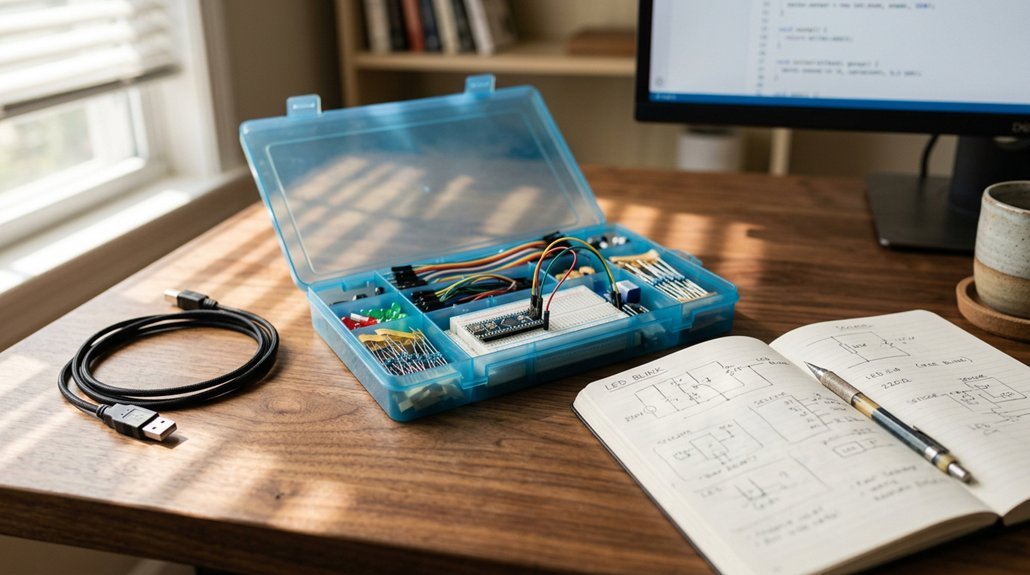
When I’m picking an Arduino starter kit, I always check five things first: whether the board plays nice with my computer (that’s compatibility), how many different sensors and doodads I actually get, and if the tutorials hold my hand or leave me stranded. You’ll also want to think about how you’ll keep all those tiny resistors from disappearing, plus what your power options are, whether that’s USB, battery, or wall plug.
Trust me, I’ve learned the hard way that a messy bag of components and a single cryptic PDF can kill your motivation faster than a shorted LED.
Recommended Products

All-in-One Kit, No Extra Purchases Needed: Equipped with 83 full-range components including UNO R3 compatible board, sensors, LEDs, resistors and USB cable, this beginner-friendly electronics kit meets needs of college STEM classes and self-study projects. Start your first electronics circuit build immediately without wasting time on supplementary part shopping.

All-in-One Electronics & Coding Starter Kit: Learn the fundamentals of electronics, coding, and circuit design with the Horizon Uno board (Arduino-compatible), LEDs, sensors, and specialty components — everything you need to start building.
Board Compatibility Options
Why does board compatibility trip up so many beginners? I see it constantly: someone grabs a kit, plugs it in, and nothing works because the board doesn’t talk to their computer properly.
First off, check if your kit explicitly lists the board type, UNO R3, UNO R4, Nano, or Mega 2560. Each has different pin layouts and shield compatibility. The R4 won’t fit older R3 cases, and that’s annoying if you’ve already 3D printed one.
Microcontroller matters too. AVR based boards use straightforward Arduino IDE setup. ESP32 variants: you’ll hunt down extra libraries and drivers.
Speaking of drivers: CH340 chips need manual installation on some systems. I always verify IDE support is stated upfront. Nothing kills momentum like troubleshooting upload errors instead of coding.
Match your board to your comfort level.
Component Variety Count
The component count on the box rarely tells you what you actually need to know.
I look past the “200+ components” hype and check what’s actually inside. More variety means more sensors, actuators, and modules to play with. That’s what matters.
What Counts:
- Sensor diversity: Temperature, motion, sound, light. Different types beat raw numbers.
- Actuator range: Servos, steppers, motors with drivers like ULN2003. These open up robotics projects.
- Display options: LCDs, LEDs, maybe an OLED. Visual feedback transforms learning.
Some kits stuff in 63 resistors and call it variety. I’d rather see one good stepper motor than fifty identical LEDs.
Organization matters too. Compartmentalized cases save me from digging through plastic bags mid-project. Chaos kills momentum.
For beginners, I prioritize breadth over depth. You want to touch everything before specializing.
Tutorial Quality Depth
How do you actually learn from a kit once you’ve got it? I’ve learned the hard way that a bag of parts without solid tutorials is just expensive frustration.
I always check lesson count first. Product #1 packs 22+ lessons, while Product #3 pushes past 30. That depth matters, trust me. You want progression, not three projects and abandonment.
Format counts too. Product #2 includes PDFs and English project books, which I prefer for quick reference. Product #3 bundles all code and examples, so I’m not hunting GitHub at midnight.
For self-paced learners, Product #4 offers free downloadable modules with compatibility notes. Handy for troubleshooting.
Product #6 adds video lessons alongside written guides. Multiple learning styles covered.
Skip shallow tutorials. You’ll stall.
Storage Organization Features
I’ve learned to prioritize compartmentalized cases. They transform chaos into order, and trust me, you’ll thank yourself later.
The ELEGOO UNO R3 nails this with 63 items neatly arranged, plus a bonus box for tiny resistors and LEDs that love to disappear. RexQualis opts for a large plastic storage box, reusable and roomy, perfect if you prefer grouping components your own way.
Some kits include dedicated containers with labeled inserts. These prevent parts from rattling around, reducing wear and that maddening hunt for a single jumper wire.
Reusable solutions matter for ongoing projects. You’ll revisit this kit repeatedly, so organized packaging isn’t a luxury, it’s survival. Choose based on your style: precision compartments or flexible space?
Power Supply Choices
What powers your project determines whether it runs smoothly or sputters out at the worst moment.
I always check what juice a kit offers before buying. Some include a 9V battery with DC connector, handy for quick tests but frustrating when voltage drops mid-project. Others swap this for a 9V 1A adapter: more reliable, less portable. USB power dominates most kits, plugging straight into your laptop or wall brick. Simple, but limited current for hungry motors.
Battery versus adapter? That’s the portability-stability trade-off. I lean toward kits with dedicated power supply modules. These regulate voltage, protecting sensitive sensors from nasty overvoltage surprises.
Before you buy, verify the kit handles 5V and 3.3V, with enough current for your planned sensors and motors. Nothing kills momentum like a brownout during your first successful build.
Skill Level Target
Where do you actually stand with circuits and code? I ask because Arduino kits aren’t one-size-fits-all. If you can’t tell a resistor from a paperclip, grab a kit built for education (think Elegoo or official Arduino packs), with structured, lesson-by-lesson tutorials that hold your hand through blinking LEDs and basic sensors. You’ll want clear explanations of what “digital pin” actually means, not just a bag of mystery parts.
Already dabbled in breadboards? Skip the kiddie stuff. Look for intermediate kits with real components: LCD screens, motor drivers, maybe wireless modules. I’ve seen beginners buy advanced IoT kits and panic at the first MQTT reference.
Match your kit to your goals. Basic automation or remote sensors? Check the included sensors align with that. Nothing kills motivation like a $60 box missing what you actually want to build.
Budget Value Range
How much should you really drop on your first Arduino kit?
I start by hunting labels like “most economical” or budget-friendly to find the floor price. Then I compare component counts head-to-head.
A $25 kit with an UNO, LCD, and sensors beats a $22 kit lacking essentials. Power options matter too. A 9V battery seems cheap now, but adapters save money long-term.
I always check for tutorial books. Included learning materials add serious value beyond raw parts.
Here’s what I watch for:
- Total components vs. price
- Essential boards and sensors included
- Power solution costs over time
- Tutorial or project book included
- Hidden costs: shipping, extra cables, breadboards
I calculate true budget impact by adding shipping and required accessories. A kit isn’t cheap if I’m buying six add-ons later.