
Is “entry-level” in 2026 just code for “cheap headache,” or have manufacturers finally figured out beginners deserve better? I’ve tested ten models that suggest the latter, from resin printers you literally plug in and print, to speedy FDM machines that won’t test your patience. Some surprises ahead, including which budget pick outperformed printers triple its price.
I’ll compare build volumes, real noise levels, and which machines actually ship with decent software. Whether you’re a dorm-bound student, a parent buying for a curious kid, or a hobbyist tired of endless tinkering, there’s a clear winner for your situation. Let’s find your match.
Portable 3D Printer for Beginners with Removable Build Plate

Foolproof Setup with Video Guides – Never get stuck! We provide a crystal-clear Quick Start Guide and step-by-step video tutorials. Watch them online to get started. Simple...
Who’s this tiny printer really for? Honestly, anyone who’s ever wanted to try 3D printing without dedicating half their desk to a machine. Students, teachers, hobbyists, the curious but hesitant. This little CAIDAQC unit fits that bill.
Setup? Almost too easy. The video guides walk you through modular assembly, bed leveling, and filament loading. Ten meters of PLA come in the box, plus tools, a TF card, and a 12V Type-C adapter. No hunting down extras.
The 100x100x100 mm build volume is modest, sure. But that 0.4 mm nozzle and 0.05–0.3 mm layer resolution deliver surprisingly smooth prints for toys, decor, small repairs.
The removable build plate means you won’t fight your finished model with a scraper. (I hate that. You probably do too.)
It handles PLA and flexible TPU, which gives beginners room to experiment. Stable FDM technology keeps things reliable, not fiddly.
The complete package includes an 8 GB TF card with reader, illustrated manual, and free online troubleshooting.
My take? Perfect for classrooms, dorms, or anyone testing the 3D printing waters. Not for production runs, obviously. But for learning? Solid choice.
Best For: Students, teachers, hobbyists, and beginners who want to explore 3D printing without sacrificing significant desk space or dealing with complex setup.
Pros:
- Nearly foolproof setup with modular assembly and comprehensive video guides, making it accessible for complete beginners
- Complete package—includes filament, tools, TF card, power adapter, and free online resources
- Removable build plate eliminates the frustration of prying finished prints off the bed
Cons:
- Modest 100x100x100 mm build volume limits the size of projects you can undertake
- Only compatible with PLA and TPU, restricting material options for more advanced users
- Not suitable for production runs or high-volume printing needs
Recommended Products

High-Speed Precision: Experience unparalleled speed and precision with the Bambu Lab A1 3D Printer. With an impressive acceleration of 10,000 mm/s², the A1 delivers...
FLASHFORGE Adventurer 5M High Speed 3D Printer

One-Click Automatic Printing: Experience hassle-free 3D printing with the Adventurer 5M Series. Enjoy automatic bed leveling for flawless first layers, ensuring consistent...
When I’m hunting for speed without the usual entry-level headaches, the FLASHFORGE Adventurer 5M catches my eye. This machine hits 600mm/s travel speed with 20,000mm/s² acceleration, which means prototypes that used to take hours finish while I’m still sipping my coffee.
The CoreXY all-metal structure keeps everything rigid and precise, even when it’s flying around that 220x220x220mm build volume.
I love the fully auto bed leveling. One click, and I’m printing flawless first layers without fiddling with knobs or paper tests. The 280°C direct extruder handles tougher filaments, and that 3-second detachable nozzle swap is genuinely useful when I switch between 0.25mm detail work and 0.8mm fast drafts.
The dual-sided PEI platform pops prints off cleanly, and 35-second heat-up means less waiting around. Remote monitoring through the Flash Maker app lets me check progress from the couch. Vibration compensation keeps quality high, and dual fans handle overhangs better than most budget options.
Who’s it for? Speed demons who refuse to sacrifice reliability. The 32mm³/s flow rate and quick nozzle changes make this a production workhorse disguised as a beginner printer. Just keep that nozzle and platform clean, and you’re golden.
Best For: Speed demons who refuse to sacrifice reliability and need a production workhorse capable of rapid prototyping with automatic bed leveling and high-speed precision.
Pros:
- 600mm/s travel speed with 20,000mm/s² acceleration enables ultra-fast printing and reduces production cycles significantly
- Fully automatic one-click bed leveling ensures flawless first layers without manual adjustment or paper testing
- 3-second detachable nozzle system and 280°C direct extruder support quick swaps between 0.25mm detail work and 0.8mm drafts while handling high-temperature filaments
Cons:
- Restricted 220x220x220mm build volume limits large-format printing projects
- Requires regular maintenance (cleaning nozzle and PEI platform) to maintain optimal print quality and performance
- Remote monitoring functionality limited to Flash Maker app ecosystem dependency
Recommended Products

【Easy Start – Beginner Friendly 3D Printer】Tina2C mini 3d printer is designed for first-time users, with guided setup through the Poloprint Cloud app. Fully optimized for beginners, it allows users to start their first 3D print in as fast as 8 minutes, making 3D printing simple, fun, and frustration-free.

【Mini 3D Printer for Kids & Beginners – Fully Assembled, Easy Start】Tina2S mini 3D printer comes fully assembled and pre-calibrated, making it perfect for kids, beginners, and first-time users. No complicated setup required—just unbox, load filament, and start printing within minutes. Includes preloaded models on TF card for a quick and smooth first print experience.

3D Printer for Beginners and Kids: Out of the box, fully assembled, Speedy Printing –TINA2 BASIC 3d printer is super easy to use and does not require a complex setup, TF card includes test models and slicing software, you can start the first print 5 minutes!
Creality Ender 3 V3 SE 3D Printer 250mm/s

250mm/s High-Speed Printing: Print at speeds of up to 250mm/s with 2500mm/s² acceleration, helping you complete prototypes, functional parts, and everyday projects more...
The Creality Ender 3 V3 SE hits that sweet spot if you’re itching to print fast without emptying your wallet. At 250mm/s with 2500mm/s² acceleration, it cranks out prints quicker than most budget machines, yet keeps quality surprisingly clean.
Setup’s a breeze, you’ll start printing in 20 minutes flat. The CR Touch auto-leveling handles the annoying first-layer guesswork, and the strain sensor auto-adjusts Z offset. No more scraping failed prints off the bed at midnight.
The Sprite Direct Extruder feeds PLA, PETG, and TPU smoothly; over 500,000 units shipped means Creality worked out the kinks. Dual Z-axis with belt synchronization kills wobble, and those two 8mm steel shafts under the Y-axis keep everything tracking true.
The PC spring steel build plate grips models tight but flexes them free. It’s compact, quiet thanks to that 32-bit silent mainboard, and honestly? For beginners wanting speed without headaches, this one’s hard to beat.
Best For: Beginners and budget-conscious makers who want fast, reliable 3D printing without complicated setup or calibration headaches.
Pros:
- Blazing 250mm/s print speed with 2500mm/s² acceleration delivers quick results without sacrificing quality
- Hassle-free 20-minute setup with CR Touch auto-leveling and auto Z-offset eliminates first-layer frustration
- Proven Sprite Direct Extruder with 500,000+ units shipped handles PLA, PETG, and TPU smoothly
Cons:
- Limited to common filaments (PLA/PETG/TPU); no high-temp materials like ABS or nylon without modifications
- Compact build volume may restrict larger project ambitions
- No mention of advanced features like Wi-Fi connectivity, camera monitoring, or enclosure for temperature-sensitive prints
Recommended Products

【Premium Stainless Steel Funnel & Filters 】 Our durable 304 stainless steel funnel ensures smooth resin pouring with zero leaks. Includes 2 reusable metal filters to catch debris for clog-free prints + 10 disposable paper funnels for quick cleanup. The included brush keeps your funnel pristine. Bonus: Use the funnel for non-corrosive liquids like paints/varnishes to prevent nozzle clogs and ensure flawless finishes.

【Complete 3D Printing Tool Kit for Daily Maker Projects】Carefully selected by makers with over 15 years of 3D printing experience, this 56PCS 3D printer tools kit includes the essential 3D printing accessories makers actually use every day — wire cutters, needle-nose pliers, deburring tool, hand drill, files, tweezers, scrapers, nozzle cleaning needles, and brushes. Designed specifically for support removal, nozzle cleaning, filament trimming, print cleanup, and model finishing on PLA, PETG, ABS, TPU, and resin prints, this kit focuses on the tools truly needed for smoother and more efficient daily printing projects.
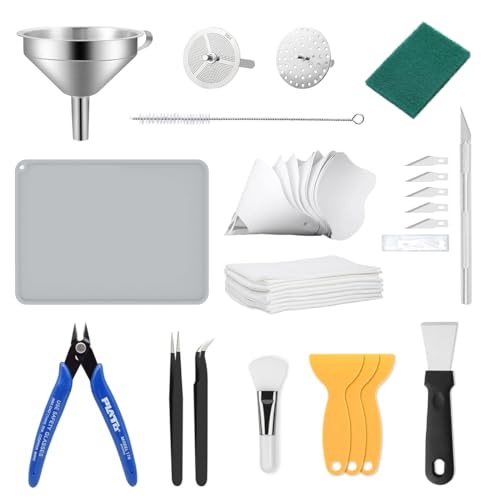
【Resin 3D Printer Tool Kit】Crafted from durable 304 stainless steel, our 3d print tools funnel ensures precise resin pouring, comes with 2 types of filter, 201 Coarse Filter and 304 Fine Filter, caters to all your resin needs, guaranteeing optimal resin purity. Additionally, the resin printer accessories kit includes a pack of 10 disposable paper funnels for seamless transfers. Keep your stainless steel funnel in pristine condition with the included cleaning cloth, specially designed to maintain its integrity.
Creality HALOT R6 Resin 3D Printer (Fully Assembled)

Designed for Zero-Basic Newbies: Creality Halot R6, a resin 3d printer designed for newbies, is easy to operate, it has a built-in boot guide to help you complete the...
Looking for a resin printer that won’t make you sweat through setup? I’ve got you covered. The Creality HALOT R6 arrives fully assembled, and I mean fully. Plug it in, follow the boot guide, and you’re printing. No calibration nightmares, no “why won’t this stick” frustration.
Why beginners love it
The 2K 6.08-inch LCD delivers crisp detail without overwhelming you with settings. At 4.25 kg, it’s genuinely portable. I toss mine in the car for demo prints at makerspaces.
The orange cover isn’t just branding; it blocks 99.89% of UV rays, so your eyes stay comfortable during long prints.
The clever engineering
Creality optimized the build plate flatness, so adhesion actually works. The Z-axis uses a single-line guide with a gap elimination nut, which means less wobble and smoother surfaces. You’ll notice the difference in miniatures and jewelry.
Software and workflow
HALOT BOX slices with one-click presets. Creality Cloud gives you model access anywhere. Here’s the kicker: you get CHITUBOX Pro features without buying a season card. That’s rare.
Who should grab this
Absolute beginners wanting resin quality without the resin learning curve. Remote workers needing a compact, reliable printer. Anyone who’s watched too many “resin printer fail” videos on YouTube.
My verdict
It’s not the biggest resin printer, and 2K resolution won’t satisfy professionals wanting microscopic detail. But for entry-level resin printing? The HALOT R6 removes every excuse you’ve made about trying resin.
Best For: Absolute beginners, remote workers needing portability, and anyone intimidated by traditional resin printer setup complexity who want quality prints without extensive technical knowledge.
Pros:
- Fully assembled with built-in boot guide enabling true out-of-box printing for complete novices
- Compact 4.25 kg alloy body with optimized build plate flatness and precise Z-axis guidance for reliable, smooth results
- Free CHITUBOX Pro features without season card requirement plus integrated Creality Cloud ecosystem for seamless workflow
Cons:
- 2K resolution limits professional-grade microscopic detail work
- Small build volume restricts larger model capabilities
- Web camera for remote monitoring requires separate USB purchase rather than built-in inclusion
Recommended Products

Up to 16 Colors: Bring your designs to life with vibrant multi-color/multi-material printing capabilities, perfect for showcasing your creativity. Note: Connecting Bambu Lab AMS is required.

High-Speed Precision: The Bambu Lab P2S 3D printer prints up to 600 mm/s while maintaining exceptional accuracy. With the PMSM Servo Extruder and Active Flowrate Compensation, every layer of your printed object stays sharp and smooth, delivering flawless corners and consistent results.

SCRIB3D P1 3D Printing Pen with Display
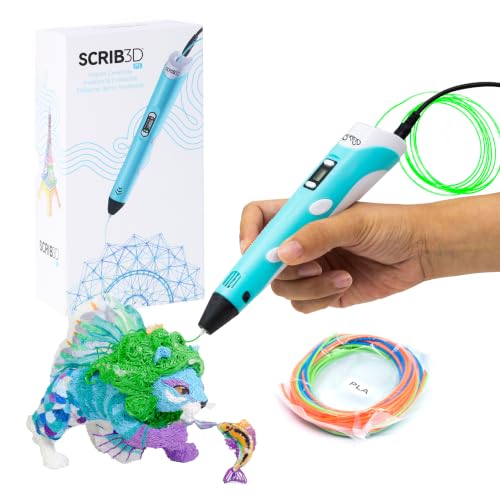
[A GIFT FOR THE WHOLE FAMILY] Create, Draw, Doodle, and Build in 3D with this affordable yet high grade 3D pen. The new SCRIB3D P1 3D Pen helps improve spatial thinking,...
Who’s this little gadget really for?
I’d say the SCRIB3D P1 suits anyone wanting to dip their toes into 3D creation without committing to a full printer. Kids, hobbyists, DIY repair folks, it covers them all.
The kit comes ready to roll: pen, three PLA colors (30 feet total), stencils, and a power adapter. I plug it in, wait for the red light to go green (about 2–3 minutes), then double-click forward to start.
The stepless speed slider lets me crawl for detail work or speed up for infill. Temperature adjusts between 160–235°C, so I can swap PLA for ABS if I’m feeling ambitious.
Safety matters here. The ceramic nozzle won’t burn me, and the motor’s built to resist clogs. After two minutes of idle time, it auto-sleeps. That’s peace of mind when I get distracted mid-project.
The display helps me track temperature and speed, which beats guessing. I feed filament through the back, stop at the nozzle, and I’m drawing in midair. Retracting is simple: hit reverse.
For collaborative projects, handmade gifts, or quick household fixes, this pen delivers. It’s not a printer replacement, but it’s not trying to be.
Verdict: Grab this if you want portable, immediate 3D fun without the learning curve. Skip it if you need precision engineering or batch production.
Best For: Kids, hobbyists, and DIY repair enthusiasts who want portable, immediate 3D creation without the cost or learning curve of a full 3D printer.
Pros:
- Ready-to-use kit with included PLA filament, stencils, and power adapter for instant creativity
- Adjustable temperature (160–235°C) and stepless speed slider accommodate both detailed work and fast infill
- Safety features including ceramic nozzle, anti-clogging motor, and 2-minute auto-sleep provide peace of mind
Cons:
- Not suitable for precision engineering or batch production needs
- Requires 2–3 minute warm-up time before each use
- Limited to handheld freehand drawing rather than automated printing accuracy
Recommended Products

ATTENTION BEFORE USE:Firstly, please make sure the bottom of the soft magnetic sticker and the top layer are firmly adsorbed before installation. If it cannot be adsorbed, please rotate it 90 degrees and try again until they are completely adsorbed and will not separate. Secondly, after finding the correct magnetic direction, then you can stick the bottom part on the hot bed. Please pay attention to the direction before installation.

ATTENTION BEFORE USE:Firstly, please make sure the bottom of the soft magnetic sticker and the top layer are firmly adsorbed before installation. If it cannot be adsorbed, please rotate it 90 degrees and try again until they are completely adsorbed and will not separate. Secondly, after finding the correct magnetic direction, then you can stick the bottom part on the hot bed. Please pay attention to the direction before installation.

Premium Quality PEI Coating - The Creality K1 PEI Spring Steel 235x235mm is made of High temperature resistant PEI coating on the surface, high abrasion resistance and high strength frosted texture, the PEI build surface is not easy to scratch.
Quiet 3D Printer for Beginners with Button Control

Note:This printer not have a power adapter. You need to have your own power adapter, which must voltages of 12V, a current of ≥ 2A, and a C type port Whether you're...
Need a printer that won’t wake the kids or clutter your desk? The wengjack Quiet 3D Printer delivers whisper-quiet operation in a lightweight white chassis that fits anywhere.
I love the simplicity here. One button starts your print, no touchscreen maze to navigate. The proprietary Easyware software handles slicing automatically, so you won’t wrestle with complex settings. It’s genuinely beginner-friendly.
The compact size makes this perfect for home education or hobby projects. Kids can learn hands-on without dominating your workspace.
Here’s the catch: you’ll need to supply your own 12V/2A power adapter with USB-C connection. That’s an extra purchase, and it’s annoying.
For absolute newcomers wanting guided, quiet printing without technical headaches, this works beautifully. Just grab that power brick first.
Best For: Beginners and home educators seeking a quiet, compact 3D printer with simple one-button operation and automatic software handling.
Pros:
- Whisper-quiet operation won’t disturb household activities
- One-button printing eliminates complex touchscreen navigation
- Automatic slicing with Easyware software removes technical barriers
Cons:
- Power adapter not included (requires 12V/2A USB-C, additional purchase)
- Proprietary software may limit advanced customization options
- Entry-level design may not suit users wanting to grow into professional features
Recommended Products


Quick change nozzle: unlike other 3D printers, which require tools and 20-40 minutes of work to replace the nozzle, The voxel has a quick change nozzle that allows you to change the nozzle in seconds, without the need for tools of any kind

【Stable Quality at High Printing Speeds】 The Kobra S1 Max Combo 3D Printer features a fully enclosed CoreXY system, up to 600mm/s speeds with smooth motion and precise results. Active vibration compensation reduces ringing for consistent high-speed print quality
Creality K2 Combo 3D Printer Multicolor Printing with CFS

Multicolor 3D Printing: 4 × CFS for up to 16 colors. By hooking up as many as four CFS units together, you are able to print in the splendor of 16 colors. Saves the need for...
The CoreXY design with that direct drive extruder gives you cleaner, more reliable prints than old-school bedslingers I’ve wrestled with. Creality’s K2 Combo arrives pre-assembled, so you’re printing within minutes of unboxing. Just mount the screen and you’re rolling.
That 260mm cube build volume hits a sweet spot for most projects. Hook up four CFS units and you get 16 colors without swapping filament mid-print. Finally, no more ugly layer lines from manual changes ruining your weekend.
The step-servo motors are genuinely impressive. They adjust torque in under a millisecond, meaning faster prints without sacrificing quality.
The AI camera watches for spaghetti disasters and sends alerts. One less thing to stress over.
Silent Mode lives up to the name. It sounds like typing, not a shop vac. You’ll appreciate this if your printer lives in your living room.
Who’s this for? Makers wanting multicolor without the hassle, and anyone upgrading from a noisy first printer.
Recommended for: Beginners ready to skip the pain, small business folks doing prototypes, and hobbyists who value quiet operation. Skip it if you need massive build volume or already own a Prusa XL.
Best For: Makers and beginners wanting hassle-free multicolor 3D printing with quiet operation and out-of-the-box convenience.
Pros:
- Pre-assembled for plug-and-play setup with true 16-color printing using four CFS units
- Ultra-quiet Silent Mode with step-servo motors that dynamically adjust torque for speed and precision
- AI camera with real-time monitoring and alerts for print failures like spaghetti detection
Cons:
- 260mm build volume may be limiting for users needing larger prints
- Screen requires manual installation despite pre-assembled frame
- Not ideal for those who already own high-end alternatives like the Prusa XL or need maximum build volume
Recommended Products

EASY TO USE: Mini 3D printer has a print size of 100x100x100mm, which is suitable for printing small and medium sized objects. You can print from for or for OS X PC using a USB connection, or from a small memory card containing 3D model files. You can also slice and control prints using compatible software of your choice.

COMPLETE STARTER KIT: Everything is included, just bring the imagination. This 3D printer starter kit comes with a mini printer, 10M of PLA filament, a microSD card pre-installed with model designs & splicing software, and more 3D printer accessories.
[Mini 3D Printer for Beginners & Kids]: Tina2S 3d printer is a compact, fully assembled WiFi 3d printer designed for kids, beginners, and home users. No setup or calibration is required—just unbox and start printing. The included TF card comes with preloaded models, allowing users to start their first print within minutes without any design or preparation steps. With app-ready models, it makes getting started fast, simple, and frustration-free.
MALYAN S100 Mini Resin 3D Printer with 2K LCD

【Entry-level Resin 3D Printer】MALYAN S100 features a 5.5-inch LCD screen with a resolution of 2560x1440, which can better restore 3d printing models and realize...
I’m looking at a resin printer that actually respects your time. The MALYAN S100 Mini arrives with one-click auto calibration, so I don’t spend twenty minutes leveling before every print. That’s the headache resin printing usually dumps on beginners.
The magnetic build plate pops off cleanly. I swap prints fast, and the laser-engraved surface grips models without the warping drama I’ve seen elsewhere. The 57W parallel LED array (think of it as an even spotlight) cures layers uniformly, so surfaces come out smooth, not staircase-striped.
Here’s what matters: 115 x 65 x 110 mm fits miniatures, jewelry prototypes, and detailed parts. The 2K LCD delivers crisp detail. I appreciate compatibility with various resins, though you’ll need to match parameters, no free lunch there.
Beginners get reliability without tinkering. Small footprint, straightforward setup, consistent output. For hobbyists needing precision without the premium, this earns its spot.
Best For: Beginners and hobbyists seeking a compact, reliable resin 3D printer that delivers high-precision prints without requiring extensive setup or calibration time.
Pros:
- One-click auto calibration eliminates manual leveling hassles before each print
- Magnetic build plate with laser-engraved surface enables quick print removal and strong adhesion to prevent warping
- 57W parallel LED array produces uniform, stable light exposure for smooth surfaces with reduced layer lines
Cons:
- Limited build volume (115 x 65 x 110 mm) restricts size of printable models
- Requires manual parameter matching when using different resin types
- 2K resolution, while crisp, may not satisfy users needing the highest detail available on more premium printers
Recommended Products

【Versatile Rotary Tool Set】This rotary tool set includes a high-performance and low-noise rotary tool with 69 of the most popular power rotary tool accessories for fine DIY work. Ideal for carving, sanding, grinding, polishing, this electric rotary tool is perfect for creating resin crafts. It's like having a whole toolbox in one convenient package. Note: Not suitable for heavy-duty projects

【Upgraded 68-in-1 3D Printer Tools Kit, 1-Year Warranty】Designed by a Team of 15-Year 3D Printing Enthusiasts, the kit includes all essential tools. From wire cutters to needle-nose pliers, it cuts and trims PLA and other filaments precisely and fast. From high-quality hand drill with 10 drill bits to 5 types of metal files, your 3D printing range expands to a wide variety of materials. Upgraded durable 900D Oxford fabric with orange tags for quick and easy organization.
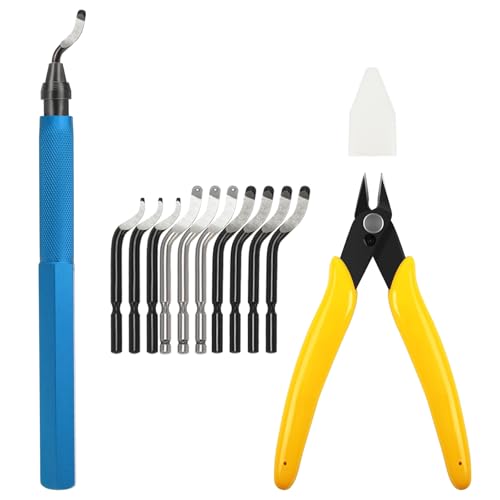
ALL-IN-ONE 3D PRINTING CLEANING KIT — Includes 1 deburring tool, 10 interchangeable blades, and 1 micro wire cutter — Perfect for trimming 3D printed edges, removing supports, and cleaning up burrs on resin, plastic, metal, and more
FLASHFORGE Adventurer 5M 3D Printer,Support Multi Materials, High Precision

Unparalleled Speed: With Core XY All Metal Structure, Flashforge Adventurer 5M Can realize Max 600mm/s travel speed and 20000mm/s² acceleration, More than 70% shorter time...
Looking for speed without the hassle? The FLASHFORGE Adventurer 5M delivers blistering 600 mm/s travel speeds and 20,000 mm/s² acceleration, yet keeps setup dead simple.
What Makes It Tick
I love the Core XY all-metal frame. It stays rigid when you’re pushing filament fast, and that matters.
The high-flow nozzle cranks out 32 mm³/s, heating to 200°C in just 35 seconds. Dual cooling fans prevent the saggy-overhang nightmare that ruins faster prints.
Materials and Versatility
You’re not locked into basic PLA. I can run PETG, ABS, ASA, carbon fiber blends, even flexible stuff with the right nozzle.
Swap between 0.25 mm (fine detail) up to 0.8 mm (speed demon) depending on the job. The dual-sided PEI bed pops prints off clean once cooled.
The Smart Bits
One-click auto-leveling actually works. No paper tests, no swearing.
The vibration compensation smooths out ringing artifacts I’d expect on lesser machines at these speeds. Remote monitoring through the Flash Maker app lets me check prints from my phone, though you’ll need their camera kit.
Who’s It For?
Families, beginners, impatient makers. It’s built for home use, not industrial abuse.
At 220 mm cubed, the build volume handles most projects without hogging desk space.
My Verdict
Fast, friendly, and genuinely capable. The Adventurer 5M proves entry-level doesn’t mean slow anymore.
Best For: Home users, beginners, and families who want fast, high-quality 3D prints without complicated setup or maintenance.
Pros:
- Blazing fast 600 mm/s travel speed with 20,000 mm/s² acceleration and reliable one-click auto-leveling for effortless operation
- Versatile multi-material compatibility including carbon fiber blends with swappable nozzles from 0.25mm to 0.8mm
- Core XY all-metal structure with vibration compensation and dual cooling fans ensure stable, high-quality prints at speed
Cons:
- Remote monitoring requires separate purchase of Flashforge 5M Camera Kit
- 220x220x220 mm build volume limits larger project possibilities
- Not designed for industrial-grade durability or heavy production use
Recommended Products

4-Color Multicolor 3D Printing—Create More Without Extra Setup: Bring your ideas to life with a K2 SE 4C 3D Printer designed for effortless multicolor printing right out of the box. No complicated upgrades or additional assembly required. Perfect for printing toys, cosplay props, home décor, prototypes, educational models, and personalized gifts. The compact design occupies 37% less space than traditional multicolor systems, making it ideal for home offices, classrooms, makerspaces, and studios.
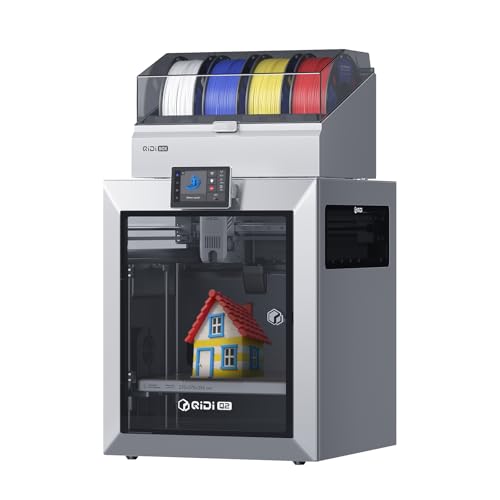
【Unlock Multi-Color & Multi-Material】: QIDI Q2 combo enables up to 16-color multi-material 3D printing with dry-while-print technology, keeping filaments dry for stable extrusion and smooth surfaces. Supports PLA, ABS, PETG, TPU, PA, PC and carbon/glass-fiber composites for strong, precise prototypes and vibrant models.

High-Speed Precision: The Bambu Lab P2S 3D printer prints up to 600 mm/s while maintaining exceptional accuracy. With the PMSM Servo Extruder and Active Flowrate Compensation, every layer of your printed object stays sharp and smooth, delivering flawless corners and consistent results.
Creality SPARKX i7 Multi-Color 3D Printer

Powerful AI-Powered Creation & Intelligent Monitoring: Leverage Creality's CubeMe AI to instantly convert portraits into unique 3D models for personalized crafts and gifts....
Who needs a multicolor printer that’s actually easy to use? I’ve finally found one, and I’m genuinely excited about it.
The Creality SPARKX i7 eliminates setup headaches completely. Automatic bed leveling, nozzle Z-offset, and input shaping happen without me touching a single screw. I unboxed it, hit print, and watched it calibrate itself. That’s how it should be.
The multicolor system actually works smart, not hard. Purging waste drops 50%, and I get 15% faster prints. I’m printing custom gaming gear and desk accessories without watching half my filament become colorful spaghetti.
The 260 × 260 × 255 mm build volume handles big functional parts and detailed collectibles alike.
The AI camera caught a filament tangle last Tuesday, and the alert saved my 6-hour print. CubeMe AI turns portraits into 3D models, which my kids love for personalized gifts.
Pressure Advance keeps corners sharp, and Input Shaping kills those wobbgy ringing artifacts that ruined my older prints. The customizable RGB lighting looks slick, but Night Mode matters more: it’s near-silent for overnight printing.
Who’s this for? Beginners wanting multicolor without frustration. Experienced users tired of calibration torture. Anyone who values their time and sanity.
Verdict: It’s the multicolor printer I’d actually recommend to my friends.
Best For: Beginners wanting multicolor 3D printing without frustration, experienced users tired of manual calibration, and anyone who values their time and sanity while producing custom gaming gear, desk accessories, or detailed collectibles.
Pros:
- Fully automatic setup with bed leveling, nozzle Z-offset, and input shaping requiring zero manual intervention
- Smart multicolor system reduces purging waste by 50% while improving overall efficiency by 15%
- AI-powered monitoring with real-time camera detection of print failures like spaghetti prints and filament tangles
Cons:
- Build volume, while large, may still limit some industrial or professional-scale projects
- No information provided about filament compatibility limitations or proprietary material requirements
Recommended Products

All Metal Design: BIQU Panda Edge upgrade kit extra include 3PCS Blades, scraper handle made of 6061 aluminum alloy material and precision machined by CNC. The blades compatible with Bambu-Lab blades, connection between the handle and blade made with threaded holes, enhancing wear resistance and durability

SIZE: 200mm x 200mm, thickness 1.7MM/0.07 inch
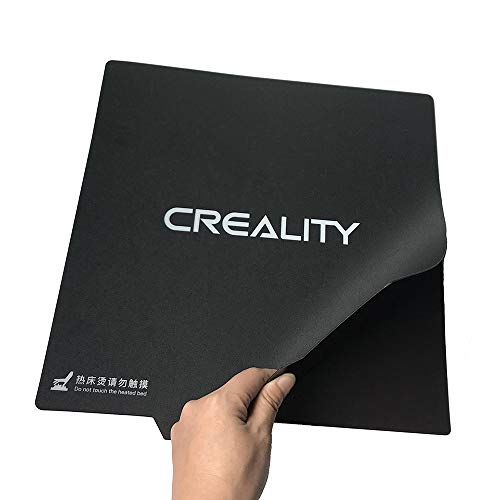
ALL NEW FUNCTIONALITY: Introducing the first ever removable, magnetically secured, build surface for hassle free model removal. Say goodbye to all those removal tools, spatulas, and knives with this genius design
Factors to Consider When Choosing an Entry Level 3D Printer
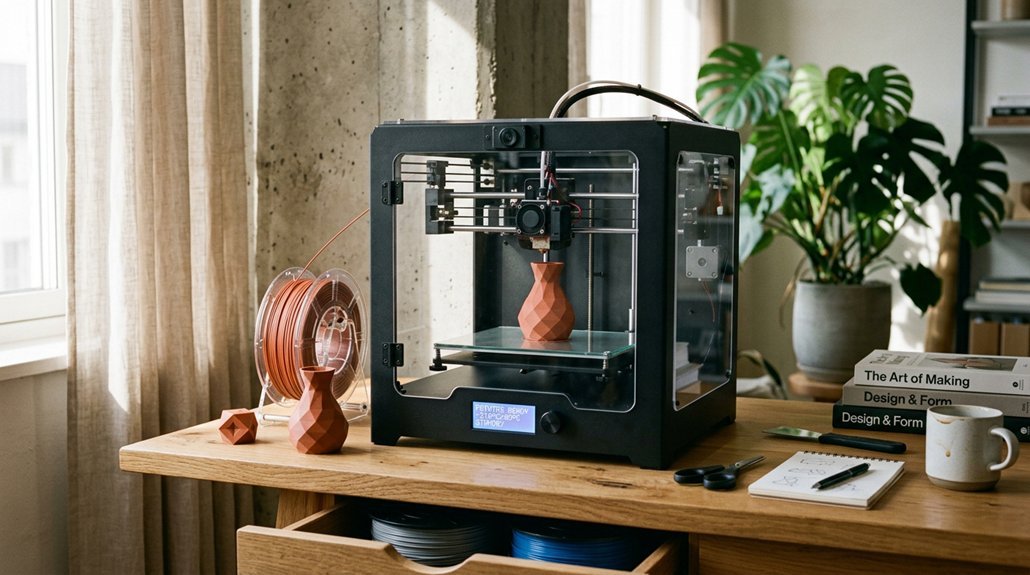
I want you to pick a printer that actually fits your life, not just your budget. Print volume size matters more than you’d think, assembly complexity can make or break your first week, and material compatibility determines whether you’re stuck with basic PLA or experimenting with flexible filaments down the road.
I’ll walk you through bed leveling methods: manual’s a pain, automatic’s a blessing. And why print speed capability isn’t just about patience, it’s about print quality too.
Print Volume Size
Entry-level printers typically range from 100x100x100 mm to 260x260x260 mm. That compact 100mm cube? Perfect for learning, printing minis, and small functional bits. I started there, no regrets.
But if you’re dreaming bigger, say cosplay helmets or one-piece drone frames, you’ll want that mid-sized 220x220x220 mm sweet spot. Bigger volume means bigger prints, fewer glue joints, and more desk real estate swallowed whole. Some printers now offer modular add-ons that stretch height without widening the footprint, clever trick.
Match volume to your actual projects, not your fantasy builds.
Assembly Complexity Level
The assembly experience can make or break your first week with a printer. I’ve wrestled with kits that took six hours and nearly cost me my sanity. You don’t want that.
Entry-level printers now range from plug-and-play units to 20-minute builds with auto-leveling. I strongly prefer models with CR Touch or automatic bed leveling. It eliminates the nightmare of manual bed adjustments and fixes first-layer headaches before they start.
Look for modular designs with pre-assembled components. Clear video guides and illustrated manuals matter more than you’d think. Included tools like calipers and wrenches show the manufacturer actually cares about beginners.
My verdict? If you’re impatient or nervous, grab a pre-assembled printer with auto-leveling. Got patience and curiosity? A quick-assembly kit teaches you the machine. Either way, demand good documentation. Your future self will thank you.
Material Compatibility Range
What happens when you’re ready to branch out from basic PLA? You’ll quickly discover that not every entry-level printer can handle the upgrade.
Hotend Temperature Matters
Most budget machines cap around 220°C, which locks you into PLA. I always recommend looking for 250–280°C capability if you want PETG or ABS. (Just remember: higher temps need better ventilation, and some warranties get cranky about modifications.)
Extruder Design Counts
Direct-drive systems, like Creality’s Sprite, chew through flexible TPU without jamming. Bowden setups? They’ll fight you every step.
Don’t Skip the Bed
A heated bed isn’t optional for warpy materials. I’ve watched too many ABS prints curl into sad plastic tacos.
Nozzle Options Help
Swappable sizes (0.25–0.8 mm) let you fine-tune detail versus strength.
My Take: Start PLA-friendly, but buy thermal headroom. You’ll thank me later.
Print Speed Capability
Speed claims on entry-level printers can feel like reading fantasy novels. You’ll see 600 mm/s travel speeds advertised, but I always dig deeper.
What Actually Matters
Real print speeds depend on layer height, nozzle size, and how well the machine controls extrusion. That flashy peak number? It’s usually just for non-printing moves.
The Hardware Difference
High-speed models use CoreXY designs or dual-drive systems with accelerations hitting 20,000 mm/s². These cut job times substantially. Budget Cartesian frames can’t match this without shaking themselves apart.
The Trade-offs
Faster printing means more vibration, demanding better cooling and pricier filament. Your first layers become critical too.
My Advice
Check sustained print speeds at your preferred layer height, not just travel claims. For me, 150 mm/s actual throughput beats 600 mm/s fantasy every time.
Bed Leveling Method
How often have you started a print only to watch the nozzle drag through plastic or hover too high to stick? Bed leveling fixes this, and entry-level printers offer two paths.
Manual leveling means twisting screws at each corner while sliding a piece of paper under the nozzle. It works, but I find it tedious. You’ll relevel after every few prints, especially with spring beds that shift.
Automatic leveling uses sensors like CR Touch to map your build surface and adjust on the fly. I prefer this: one click, less swearing, better first layers. Some systems even tweak Z-offset continuously, which helps warped beds or busy households where multiple users print back-to-back.
For beginners, auto-leveling saves hours of frustration. Manual saves money upfront, but costs patience later.
Software Ease of Use
Where does the real friction hide in 3D printing? I’ll tell you: it’s in the software.
Look for one-click auto bed leveling. It saves you from endless tweaking and ruined first layers.
Prioritize printers with beginner-friendly presets. Dedicated slicing tools with one-click settings cut the learning curve dramatically.
Remote monitoring matters more than you’d think. A companion app with real-time updates lets you track prints from your couch.
Check for video guides or illustrated manuals. They turn frustrating assembly into twenty minutes of clarity.
Finally, insist on easy material loading and intuitive controls. Simple temperature and speed adjustments should not require an engineering degree.
Software shouldn’t fight you. When it cooperates, 3D printing feels like magic instead of homework.
Safety Features Included
Once you’ve got the software sorted, you’ll want to look at what keeps you and your prints safe.
Auto bed leveling (think CR Touch) saves you from squinting at uneven first layers and reduces nozzle crashes. For resin printers, I’m picky about enclosed designs with orange-coated covers: UV light isn’t something you want to mess with.
Remote monitoring through AI cameras and app alerts? It’s not just convenient, it’s your early warning system for failed prints and fires. I also check for power safeguards: hotends that hit 200°C in 35 seconds or less, controlled warm-ups that cut overheating risks.
Anti-clogging designs, ceramic nozzles, and stable platforms matter more than specs suggest. Beginners need hardware that forgives mistakes, not equipment that punishes them.
Price-to-Performance Ratio
Why does a $200 printer sometimes feel like a better deal than a $400 one? I always check what’s actually in the box. A cheap kit lacking filaments, tools, or a decent power adapter isn’t a bargain, it’s a headache waiting to happen.
Look for automatic bed leveling and quick startup guides. These save hours of frustration. Time is money, especially when you’re itching for that first print.
Build volume and speed matter, but watch the trade-offs. That blazing 600 mm/s travel speed sounds exciting, until the noise shakes your desk apart.
Durability features like all-metal frames and dual Z-axis cut long-term costs. Fewer failed prints mean fewer filament meltdowns.
Finally, don’t sleep on software. App support and AI monitoring prevent disasters and boost usability. Sometimes paying more upfront pays you back.