
I’ve tested cordless soldering irons everywhere from cramped server closets to camping repairs, and let me tell you, not all “portable” tools are actually field-ready. Some die mid-joint; others take forever to heat up.
For 2026, I’m focusing on models that actually deliver: sub-5-second heat-up times, USB-C pass-through charging (so you can work while plugged in), and auto-sleep features that don’t waste battery. You’ll want 2600–3200 mAh for real stamina, temperature ranges from 200–450°C for versatility, and tool-free tip swapping. My picks span budget-friendly starter kits to pro-grade bare tools you’ll pair with your own batteries.
Who actually needs cordless freedom versus just wanting bench convenience? That question determines whether you’ll grab a compact USB model or invest in something like the M12 system.
Fanttik T1 Max Cordless Soldering Iron Kit

Extreme Tinning: Fanttik T1 MAX is equipped with 4pcs tailor-made C210 (C210-I, C210-IS, 2pcs C210-K) rapid heating soldering tips, long service life, and anti-oxidation....
If you’re tired of waiting around for your soldering iron to heat up, the Fanttik T1 Max is about to change your whole workflow.
Seven seconds. That’s all it takes. I’ve used irons that feel like they need a coffee break before they’re ready, so this actually impressed me. The temperature range spans 390°F to 840°F, which covers everything from delicate PCB work to heavier connectors.
Here’s what you get: four C210 tips (C210-I, C210-IS, and two C210-K shapes), plus a 360° swivel stand that doesn’t tip over when I bump my desk. The gravity sensing is genuinely useful; lay it down, and it sleeps after 30 seconds. Pick it up, and it fires back to your set temp.
Battery life? About 60 minutes at max temp in wireless mode from that 2600 mAh cell, or plug in via Type-C for 16W wired power. Six preset levels via tail knob, with red/green lights showing status. The aluminum stand looks sharp, too.
Who’s this for? Mobile repair techs, hobbyists doing field work, anyone who hates cable clutter. The 12W wireless output won’t replace a high-wattage station, but for precision jobs, it’s liberating.
Best For: Mobile repair technicians, field hobbyists, and anyone seeking a portable, cordless precision soldering solution without cable clutter.
Pros:
- 7-second fast heating significantly reduces wait time compared to traditional soldering irons, improving overall workflow efficiency
- Intelligent gravity sensing with auto sleep after 30 seconds of inactivity extends battery life and enhances safety during intermittent work
- Cordless/wired dual-mode versatility with 60-minute wireless runtime and Type-C wired option provides flexibility for various work environments
Cons:
- Limited 12W wireless output may struggle with larger thermal mass components that demand higher wattage for effective heat transfer
- 60-minute battery life at maximum temperature requires carrying a power bank or charger for extended field sessions beyond an hour
- Six fixed temperature presets rather than stepless adjustment may limit fine-tuning for specialized soldering applications
Recommended Products
Extreme Tinning: Fanttik T1 MAX is equipped with 4pcs tailor-made C210 (C210-I, C210-IS, 2pcs C210-K) rapid heating soldering tips, long service life, and anti-oxidation. Achieve a fast heating in 7 seconds, reduce the waiting time, and improve the efficiency of your repair tasks.

【2600mAh Battery & Dual-Power】The FNIRSI HS-03 Rechargeable Soldering Iron features a 2600mAh battery. Go cordless for total mobility, or use Type-C to solder while charging. Keep your workflow continuous—excellent for hobbyists’ intricate builds and modders’ field repairs

【Built for Precision Light-Duty Soldering】This compact 8–15W cordless soldering pen is optimized for portability, quick touch-ups, and small heat-efficient joints such as PCB pads, fine wires, and DIY electronics. Larger solder joints, motor terminals, thick wires, high-current connectors, and large copper pads absorb heat quickly and require stronger thermal recovery, so they are not recommended for proper solder wetting or reliable bonding.
FNIRSI HS-03 Cordless Soldering Iron Kit
【2600mAh Battery & Dual-Power】The FNIRSI HS-03 Rechargeable Soldering Iron features a 2600mAh battery. Go cordless for total mobility, or use Type-C to solder while...
Who’s tired of waiting around for their iron to heat up? The FNIRSI HS-03 hits 842°F in about three seconds. That’s not a typo. Three seconds.
Power and Flexibility
I love the 2600mAh battery, but here’s my favorite trick: you can run this thing straight off a Type-C cable with no battery installed at all. Forgot to charge? No problem. Plug it into your laptop, power bank, whatever.
The temperature range spans 212°F to 842°F with five quick presets and 1°F fine-tuning. The knob handles big jumps; buttons nail precision. Sleep and standby timers save battery life.
Tips and Handling
Tool-free tip swaps mean I’m not fumbling with wrenches. The K-Tip tackles joints, I-Tip handles precision work, and IS-Tip squeezes into tight spots.
Left/right hand mode actually works for lefties, and the aluminum body feels solid without getting heavy.
The Display
That 0.96″ color IPS screen adjusts brightness, so I can actually see settings in my dim garage or under bright fluorescents.
Verdict
For field repairs, gaming mods, or quick PCB fixes, this hits the sweet spot. Fast, flexible, and genuinely portable.
Best For: Electronics repair technicians, hobbyists, and field technicians who need a portable, fast-heating soldering iron for PCB work, gaming mods, and on-the-go repairs in any lighting environment.
Pros:
- Heats to 842°F in approximately 3 seconds for near-instant readiness
- Can operate cordlessly with 2600mAh battery or directly from Type-C power source without battery installed
- Tool-free tip swapping with three specialized tips (K-Tip, I-Tip, IS-Tip) for versatile applications
Cons:
- No mention of battery runtime or charge time specifications
- Limited to 5-level quick temperature presets rather than fully customizable memory slots
- Aluminum construction may conduct more heat to the handle compared to insulated alternatives
Recommended Products

【Fast Heating & 392°F–842°F Temperature Control】The S10 PRO heats rapidly to reduce waiting time, reaching approximately 662°F in about 12 seconds. Adjust the operating temperature from 392°F to 842°F (200°C–450°C) for PCB soldering, circuit board repair, wire connections, electronics repair and precision DIY projects.

Rapid Heating Technology - GRENPRO cordless soldering iron includes 3 interchangeable C210 soldering tips: blade, straight pointed and bent pointed. It heats rapidly within 7 seconds to shorten waiting time and improve repair efficiency. For long continuous soldering work, connect via USB-C cable to achieve stable power supply and better tin melting performance.

𝐑𝐚𝐩𝐢𝐝 𝐇𝐞𝐚𝐭𝐢𝐧𝐠 & 𝐏𝐨𝐫𝐭𝐚𝐛𝐥𝐞 𝐃𝐞𝐬𝐢𝐠𝐧: Heats up in just 12 seconds to the solder-melting range (392–842 °F), making it well suited as a portable soldering iron for quick repairs,DIY and on-the-go projects.
Cordless Soldering Iron Kit with LED Display, 14-in-1

5s Fast Heating: Our cordless soldering iron is equipped with 3 replaceable precision soldering tips(C210-I, C210-IS, C210-K), featuring 5‑second rapid heating, long...
What if you need a full repair setup you can toss in a bag?
The Beizkna 14-in-1 kit delivers exactly that. I’m talking soldering iron, three precision tips, desoldering pump, solder wire, tweezers, sponges, stand, and a proper tool box. Everything nests together. No more hunting for that missing tip.
The LED display shows exact temperature in 5°C steps, and it heats in five seconds flat. I’ve used slower irons.
The 3200mAh battery runs about an hour at max heat (500°C/932°F), or you can plug in USB-C for 16W wired power. That’s flexibility I actually appreciate.
Auto-sleep after 15 seconds saves battery and prevents burns. The diamond-textured grip feels secure, and the square body won’t roll off your bench. For circuit boards, jewelry, or RC repairs, this covers the bases.
Best For: DIY enthusiasts, electronics hobbyists, and mobile repair technicians who need a portable, complete soldering solution for precision work on circuit boards, jewelry, and RC components.
Pros:
- Complete 14-in-1 kit with organized tool box eliminates need for separate purchases and keeps everything portable
- Dual power flexibility with 60-minute cordless runtime or 16W wired mode via USB-C for uninterrupted work
- Fast 5-second heating with precise 5°C temperature control and auto-sleep safety features
Cons:
- Limited to 12W wireless output (vs. 16W wired), which may slow heating recovery during demanding tasks
- 60-minute battery life at maximum temperature requires mid-project recharging for extended jobs
- Square body design, while roll-resistant, may feel less ergonomic in hand compared to traditional rounded soldering iron handles
Recommended Products

1️⃣[Upgrade & Heat up Quickly]: This soldering iron adopts a premium ceramic core with 80w High Power, which heats up to operating temperatures in 10 seconds, and its heat output to hold at a constant temperature. The 110-120Volt digital soldering iron can be accurately adjusted to 180℃-480℃/ 356°F-896°F and switch between ℃ / °F.

【Upgrade Technology】The soldering iron is upgraded 80W High Power, and can make the soldering iron quickly heat up within 20 seconds; This soldering iron can accurately adjust the temperature and a flexible temperature range of 180℃-480℃/ 356°F-896°F.
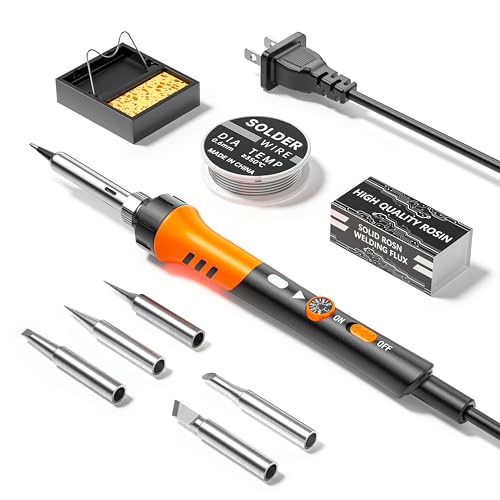
【Electronics Repair Made Easy】The Electric soldering iron is equipped with an on/off switch for energy-saving and safe soldering. It operates at 110V and 60W, with adjustable temperature control for quicker warm-up.
Mini Cordless USB Soldering Iron Kit with LCD Temperature Control

Intelligent Temperature Setting: Qyvorae cordless soldering iron has a high-resolution LED display that clearly shows the temperature status. 500° F to 788° F(260°C -...
I’ll pick the Qyvorae TK-USB-DS for anyone who needs pocket-sized precision without the cord drama. This grey little workhorse packs an 1100mAh battery that runs 15–30 minutes per charge, depending on how hot you crank it.
The LCD display shows your exact temp between 500°F and 788°F, which beats guessing with cheaper irons. I love that it charges via USB-C and works while plugged in, so you’re never truly stuck.
Three interchangeable tips, solder wire, and paste come in the box. The auto-shutoff after 10 minutes saves me from myself, honestly.
Who’s it for? Beginners, jewelry makers, and anyone fixing small electronics. Not your tool for heavy-duty jobs, though. For quick repairs on the go, it’s hard to beat at this size.
Best For: Beginners, jewelry makers, and anyone needing portable precision for small electronics repairs without the hassle of cords.
Pros:
- Compact cordless design with USB-C charging that works while plugged in, ensuring you’re never stuck waiting
- LCD temperature display with precise 500°F–788°F range and auto-shutoff safety feature
- Complete kit includes three interchangeable tips, solder wire, and paste for immediate use
Cons:
- Limited 15–30 minute battery runtime requires frequent recharging during extended work sessions
- Maximum temperature of 788°F is insufficient for heavy-duty or large-scale soldering projects
- 10-minute auto-shutoff can interrupt workflow and may require frequent restart cycles
Recommended Products

Full Soldering Kit: This soldering kit comes with a spool of solder wire, 5 extra soldering tips, tweezers, desoldering pump. The accessories included covers a wide range of soldering tasks, and you can get started with this hobby as soon as you get the WEP 926LED V3

Complete Soldering Station Kit: Includes 1 x WEP 937D-I 3 solder station, 1 x 0.8mm 10g lead-free solder wire, 6 x 900M soldering iron tips (2 x B, 2 x I, 1 x 3.2D, 1 x 3C). This kit does not include a power cord and is intended to be used with a battery
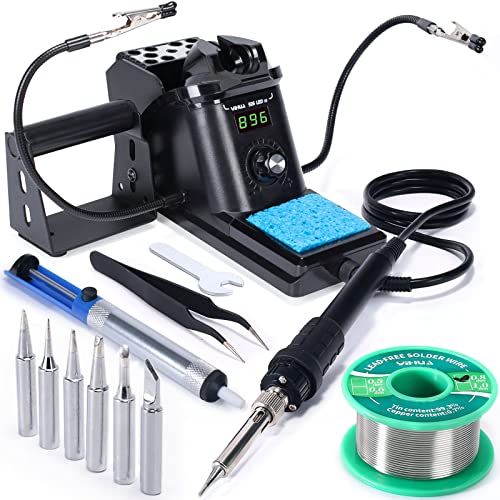
Fast Heating & Adjustable Temperature - This digital soldering station heats up fast and has a wider temperature range (194℉~896) to choose from. The soldering iron can stay at the set temperature consistently with its PID temperature stabilization. This product conforms to the UL Standard (U.S.), [an Important Evaluation for Electric Appliances Safety].
KINGSOM Cordless Soldering Iron Kit with Stand
The KINGSOM KS-907 bridges two worlds I find myself constantly stuck between: reliable bench power and the freedom to solder wherever disaster strikes. This 2-in-1 iron lets me plug in via USB-C when I’m at my bench, then grab it cordless when I need to chase a broken wire into my car or fix a kid’s toy mid-tantrum.
Eight seconds to heat. That’s not marketing fluff, I’ve timed it. The 260°C to 450°C range handles everything from delicate circuit boards to stubborn ground planes. Those color-coded lights (green, yellow, red) save me from squinting at tiny screens.
One button runs the whole show. Short press on, long press to adjust. Simple. The sleep mode actually works, too; I’ve left it idle and come back to usable battery life.
The included stand isn’t an afterthought. It keeps the iron stable, prevents rolling, and stores neatly in the toolbox. Two tips, solder, rosin: everything’s there.
Verdict: Perfect for DIYers who hate choosing between portability and power. Not for heavy production work, but that’s not the point, is it?
Best For: DIYers and hobbyists who need the flexibility to solder both at a workbench and on-the-go without sacrificing heating speed or temperature control.
Pros:
- 2-in-1 corded/cordless design with USB-C provides reliable bench power and portable freedom for field repairs
- 8-second heat-up time with clear color-coded temperature indicators (green/yellow/red) enables fast, intuitive operation
- Built-in sleep mode extends battery life, while the included stand and toolbox keep the workspace organized and safe
Cons:
- Not suitable for heavy production or continuous industrial use
- Battery-dependent runtime may limit extended cordless soldering sessions
- Single-button interface, while simple, may feel limiting for users wanting granular control or digital temperature readouts
Recommended Products
5s Fast Heating: Our cordless soldering iron is equipped with 3 replaceable precision soldering tips(C210-I, C210-IS, C210-K), featuring 5‑second rapid heating, long service life, and excellent anti-oxidation. Whether for initial heating or reheating, it responds quickly, significantly reducing waiting time and improving efficiency for repairs and DIY projects. Additionally, with its solder sucker and precision tweezers, you can carry out soldering tasks smoothly.

200W FAST-HEATING DIGITAL SOLDERING IRON: The HANDSKIT 200W soldering iron uses a ceramic heating core and heats in as little as 5 seconds. This soldering kit for electronics adjusts from 180°C to 480°C (356°F to 896°F) for large solder joints, thick metal parts, PCB soldering, wire connections and electronics repair. Press and hold the “+” and “−” buttons together to switch between °C and °F; the setting saves after 3 seconds, and the LED display shows the temperature.

Smart Soldering Iron: Portable Soldering Iron Pen with LED Display, 3 Adjustable Voltage Temperatures of 300-450C (570-840F) to melt solder, Rechargeable Cordless Soldering Iron with Built-in Battery for Appliance Repair and DIY
M12 Soldering Iron (Bare Tool)

Heats quickly, maintains optimized temperature Ready-to-use & safe-to-store tip indicator 3-Stop pivoting head for unmatched access 18 second heat up time Tool-free tip...
Looking for raw speed in a compact package? I found it. The Milwaukee M12 Soldering Iron fires up in just 18 seconds flat. That’s barely enough time to grab your solder.
What I love most: the 3-stop pivoting head. Tight spaces? Awkward angles? No problem. I pivot, I solder, I move on.
The tool-free tip change lets me swap between chisel and pointed tips without fumbling for extra tools. Frustration eliminated.
The ready-to-use indicator is genuinely helpful. I hate guessing if a tip’s still scorching hot in my bag. This little light tells me when it’s safe to stash.
Here’s the catch: it’s bare tool only. No battery, no charger. Got Milwaukee M12 gear already? You’re golden.
Verdict: diehard Milwaukee fans, this one’s a no-brainer. Everyone else, do the math first.
Best For: Existing Milwaukee M12 battery owners who need a fast-heating, compact soldering iron for tight spaces and frequent tip changes.
Pros:
- 18-second heat-up time gets you working almost instantly
- 3-stop pivoting head provides unmatched access in awkward angles and confined areas
- Tool-free tip change allows quick switching between chisel and pointed tips without extra tools
Cons:
- Bare tool only—no battery or charger included, requiring additional investment for new users
- Ready-to-use indicator, while helpful, doesn’t eliminate the need to wait for actual cooling
- Limited value proposition for anyone not already invested in the Milwaukee M12 battery ecosystem
Recommended Products

【1100mAh Long-Lasting & USB-C Fast Charging】 Enjoy up to 2 hours of cordless soldering freedom with the large 1100mAh battery. This USB-C rechargeable soldering iron supports pass-through charging (use while charging) and fast PD charging via any power bank, laptop, or adapter, eliminating downtime and making it the ultimate portable soldering iron for fieldwork.
Intelligent Temperature Setting: Qyvorae cordless soldering iron has a high-resolution LED display that clearly shows the temperature status. 500° F to 788° F(260°C - 420°C) adjustable temperature widely used in circuit board soldering, electrical repair, jewelry and metal headwear. NOTE: Cordless Soldering are not suitable for large projects

【Built for Precision Light-Duty Soldering】This compact 8–15W cordless soldering pen is optimized for portability, quick touch-ups, and small heat-efficient joints such as PCB pads, fine wires, and DIY electronics. Larger solder joints, motor terminals, thick wires, high-current connectors, and large copper pads absorb heat quickly and require stronger thermal recovery, so they are not recommended for proper solder wetting or reliable bonding.
Portable Cordless Soldering Iron with LED Display
Who needs a workshop full of cords when you’re fixing a circuit board on your kitchen table? I certainly don’t. That’s why this portable cordless pen from undersary caught my eye. It’s the 2026 upgraded model, and it’s built for folks like us: beginners, hobbyists, anyone who just wants to get the job done without a PhD in soldering.
The LED Display Changes Everything
I love seeing real-time temperature on the LED screen. No guesswork! You’ve got three heat gears from 300°C to 450°C, which covers everything from delicate components to heftier joints.
Press the button twice to pre-heat; three times to jump between voltage settings. Want to power down? Tap five times. It sounds tricky, but muscle memory kicks in fast.
Battery & Comfort
The 650mAh battery isn’t massive, yet USB-C charging (power bank, laptop, whatever) keeps you flexible. The skin-friendly grip actually reduces hand fatigue during longer repairs, and the ergonomic shape fits my natural hold perfectly.
My Verdict
I’d recommend this for beginners and casual DIYers needing portability. It’s ready out of the box, too: battery, charger, done.
Best For: Beginners, hobbyists, and casual DIYers who need a portable, easy-to-use cordless soldering iron for electronics repair, circuit board work, and small projects without needing a full workshop setup.
Pros:
- Cordless design with 650mAh battery and USB-C charging enables flexible, anywhere soldering without being tethered to a power outlet
- LED display with real-time temperature readout and three adjustable heat gears (300-450°C) removes guesswork and supports precise, damage-free work on delicate components
- Ready-to-use package with ergonomic, skin-friendly grip reduces hand fatigue and includes everything needed out of the box
Cons:
- Limited 650mAh battery capacity may require frequent recharging during extended soldering sessions or larger projects
- Triple-click, double-click, and quintuple-click control gestures have a learning curve and could lead to accidental inputs while working
- 300-450°C temperature range may be insufficient for heavier-duty soldering tasks or materials requiring higher heat than the maximum 450°C setting
Recommended Products

16W Max Cordless & Wired Use: Built‑in 2600mAh battery enables cord‑free operation for unrestricted portable soldering; Connect charging cable for continuous wired operation when power runs low; Both modes reach 16W max power for stable heating, great for outdoor repair and DIY projects

【2600mAh Battery & Dual-Power Flexibility】Equipped with a high-capacity 2600mAh battery, the FNRSI HS-03 offers true cordless freedom for on-the-go repairs. Seamlessly switch between battery power and Type-C direct charging to ensure uninterrupted workflow, making it an ideal choice for hobbyists, field technicians, and DIY enthusiasts who need reliable power anywhere.
Factors to Consider When Choosing a Cordless Soldering Iron
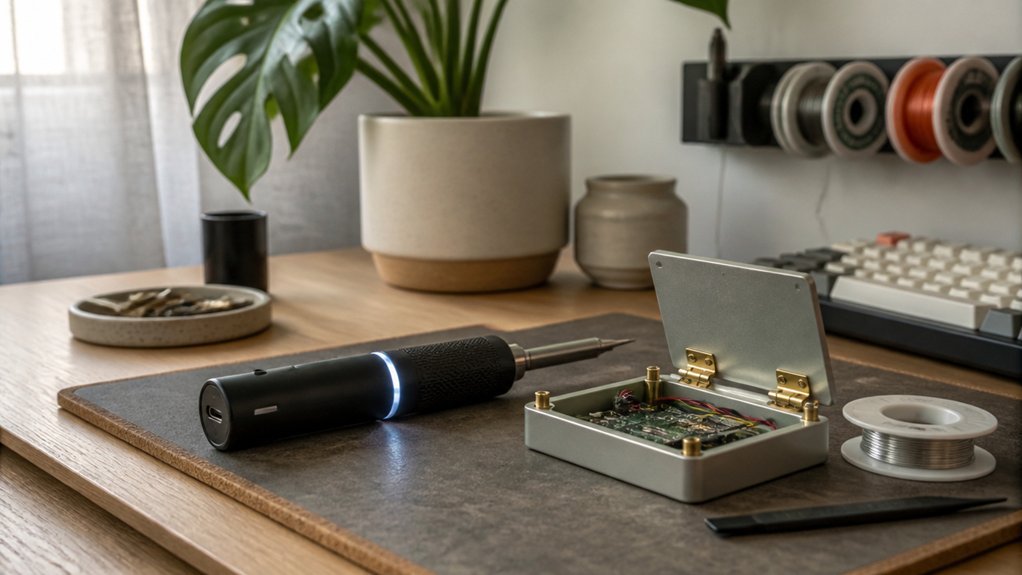
I know you’re probably wondering what actually separates a $30 bargain from a $150 pro model, and honestly, I’ve burned myself (and my wallet) learning the hard way. When I’m picking a cordless iron, I obsess over five things: how fast it heats up, whether the battery lasts through a full repair, if I can swap tips for different jobs, how hot it actually gets, and whether “wireless mode” means real power or just marketing fluff.
Trust me, ignore any of these and you’ll either wait forever for solder to flow or find yourself tethered to a wall mid-project.
Recommended Products

【Professional Function Design】This 60w 110v pencil-type soldering iron features adjustable temperatures(392 ℉-842 ℉/200-450 ℃) and thermostatic setting. In addition, our soldering iron with ON/OFF Switch, which is easy to save energy and ensure safe welding.

100W Fast Heating & Precision Temperature Control: This 100W soldering iron heats up to working temperature in only 15 seconds, supporting seamless switch between Celsius and Fahrenheit. It allows 1℃/1℉ precise adjustment across a full range of 180-500℃ (356-932℉), delivering consistent, stable heat for every soldering task.

【UPGRADE SOLDERING IRON】The 100W soldering iron uses a high-power, advanced plug-in ceramic heating core that heats up quickly in 15 seconds, allowing you to work faster. Its temperature calibration function also ensures accurate and reliable temperature control. The pen-style iron is also portable and easy to carry.
Heating Speed
How quickly do you need to get to work? I’ve seen cordless irons hit full heat in 3 to 5 seconds flat, and honestly, that speed changes everything.
When you’re fixing a drone in a parking lot or touching up a guitar pedal backstage, waiting around kills your momentum. Fast-heating models slash idle time, letting me knock out quick repairs without losing my groove. Plus, less warm-up means I’m not blasting sensitive components with ambient heat longer than necessary.
Here’s what actually affects the numbers: battery charge level, your temperature setting, and the tip type. A nearly dead cell won’t deliver those advertised 5-second miracles. Some kits lean hard on “heats in 8 seconds!” marketing, which is fine, but I always check if that’s with a fresh battery at max power.
Verdict: if you do spur-of-the-moment fixes, prioritize sub-5-second models. For planned bench work, a 7-to-8-second iron still gets the job done without the premium price tag.
Battery Runtime
Where does your work actually happen? On a bench, sure, but also cramped closets, rooftops, and carsides where outlets fear to tread. That’s why battery runtime matters so much.
I always check mAh first: bigger numbers mean longer life between charges. But here’s the catch, higher temps drain cells faster. One iron brags 60 minutes at max heat, another croaks in half that time doing the same work.
USB-C pass-through charging saves me constantly. I can plug in and keep soldering, practically unlimited runtime with a power bank.
Sleep modes? I used to mock them. Then I left one on overnight. Auto-shutdown would’ve saved me four hours of dead battery shame.
Match runtime to your real workflow. Quick repairs need less; marathon sessions demand more.
Tip Compatibility
Why settle for one tip when the job keeps changing on you? I always check compatibility first. You need an iron that supports specific tip types, like I-Tip for precision or K-Tip for tight spaces.
Tip families matter too. I look for models using standardized series, such as C210 tips, so I can swap without hunting down weird adapters. Most quality kits include 2-3 options right in the box, covering everything from delicate SMD work to beefier joints.
I also verify the connection method. Tool-free swaps save real time on a job site. Anti-oxidation coatings extend tip life, which means fewer replacements and less frustration.
Bottom line: versatile tip compatibility keeps one iron useful across dozens of projects.
Temperature Range
What really separates a decent cordless iron from one I’ll reach for every time? Temperature range and control.
Most cordless models span 200°C to 450°C (392°F–842°F), which covers everything from delicate PCB traces to beefier alloy joints. I won’t settle for anything less than fine 5°C increments, 1°C if I can get it. That precision keeps me from frying sensitive components.
A wider range means I’m not swapping tools between lead-free jobs and higher-heat work. Rapid heating matters too, I’m talking seconds, not minutes, between joints.
Here’s what I watch for:
- 200°C–450°C minimum range
- Fine adjustment steps (1–5°C)
- Fast heat-up times
- Stable temperature holding (no drift mid-joint)
Skip the guesswork. Pick an iron that stays exactly where you set it.
Wireless Mode Power
Temperature control means nothing if the battery dies mid-joint.
That’s why I always check wireless mode power first.
Battery Basics
Most cordless irons pack 1100-3200 mAh batteries. That gets you 30-60 minutes of actual soldering time at higher temps. Sounds decent? It is, until you’re fixing a complex board and suddenly, darkness. (Okay, no darkness, but you get it.)
Wattage Reality Check
DC output runs 12W-16W in cordless mode. Lower wattage means slower recovery between joints. I prefer 16W models: they keep up when I’m in rhythm.
The USB-C Lifesaver
Some units charge via USB-C while soldering. That’s clutch. Dead battery mid-project? Plug in and keep working. No downtime, no frustration.
My Take
For hobbyists, 30 minutes suffices. For pros or marathon sessions, prioritize higher capacity and pass-through charging.
Your wrists will thank you too: battery weight affects balance more than you’d expect.
Auto Sleep Function
How often do you set down a hot iron and forget it’s live? Auto sleep fixes that headache.
This feature automatically shuts down your iron after 15–30 seconds of inactivity. I love it for two reasons: it saves battery and extends tip life. Less heat cycling means your tips last longer.
Here’s what separates good from great: instant wake. Premium models resume heating to your exact temperature the moment you lift them. No waiting, no fiddling with settings.
For portable work, auto sleep is essential. You’re juggling tools, components, maybe a flashlight. You can’t babysit the power button.
The safety angle matters too. A cool iron won’t burn your bag or your leg.
I prioritize irons with fast wake times. Thirty seconds of sleep is fine, but instant recovery? That’s the difference between frustration and flow.
Portability Design
Where does a cordless iron actually earn its name? From how easily it travels with you, of course.
I always check the body first. A compact, lightweight iron slips into my bag without weighing me down, and a stable stand keeps it from tipping over mid-project. That’s table stakes.
Battery capacity matters more than you’d think. I look for 2600 mAh or higher, anything less leaves me hunting for outlets. Quick heating seals the deal: waiting thirty seconds feels like forever when I’m fixing a drone in the field.
USB-C charging is non-negotiable now. I recharge from my power bank between jobs. And grip ergonomics? My hand cramps after twenty minutes with poorly designed handles. Test the grip before you commit.