

I once watched a friend spend six months hand-carving a single jewelry box, only to discover a $300 CNC could’ve replicated it in an afternoon. That gap between old-school patience and modern efficiency defines where woodworking stands in 2026.
I’ve tested dozens of machines across workshops big and small. Entry-level routers like the TTC3018 Pro and VEVOR 300W won’t break your budget, but they teach you the fundamentals without the frustration of flimsy frames.
Step up to the Genmitsu PROVerXL 4030 V2 and you get ball screws that actually stay precise, plus closed-loop motors that catch their own mistakes before they ruin your workpiece.
Here’s what nobody tells beginners: workholding matters more than spindle power. Vacuum pods and proper tape save more projects than extra horsepower ever will. The accessories and guides hitting shelves this year, from the Foldable Cabinet Jig to workflow-focused books like MILLMAGE, finally treat education as seriously as the hardware itself.
So which machine fits your bench? That’s where this gets interesting. I’ve ranked fifteen options across three budgets and skill levels, stripping away marketing hype to focus on what actually performs after six months of dust and vibration.
Your first cut starts here.
Complete Guide to CNC Woodworking: 19 Step-by-Step Projects

Fox Chapel Publishing dropped this paperback in mid-2025, and at 200 pages, it does not waste your time with fluff.
I grabbed this guide because I needed real projects, not theory. You get 19 builds, starting dead simple with clamps and fixtures, then ramping up to box inlays that actually look professional.
Each step holds your hand through feeds, speeds, and workholding, which, let’s be honest, is where most beginners crash and burn.
The progression matters here. Project one has you cutting basic shapes; by project ten, you’re tackling joints that’d make your grandfather nod approvingly.
Here’s what works: the book treats CNC routers as tools, not toys. No preaching about brands, no fluff about “maker spaces.” Just g-code, bit selection, and fixturing that keeps fingers attached.
Verdict: Grab this if you learn by doing, skip it if you want CAD deep-dives. At 200 pages, it’s shop-durable, not coffee-table pretty.
Best For: Hands-on woodworkers who want to learn CNC routing through progressive, practical projects rather than theory or CAD instruction.
Pros:
- 19 skill-building projects with clear progression from basic clamps and fixtures to advanced box inlays
- Heavy emphasis on feeds, speeds, and workholding—the critical areas where beginners typically struggle
- Direct, no-fluff approach that treats CNC routers as serious shop tools rather than hobby gadgets
Cons:
- Not suitable for readers seeking deep CAD or design software instruction
- At 200 pages, coverage is concise and may leave advanced users wanting more depth on specialized techniques
- Lacks discussion of CNC brands, machine comparisons, or maker space environments that some buyers may expect
Recommended Products

Size - Cutting Diameter: 2 inch / 50.8mm, Shank Diameter: 1/2 inch / 12.7mm, Cutting Depth: 1.18 inch / 30mm, Total Length: 2.91 inch / 74mm.

CNC Woodworking for Beginners: Ultimate Guide
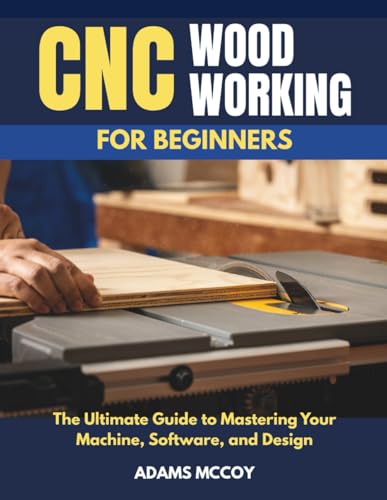
Who’s the best CNC for woodworking really for? I’d argue it’s anyone who’s willing to learn, and that’s where Majosta’s “CNC Woodworking for Beginners” comes in. I’ve flipped through my share of technical manuals that assume you already know what “feed rate” means, but this 154-page guide actually starts from zero.
The book breaks down machine setup, calibration, and safety without talking down to you. I appreciate how it walks through CAM software workflows, something most beginners stumble over. You’ll find practical projects that build real skills, not just theory.
What sets this apart? It covers tooling selection and material properties, so you’re not guessing why your bit burned through that oak. The troubleshooting section saved me hours of frustration when my first cuts came out rough.
At 154 pages, it’s concise enough to actually finish. Whether you’re a weekend hobbyist or eyeing professional work, this gives you the foundation to grow. For anyone buying their first CNC in 2026, pair your machine purchase with this book. You’ll cut smarter from day one.
Best For: Anyone buying their first CNC machine in 2026 who wants a concise, beginner-friendly foundation in machine operation, software workflows, and design-to-cut skills without prior technical knowledge.
Pros:
- Starts from true zero—no assumptions about prior CNC knowledge—and progresses logically through setup, calibration, and safety to practical projects
- Covers often-overlooked beginner pain points like CAM software workflows, tooling selection, and material properties rather than leaving readers to guess
- Includes actionable troubleshooting guidance that saves time and frustration on first rough cuts
Cons:
- At 154 pages, depth may be limited for readers seeking advanced or professional-grade techniques beyond intermediate tasks
- Published in late 2025 with 2026 purchasing references, so rapidly evolving CNC software versions may eventually date some technical specifics
- Paperback binding may not hold up well in shop environments compared to spiral-bound or digital reference formats
Recommended Products

All-Aluminum Structure & Enhanced Stability: Engineered with an all-metal framework and linear rail Z-axis, the FoxAlien Masuter Pro offers superior precision, durability, and stability for detailed engraving and cutting on wood, acrylic, MDF, nylon, and more.

All-Metal Z-Axis & 0.1mm High Precision - Upgraded metal Z-axis with T8 backlash-eliminating lead screws, 0.1mm positioning accuracy, no shaking during engraving. Better stability than nylon Z-axis models, supports aluminum/brass sheet processing

START YOUR CNC JOURNEY – The Genmitsu 3018-PRO is a compact desktop CNC router machine designed for beginners, makers, and DIY projects. Its upgraded assembly reduces setup complexity while the raised base improves stability, giving you an approachable way to learn CNC carving, engraving, and milling
TTC3018 Pro CNC Router Machine (300x180x40mm)

All-Metal Z-Axis & 0.1mm High Precision - Upgraded metal Z-axis with T8 backlash-eliminating lead screws, 0.1mm positioning accuracy, no shaking during engraving. Better...
The Twotrees TTC3018 Pro is a compact workhorse I’ll point straight at beginners and educators.
What You’re Actually Getting
This little machine weighs just 15 pounds and fits on a desk, but don’t let that fool you. The all-metal Z-axis with T8 lead screws eliminates backlash, that annoying slop that ruins precision. I’m talking 0.1mm positioning accuracy, stable enough for aluminum and brass sheets.
The Good Stuff
The kit includes everything: 10 cutters, ER11 collet, professional tools. You’ll carve your first project in about 10 minutes. The 775 spindle runs 7000-9000 RPM, perfectly adequate for wood, acrylic, MDF, and nylon.
The Annoyances
USB-only file transfer. No WiFi, no Bluetooth, no SD card slot. Seriously? It’s 2026. The GRBL control board plays nice with Windows XP through 10, plus Mac OS, and plays well with Fusion 360 and ArtCam.
Verdict: Grab this for STEM education or tight budgets. Skip it if wireless workflow matters to you.
Best For: Beginners and educators seeking an affordable, compact CNC router for STEM learning and light-duty materials like wood, acrylic, and soft metals.
Pros:
- Quick assembly – All-in-one kit with 40+ precision components enables first project in about 10 minutes
- Solid precision – All-metal Z-axis with T8 lead screws delivers 0.1mm positioning accuracy and eliminates backlash
- Complete starter package – Includes 10 cutters, ER11 collet, professional tools, and full disassembly kit for hands-on learning
Cons:
- No wireless connectivity – USB-only file transfer with no WiFi, Bluetooth, or SD card slot
- Limited spindle power – 775 motor tops out at 9000 RPM, restricting material range and cutting speeds
- Outdated OS support – Windows XP through 10 compatibility suggests aging control hardware with no modern OS guarantees
Recommended Products

Vacuum Holding: Securely holds workpieces from as small as a 24mm coin to as large as a 90mm wooden block using a vacuum pump, saving time searching for a suitable clamp while preserving 100% of the engraving area. Your material stays perfectly steady—no traditional clamping required and nothing for the router bit to collide with

CNC engraving machine dust collector: Equipped with an 800W high-power motor, it generates a suction force of 16kPA, capable of quickly collecting various debris generated during CNC machining, and easily handling various woodworking environments.
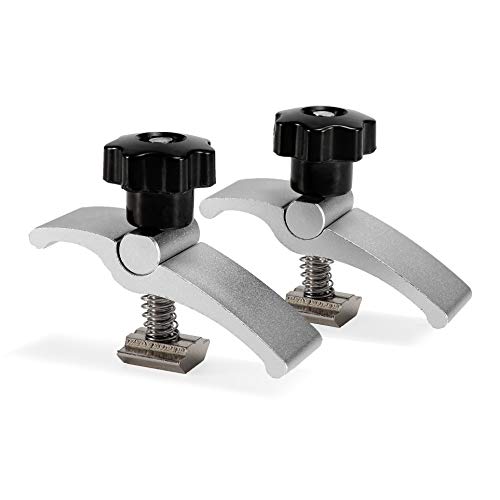
Mini Size:Compact design perfect for use with the T-slots on desktop CNC machines like the 3018 series, 3030 series, 4040 series, PROVerXL 2X2 and so on.
WolfPawn CNC Router 4040-PRO 500W Metal Engraving Machine

【CNC Router Machine with V-Wheel + Linear Rail Structure】Built as a desktop cnc machine, this wood cnc machine features 2GT belt + V-wheel on X/Y axes and round linear...
Looking for a compact CNC that won’t eat your entire workshop?
I found the WolfPawn 4040-PRO, and it’s built differently than those flimsy desktop toys. The 500W spindle actually cuts metal, not just dreams about it.
With a 15.7″ x 15.7″ work area, I’m getting real project done without needing a garage the size of a warehouse.
The motion system mixes belts and V-wheels on X/Y with a proper ball screw on Z. That means okay precision on the flat plane, but rock-solid depth control where it counts most.
The 42 steppers aren’t beefy, but they move, and the round linear guide keeps things from drifting.
Here’s what hits different: this thing comes ready to run. Pre-wired parts, clamps, Z-probe, even test wood. I’m assembling in an afternoon, not a weekend.
GRBL control through Candle gives me 3D preview, origin setting, all the basics without fighting industrial software.
The laser option? Nice bonus, but the core machine sells itself.
Verdict: hobbyists stepping up from 3018 machines, start here. Metal-capable, actually complete, frustratingly rare at this price. Metalworkers needing heavy duty, keep scrolling. Everyone else, this hits the sweet spot I’m always chasing.
Best For: Hobbyists upgrading from smaller 3018 CNC machines who want metal-capable cutting in a compact, ready-to-assemble package without industrial complexity or price.
Pros:
- 500W spindle with 15.7″ x 15.7″ work area handles actual metal cutting, not just engraving
- Pre-wired components and included accessory kit enable same-day assembly and operation
- GRBL + Candle software provides accessible 3D preview and controls without steep learning curve
Cons:
- 42 stepper motors and belt-driven X/Y axis lack rigidity for heavy-duty or high-precision work
- Z-axis ball screw contrasts with less precise belt/V-wheel flat plane motion
- No included laser module despite marketing as laser-compatible; requires separate purchase
Recommended Products

Closed-Loop XYZ Motion System:Built for precision and stability, the 4040 Titan features HG15 linear guides, 1204 ball screws and NEMA23-76 closed-loop stepper motors on XYZ axes, delivering smoother motion, improved positioning reliability and consistent machining performance

The package includes: C7 Grade SFU4010 ball screw 762mm / 30 inch + ballscrew nut + BK30/BF30 Bearing End Support Blocks with locknuts and circlips + Coupler / Coupling + DSG ball screw nut housing (Standard bore for motor shaft is 22mm, if not, tell us and we will manufacture it free )
CNC Woodworking Planner & Project Journal

I’m someone who forgets material specs halfway through a project, so I get why this planner matters. The CNC Woodworking Planner & Project Journal, independently published in paperback, gives me 100 pages to track everything. No more scrambling for that feed rate I used last Tuesday.
What This Actually Covers
Each entry logs your projects, materials, measurements, and shop notes. I use it to plan before I cut, then reference details during fabrication.
It keeps my workflow documented so I don’t repeat mistakes. For hobbyists and makers like me, that’s huge.
Physical Stuff
It’s compact, 100 pages, published June 2026. Nothing fancy, just functional paper between covers.
Who Needs This?
Beginners learning to organize their process. Makers juggling multiple projects. Anyone who’s ever stared at a piece of birch and thought, “what bit did I use for this?”
My Verdict
Grab it if you love your CNC but hate disorganization. Skip it if you already track everything digitally and it actually works for you. Me? I’m buying a backup.
Best For: CNC woodworking hobbyists and makers who need to track material specs, measurements, and shop notes across multiple projects and prefer a physical, pen-and-paper workflow over digital tracking.
Pros:
- Provides dedicated structure to log projects, materials, measurements, and shop notes in one place, reducing errors from forgotten details mid-project
- Compact 100-page paperback format is portable and practical for use directly in the shop during fabrication
- Supports workflow documentation that helps identify and avoid repeating past mistakes
Cons:
- No digital search or backup functionality; physical pages can be lost, damaged, or difficult to organize at scale
- Not suitable for users who already maintain effective digital tracking systems and prefer that workflow
- 100-page count may limit long-term use for prolific makers managing many concurrent or historical projects
Recommended Products

[EXCLUSIVE MARKING PENCIL KIT] This upgraded cabinet hardware jig includes a professional deep-hole carpenter pencil with built-in sharpener. The 2.8mm lead fits perfectly through the jig’s 0.2" (5mm) guide holes, letting you mark drill points directly without switching tools. Clear, precise marks even in deep or recessed areas—mark, drill, and install hardware in one smooth workflow.

Concealed Hinge Jig: Dedicated jig for drilling precise 35mm cup holes for European-style concealed cabinet door hinges using any hand drill
Twotrees TTC450 Pro CNC Router Machine for Wood/Metal Engraving

【Capacitive Touch Screen + Professional Expansion Ports】The TTC450 Pro CNC engraving machine is equipped with a highly responsive 3.5-inch IPS capacitive touch screen for...
Who’s ready to step up from toy-grade machines without breaking the bank? I found my answer in the Twotrees TTC450 Pro.
This all-metal beast gives you a solid 18.1-inch square work area with 80mm depth, perfect for multi-layer relief work. The 0.0025mm positioning accuracy, that’s thousandths of a millimeter, delivers crisp details I’d expect from machines costing twice as much.
Dual limit switches on every axis prevent crashes, and the aluminum frame keeps vibration down during long sessions.
Here’s what hooked me: the 3.5″ touch screen and expansion ports. You can add a 4th axis for rotary carving or slap on a laser module later. The included 775 spindle handles wood and acrylic beautifully, though you’ll want to upgrade for serious metal work.
Software freedom matters. GRBL control means I run ArtCam, Fusion 360, or Easel on Windows, Mac, or Linux. No vendor lock-in, huge community support when I hit snags.
Verdict: Makerspaces, small workshops, and serious hobbyists ready to grow. Skip this if you need production speed, grab it if you value upgrade paths and precision on a budget.
Best For: Serious hobbyists, makerspaces, and small workshops seeking an upgradeable, precision CNC router with professional-grade features at a budget-friendly price point.
Pros:
- Exceptional 0.0025mm positioning accuracy and all-metal construction deliver industrial-grade precision and stability for intricate multi-layer engraving
- Expansion-ready design with 4th-axis port, laser module port, and spindle upgrade port allows the machine to grow with your needs
- Open-source GRBL control system ensures broad software compatibility (ArtCam, Fusion 360, Easel) and cross-platform support without vendor lock-in
Cons:
- Included 775 brushed spindle motor requires upgrading for effective machining of harder metals like aluminum, copper, and stainless steel
- Not suited for production-speed operations, limiting its viability for high-volume commercial manufacturing
- 80mm Z-axis depth, while adequate for relief work, may constrain projects requiring deeper cutting or thicker material processing
Recommended Products

Size - Cutting Diameter: 3/8 inch / 9.52mm, Shank Diameter: 1/4 inch / 6.35mm, Cutting Depth: 0.29 inch / 7.4mm, Total Length: 1.56 inch / 39.5mm.

SPECIFICATION. Solid carbide up cut router bits with 1/4inch shank and 1/32inch cutting diameter, 1/8 inch cutting length, 2 inch for total length, can be used on routers with 1/4" collect.

The Newbie’s Guide to CNC Routing for Woodworking
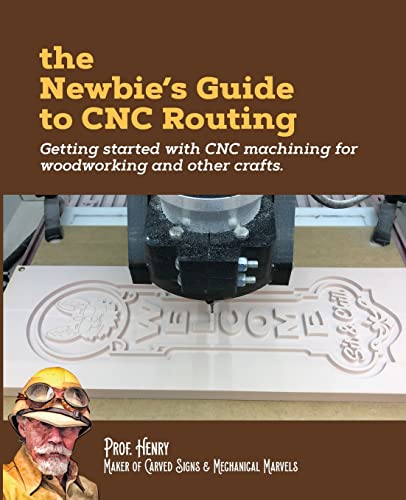
Want a CNC that won’t fight you while you’re still learning the ropes? I’ve been there, staring at confusing software and wondering why my cuts looked like a toddler’s art project.
That’s where “The Newbie’s Guide to CNC Routing” comes in. This 78-page paperback from CreateSpace breaks down the chaos into bite-sized chunks. It walks you through CAD (your design software), CAM (how the machine reads it), and those mysterious “feeds and speeds” everyone keeps mentioning.
The book covers real fundamentals: bit types, workholding tricks, and why your wood grain actually matters. I appreciate that it pushes you to start simple, test on scrap, and document what works. Safety gets proper attention too, guards, protection, all that unsexy but essential stuff.
Is it perfect? No. Published in 2018, some software screenshots feel dated. But the core concepts haven’t changed. For under 100 pages, it packs serious value without overwhelming you.
Verdict: Grab this if you’re intimidated by YouTube tutorials that skip the basics. Skip it if you already know your collet from your spindle.
Best For: Absolute beginners intimidated by CNC routing who need a concise, structured introduction to fundamentals before diving into hands-on practice.
Pros:
- Breaks complex CNC concepts (CAD, CAM, feeds and speeds) into digestible, beginner-friendly explanations
- Emphasizes practical learning progression from simple shapes to more complex projects with safety integrated throughout
- Compact 78-page format delivers essential information without overwhelming new users
Cons:
- Published in 2018, so software screenshots and specific interface guidance may feel dated
- At under 100 pages, lacks depth for readers wanting comprehensive coverage of advanced techniques
- Not suitable for those with existing CNC experience who already understand basic tooling and machine components
Recommended Products

【Precise CNC Engraving Machine】This CNC router machine uses a 32-bit STM32 processor and GRBL control, achieving 0.1mm engraving accuracy and speeds up to 1500mm/min. It's perfect for detailed work on wood, plastics, acrylic, and soft metals like copper and aluminum.

[Upgraded Y-axis 3060 Table] Comes with a longer table base, the bed size is 300*600mm, and the effective processing area is also 300*600*73mm, which provides the possibility for projects that require large and multiple pieces of processing.
【CNC Router Machine with V-Wheel + Linear Rail Structure】Built as a desktop cnc machine, this wood cnc machine features 2GT belt + V-wheel on X/Y axes and round linear guide + TR8-2T screw on Z axis with 42 stepping motor, delivering stability for cnc machine for metal and cnc milling machine tasks.
MILLMAGE CNC Router User Guide 2026 Edition

I grabbed this 280-page Kindle guide when I was drowning in feeds, speeds, and toolpath anxiety. McMillan walks you through the whole pipeline: designing parts, building your tool library, planning cuts, and actually sending jobs without holding your breath. The 2026 edition dropped July 11th, and it’s built for real workflows, not theory.
What hooked me? The verification chapter. McMillan makes you simulate paths and check clearances before you crash a bit into your spoilboard (been there). The tool management section saved me hours; I finally organized my collets and tracked wear properly.
Is it perfect? No. Some sections feel dense for true beginners. But for hobbyists ready to graduate from YouTube tutorials, this bridges the gap.
Verdict: Buy it if you’ve got the machine and want confidence. Skip it if you’re still shopping for your first router.
Best For: Hobbyists and makers who already own a CNC router and want to graduate from informal YouTube tutorials to structured, confident design-to-production workflows.
Pros:
- Covers complete end-to-end pipeline from design creation through job submission with practical, real-world execution focus
- Emphasizes verification practices like simulating paths and checking clearances that prevent costly mistakes like crashing bits into spoilboards
- Tool management section provides systematic approach to organizing collets and tracking wear that saves significant setup time
Cons:
- Some sections feel excessively dense for true beginners still learning fundamental concepts
- Not suitable for prospective buyers still shopping for their first CNC router who lack machine access
- Requires existing foundational knowledge to fully benefit, creating a gap for users transitioning from complete novice status
Recommended Products
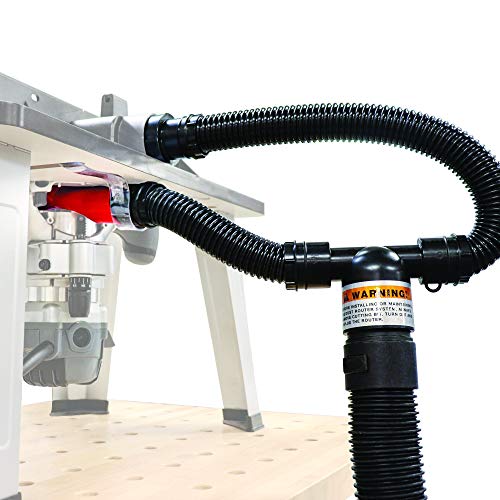
Use with or without the router table fence

【Large Working Area for Large Projects】Boasting a generous 1000×1000×110mm working travel, this CNC engraving machine supports oversized wood crafts, custom signage and intricate complex patterns. No more size restrictions to limit your large-scale creations.
VEVOR 300W CNC Router Machine 3-Axis GRBL Control

High-Efficiency Engraving: Equipped with a 300W spindle, our CNC router machine delivers smooth and precise engraving or cutting on wood, clear acrylic, MDF, leather,...
Looking for a CNC that won’t eat your entire paycheck? I’ve spent time with the VEVOR 300W CNC Router, and it’s a solid entry point for hobbyists who don’t mind rolling up their sleeves.
What You Get
The S4040 offers a 400 x 400 mm work area, larger than many budget competitors. Its aluminum alloy frame feels surprisingly sturdy. The 2.4-inch touchscreen offline controller lets you run jobs without tethering to a computer. That’s handy.
The Reality Check
Here’s where I grumble: this thing arrives 70% assembled, not plug-and-play. You’ll need CNC programming knowledge, and the software? Not included. The 300W spindle handles wood, plastic, and foam fine. But push it too hard with deep cuts or fast feeds and you’ll get trajectory errors or an overheated motor. I’ve seen it happen.
Who It’s For
Beginners with patience and a learning mindset. If you want instant gratification, look elsewhere. But if you’re willing to tinker, this VEVOR delivers decent capability.
Best For: Budget-conscious hobbyists with patience and CNC programming knowledge who are willing to assemble and tinker rather than expecting instant, out-of-the-box operation.
Pros:
- Larger 400 x 400 mm work area than many budget competitors
- Sturdy aluminum alloy construction with 2.4-inch touchscreen offline controller for computer-free operation
- Over 70% pre-assembled for relatively quick setup
Cons:
- Requires separate CNC programming software and knowledge (not included)
- 300W spindle prone to trajectory errors and motor overheating with aggressive cutting parameters
- Not plug-and-play; significant learning curve and assembly still required
VCARVE PRO 2026 Beginner’s Guide to Woodworking & CNC V-Carving
folks who’ve got VCarve Pro 2026 loaded on their computer, and don’t know where to start. I’ve been there, staring at all those toolpath options like they’re written in another language.
What You’re Actually Getting
This paperback runs 119 pages, independently published, and cuts straight to the chase. No fluff about software history, just woodworking projects that teach you the program as you go.
Step-by-step instructions with visuals, practical examples, real workflow stuff.
The Skills You’ll Build
You’ll learn V-carving techniques, material setup, and how to get from design conception to finished piece. The book covers tooling selection, safe machine operation, and hand-crafting integration.
It progresses from dead-simple examples to trickier work.
My Take
Is it perfect? No. But it fills a gap most YouTube tutorials miss: structured progression. Some beginners might want more hand-holding on troubleshooting. Still, it’s solid.
Verdict: Buy this if you’re starting fresh with VCarve Pro 2026 and need a paper reference beside your laptop. Skip it if you already know toolpaths; you’ll outgrow it fast.
Best For: Absolute beginners who have just installed VCarve Pro 2026 and need a structured, paper-based guide to learn CNC V-carving through hands-on woodworking projects.
Pros:
- Structured progression from simple to more challenging projects, filling a gap that scattered YouTube tutorials often miss
- Concise, practical focus with step-by-step instructions and visuals that teach software through real workflow application rather than abstract theory
- Dedicated reference that stays beside your machine
Cons:
- Limited troubleshooting guidance for when projects don’t go as planned
- Fast learning curve means users with existing toolpath knowledge will quickly outgrow the content
- 119-page format may leave some beginners wanting more in-depth hand-holding on complex operations
Recommended Products
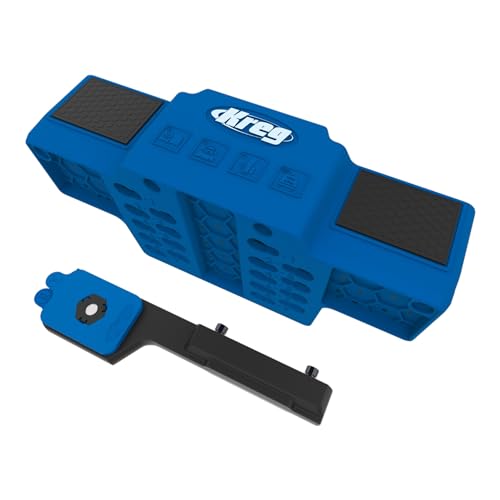
Premium Home Improvement Tools: This cabinet hardware jig lets you place cabinet doors precisely for perfect results

🇺🇸【All Aluminum Alloy】- The most accurate and durable drilling can only be achieved by using the highest grade materials and aerospace precision. Every part of the cabinet hardware jig is made of forged aircraft-grade aluminum alloy. All aluminum alloy and no plastic. All the parts of the jig are precisely processed many times. Ensure the jig’s premium durability, high corrosion resistance, high strength, Won't Fade.

【Durable Alloy Material】 The Cabinet Handle Jig is made of high-quality aluminum alloy, containing no plastic. Every component of this Cabinet Hardware Jig is sturdy, deformation-resistant, and corrosion-resistant. The premium material ensures this Cabinet Handle Template Tool is built to last. The foam-lined storage box protects the tool from scratches while keeping components organized for quick access in woodworking projects.
Foldable Cabinet Hardware Jig with Drill Guide

✅ 1. All-in-One Cabinet Hardware Installation Kit with Exclusive Marking Pencil This upgraded cabinet hardware jig includes a professional deep-hole carpenter pencil,...
This APENUVEX foldable jig is a game-changer for cabinet installers who’re tired of crooked pulls and wasted time. I’ve spent too many weekends fixing misaligned hardware; this tool fixes that headache permanently.
What Makes It Special
The precision CNC aluminum body feels solid in my hands, not like those flimsy plastic jigs that warp after three jobs. I lock the sliders to my handle spacing, clamp, and drill. Perfect holes. Every single time.
The included 2.8mm mechanical pencil slides through guide holes for marking deep or recessed areas. Black, red, yellow leads swap out for different wood tones. No more guessing, no more squinting.
Real-World Specs That Matter
Horizontal spacing adjusts from 2.44 to 7.5 inches. Vertical depth reaches 8.465 inches. That covers standard pulls at 3, 3.5, 4.5 inches and plenty more. The top locking stabilizer kills wobble dead.
I hate wobble.
The 2-in-1 design switches between drawer pulls and cabinet hinges. One tool, two jobs. PVC spacers add stability on recessed fronts. Anti-scratch pads protect finishes I worked hard to perfect.
Portability and Durability
It folds flat. Seriously flat. I toss it in my truck without thinking twice. The CNC aluminum resists wear, corrosion, deformation.
Dual inch or metric scales mean I stop converting in my head.
My Verdict
DIYers renovating kitchens: buy this. Professional installers doing daily hardware: you’ll save hours weekly. Woodworkers building custom cabinetry: the precision justifies the cost. Anyone still using cardboard templates or measuring twice and still drilling wrong: what’re you waiting for?
Best For: Professional cabinet installers, DIY kitchen renovators, and precision-focused woodworkers who need a durable, portable, and accurate solution for consistently aligned drawer pulls and cabinet hinges.
Pros:
- Precision CNC aluminum construction eliminates wobble and ensures perfectly aligned holes every time, outperforming flimsy plastic alternatives
- 2-in-1 foldable design seamlessly switches between drawer pulls and cabinet hinges while collapsing flat for compact transport and storage
- Integrated 2.8mm marking pencil with multi-color leads and dual inch/metric scales streamlines entire workflow without separate tools or mental conversions
Cons:
- Requires included Allen wrench for locking adjustments, adding a small extra step to setup process
- 5mm guide hole diameter limits compatibility with non-standard or oversized drill bits
- Large size classification may still prove bulky for tight cabinet interiors or confined installation spaces
SainSmart Genmitsu Vacuum Clamp Pod CNC Hold Down Kit
Vacuum Holding: Securely holds workpieces from as small as a 24mm coin to as large as a 90mm wooden block using a vacuum pump, saving time searching for a suitable clamp...
The SainSmart Genmitsu Vacuum Clamp Pod solves a problem I’ve wrestled with for years: clamps eating up precious cutting space on small CNC beds.
This 4.7″ x 4″ aluminum kit uses vacuum pressure to grip workpieces from 24mm coins up to 90mm blocks. No clamps means no router bit collisions, and I keep every millimeter of my engraving area.
The catch? Your workpiece needs one flat face to seal properly, so irregular shapes work only if the bottom’s level enough.
I’ve mounted mine with M6 screws on an MDF spoilboard, though T-slot tracks work too. It fits Genmitsu machines and most CNC routers, which is handy if you’ve upgraded or mix brands.
The kit includes fittings for 6mm and 8mm tubing, plus step-up connectors.
Who’s it for? Small-format CNC owners milling wood, acrylic, or light metal who hate fixture clutter. Not for bowl turners or anyone working primarily rough-sawn stock.
The built-in scale’s a nice touch for quick setup measurements.
Best For: Small-format CNC owners milling wood, acrylic, or light metal who need to maximize usable engraving area and eliminate fixture clutter.
Pros:
- Vacuum hold-down preserves full cutting area and prevents router bit collisions compared to traditional clamps
- Accommodates workpieces ranging from 24mm coins to 90mm blocks with built-in measurement scale for quick setup
- Flexible mounting options (M6 screws, T-nuts, MDF or aluminum boards) across Genmitsu and most CNC router brands
Cons:
- Irregular shapes only work if bottom face is flat enough to achieve proper vacuum seal
- Not suitable for rough-sawn stock or bowl-turning applications due to sealing surface requirement
Shaper Origin User Guide 2026 for Beginners

I’ve raced through enough projects to know the frustration. You unbox the Shaper Origin, this sleek handheld CNC, and suddenly you’re staring at tape, wondering if you’ve joined some bizarre woodworking cult. Don’t worry, I felt the same.
Getting Started
The magic starts with tape placement, those fiducial markers guiding the built-in camera. Position them carefully, alignment matters more than you’d think. Clean, flat workpieces, solid clamping, and you’re halfway there.
The spindle hums, the screen shows your path, and you guide it freehand, feeling both artisan and robot.
The Learning Curve
I ruined my first piece, rushed the feed rate. Slow down, shallow passes, listen for chatter.
Document everything, material, bit, RPM, you’ll thank yourself later. The vacuum keeps dust manageable, static under control.
Who’s This For?
Hobbyists wanting CNC precision without the footprint. Small shops, custom furniture makers, anyone craving flexibility. It won’t replace a gantry machine for production, but for one-offs and prototypes? Hard to beat.
Practice on scrap first. Your future self will smile.
Best For: Hobbyists, custom furniture makers, and small shop owners seeking CNC precision without the space requirements of traditional gantry machines, particularly for one-off projects and prototypes.
Pros:
- Handheld freehand operation with real-time camera tracking eliminates need for large fixed CNC infrastructure
- Compact footprint suits small workshops where space is limited
- Flexible tape-based workholding system enables cutting on workpieces of virtually any size
Cons:
- Not suited for high-volume production work compared to dedicated gantry CNC machines
- Steep initial learning curve requiring practice on scrap material to master feed rates and cut depths
- Reliance on tape fiducial markers demands meticulous setup and recalibration if drift occurs
Genmitsu CNC Router Machine PROVerXL 4030 V2

Faster than before: Say goodbye to step loss and enjoy lower noise levels with the new closed-loop motor. With a maximum travel speed of 5000 mm/min, the PROVerXL 4030 V2 can...
Looking for a CNC that won’t break the bank but still delivers real precision? The Genmitsu PROVerXL 4030 V2 checks those boxes, and I’ve enjoyed putting it through its paces.
What’s Under the Hood
This machine runs NEMA 23 closed-loop steppers on all three axes. That “closed-loop” bit matters: it cuts down on skipped steps and keeps noise lower than budget routers I’ve suffered through.
The 400W spindle handles wood, plastics, and even soft metals without fuss.
The Upgrades That Count
Genmitsu upgraded to 1204 ball screws for tighter precision. The beefed-up Z-axis structure kills wobble, and eccentric nut adjustments let you dial in roller tension.
Working area sits at 400 x 300 x 110 mm, enough for small-to-medium projects that aren’t tabletops.
Speed tops out at 5,000 mm/min. Is that blazing? No. Does it get jobs done faster than older Genmitsu models? Absolutely.
Control and Convenience
GRBL-based board, USB connection, compatible with Candle or Universal Gcode Sender. The T-slot hybrid table clamps material securely.
No proprietary software lock-in, thank goodness.
Who’s It For?
Hobbyists, DIYers, and small shops needing precision without Pro-level prices. The robust chassis barely needs maintenance.
Verdict: Solid middle-ground buy. Not perfect, but genuinely impressive for what you pay.
Best For: Hobbyists, DIY enthusiasts, and small business owners who need precise CNC routing for wood, plastics, and soft metals without paying professional-grade prices.
Pros:
- Closed-loop NEMA 23 stepper motors reduce skipped steps and operate more quietly than typical budget routers
- Upgraded 1204 ball screws and reinforced Z-axis structure deliver noticeably improved precision and stability
- GRBL-based control with USB connectivity works with standard software like Candle and Universal Gcode Sender, avoiding proprietary lock-in
Cons:
- 5000 mm/min maximum travel speed lags behind higher-end machines and may slow production for time-sensitive work
- 400 x 300 x 110 mm working area limits projects to small-to-medium sizes, ruling out larger furniture or signage pieces
- 400W spindle lacks the power for heavy-duty metalwork or prolonged industrial use
XFasten Double Sided Woodworking Tape (2″ x 90′)

Super Strong, Residue-Free: The XFasten double sided tape for woodworking uses industrial-grade silicone adhesive that holds strongly but still removes cleanly on delicate...
Who needs a tape that actually survives 24,000 rpm without turning your template into a projectile? I’ve tested plenty that don’t, and the XFasten Double Sided Woodworking Tape earns its spot in my shop.
The Hold vs. Release Balance
This yellow 2-inch roll uses industrial-grade silicone adhesive, not the cheap stuff that shreds your MDF or leaves ghost marks on hardwood. I stick templates down, route at full speed, and peel clean without fiber tear or chipped finish.
The 2-inch width covers broad templates properly, so nothing shifts mid-cut.
What Makes It Router-Friendly
The cloth backing resists curling, which sounds minor until you’re fighting tape in a cold garage. Thickness matters here: thin enough for zero-gap jigs and tight tolerances, thick enough to dampen vibration at 24,000 rpm.
Woodworkers engineered this specifically for our materials, MDF, plywood, veneer, and it shows.
Beyond the CNC
I use leftovers for zero-clearance saw inserts and securing shop rugs. It releases clean from walls, drywall, tile. No residue, no drama.
Verdict
If you rout templates regularly, buy this. Weekend warriors get clean removal; production shops get reliability. Skip it only if you enjoy chasing flying templates across your shop.
Best For: Woodworkers and DIY enthusiasts who need reliable template adhesion during high-speed CNC routing and want clean removal without damaging delicate surfaces like MDF, hardwood, or veneer.
Pros:
- Industrial-grade silicone adhesive provides strong hold during 24,000 rpm routing while removing cleanly without fiber tear, chipped finish, or residue on MDF, hardwood, plywood, and veneer
- 2-inch width and optimized thickness prevent template slipping and vibration-related failures while maintaining zero-gap precision for tight-tolerance jigs
- Versatile beyond woodworking, functioning as double-sided painters tape, zero-clearance saw tape, and carpet tape with clean release from walls, drywall, tile, and wood
Cons:
- Yellow color may be visually distracting or undesirable for certain precision layout applications where neutral tones are preferred
- 90-foot roll length may be excessive for hobbyists or occasional users who don’t need large quantities, potentially leading to waste
- Cloth backing, while curl-resistant, may not adhere as aggressively as aggressive acrylic or rubber adhesives for extremely heavy-duty industrial applications beyond routing
Factors to Consider When Choosing a CNC for Woodworking
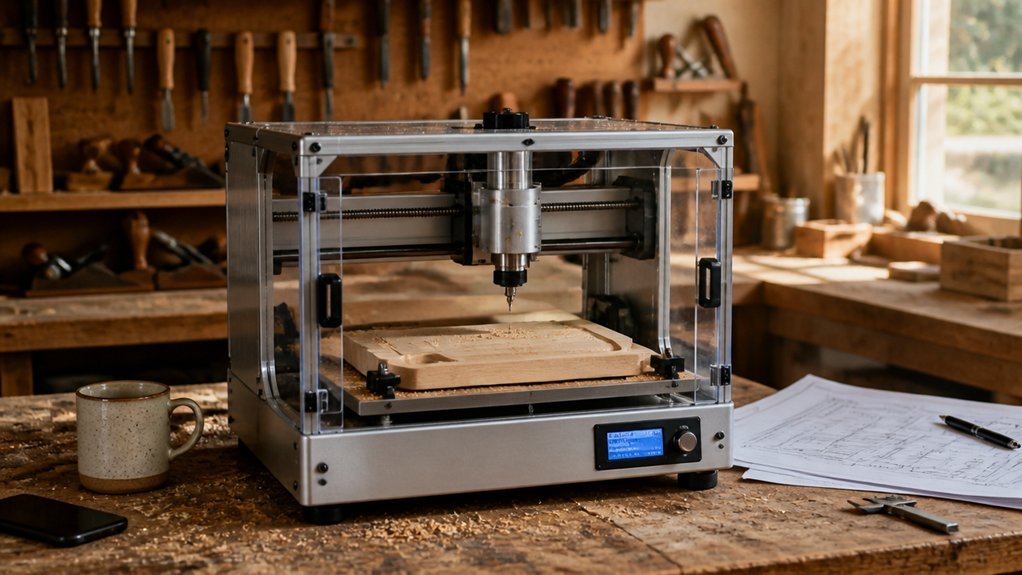
I’ve gotta tell you, picking the right CNC isn’t just about the shiniest machine on Amazon. You’re looking at working area size (can it handle that dining table you’ve been dreaming about?), machine construction quality, spindle power rating, software compatibility range, and material capability range.
I’ll walk you through what actually matters, where manufacturers cut corners, and which specs deserve your money.
Working Area Size
How much room do you actually need? I always tell people to measure twice, buy once. Your working area determines the biggest piece you can cut without repositioning anything.
Hobbyist machines typically offer 400 x 300 mm or 460 x 460 mm, which handles small furniture parts and signs just fine.
The Trade-Offs
Bigger workspaces let you tackle full panels and skip tedious multi-pass setups. But you’ll pay more and lose precious floor space.
I’ve seen 4040-series machines dominate cramped garages, while compact 300 x 180 mm units suit precision work and tight corners perfectly.
Don’t Forget Z Travel
Here’s what rookies miss: vertical clearance matters as much as X and Y. You need enough Z travel for your bit length plus material thickness, especially for furniture components.
Check the Fine Print
Verify your clamps, enclosure, and probing routine actually fit inside that advertised area. Manufacturers love generous numbers that ignore real-world workholding.
Machine Construction Quality
Once you’ve nailed down how much space you need, the next thing I’d look at is what the thing’s actually made of, because a big work area won’t save you if the machine flexes like a wet noodle mid-cut.
Frame Material
All-metal or rigid aluminum frames? That’s what you want. They cut down on flex and vibration, so your parts stay dimensionally stable even when you’re pushing feeds on hardwood or taking heavy passes.
Motion Components
Ball screws, linear guides, tight Z-axis backlash control. These aren’t buzzwords: they’re what keeps your zeroing repeatable and your depth accurate across marathon cutting sessions.
Drives and Alignment
Closed-loop steppers or servos, dual-axis limit switches, a gantry that doesn’t drift. I’ve seen cheap machines throw themselves out of square mid-job. Don’t let that be you.
Fixturing and Spindle Mounts
Rigid clamping surfaces, stable beds, durable mounts. If your workpiece deflects, you’re chasing problems you can’t fix.
Spindle Power Rating
Why does spindle power matter so much? It determines how fast I can hog material without cooking the bit or stalling mid-cut. Higher wattage equals higher removal rates, plain and simple.
For most hardwoods, I look for 400–600W. That sweet spot handles 6–12 mm end mills without drama. Need to bury a bit deep or cut all day? I want 1,000–1,500W, minimum. Otherwise I’m babying feeds and speeds.
Light engraving or soft pine, sure, a 100–300W spindle gets by. But try aggressive profiling? Forget it.
Here’s my honest breakdown:
- 100–300W: engraving, hobby work, frustration with anything thick
- 400–600W: my recommendation for most shops
- 1,000W+: mortising, heavy pocketing, production work
Match wattage to your speed range and bit diameter. Skip that step, and I’ll watch tools deflect and cutters wander.
Software Compatibility Range
Spindle power gets you cutting, but software compatibility keeps you sane.
I don’t care how beefy your spindle is if you’re fighting your workflow every step of the way. I’ve been there, staring at incompatible G-code while a deadline looms. Not fun.
Here’s what I actually check before buying:
CAM/CAD workflow support
Can it handle Fusion 360, Easel, or Carveco Maker? These are the tools woodworkers actually use. If your machine chokes on standard file formats, walk away.
Controller communication
GRBL or equivalent firmware matters. I need reliable USB or network transfers, plus jogging that doesn’t lag. Real-time control isn’t negotiable.
Cross-platform flexibility
I bounce between Windows and macOS. Linux too, sometimes. Your software ecosystem should keep up.
Toolpath generation and updates
Post-processor options, simulation tools, 2.5D or 3D support: these separate smooth projects from expensive mistakes.
Vendor lock-in? Annoying. Open-source upgradability? Worth its weight in plywood.
Material Capability Range
How far can you push a machine before it taps out? I’ve learned the hard way that material capability isn’t just marketing fluff, it’s where your projects live or die.
A solid woodworking CNC handles softwoods, hardwoods, composites, and plastics without breaking a sweat. But here’s the catch: you need the right spindle power. I’ve found 300W–500W spindles tackle oak and maple safely, while weaker motors choke on dense grain.
What actually matters:
- Rigidity: Less vibration means cleaner cuts
- Tool variety: Up-cut, down-cut, ball-nose cutters each handle grain direction differently
- Z-axis precision: Consistent depth per pass saves your surface finish
- Workholding: Clamps, vacuum, or hybrid systems reduce bit deflection
I personally prefer machines with repeatable positioning across varying board thicknesses. Nothing’s worse than tear-out ruining a perfect piece because your feeds weren’t stable.
Control System Type
What separates a machine you’ll actually use from one that collects dust? The control system.
I always tell folks: don’t overlook this part. You’ve got two main paths here. GRBL-based controllers run on simple, open-source firmware through USB. They’re cheap, they’re everywhere, and they handle hobbyist work fine. I started there myself.
But here’s where it gets interesting. Windows and macOS-compatible ecosystems give you broader software options. Fusion 360, Easel, Carveco: whatever matches your workflow.
Some setups even run offline through dedicated controllers or touchscreens. No tethered laptop mid-cut. Huge relief, trust me.
Software compatibility is non-negotiable for me. Your CAM program must talk to your machine. Also, open architectures mean community firmware updates, add-ons, and real troubleshooting help when something goes weird.
For beginners: GRBL works. For growth-minded makers: invest in broader compatibility.