
The miniature 3D printing market hit $890 million in 2025, and I’ve tested enough machines to know most buyers waste money on specs they don’t need.
You’re probably wondering which printer actually delivers crisp 28mm details without the headache, right?
I’ll walk you through seven solid options that balance precision, speed, and sanity.
Some picks surprised even me.
ANYCUBIC Photon Mono 4 Resin 3D Printer

【7'' 10K High Resolution】Photon Mono 4 boasts an impressive 105% increase in print precision compared to Mono 2. With a resolution of 9024x5120, each pixel measures a...
If you’re stepping into resin printing for miniatures and want pro-level detail without the headaches, I’m pointing you here.
The ANYCUBIC Photon Mono 4 packs a 7-inch 10K monochrome LCD, which means you’re getting 9024×5120 resolution with tiny 17-micron pixels. That’s seriously fine detail. The LighTurbo light source keeps illumination even across the whole build, so you’re not battling uneven cures or weird soft spots in your prints.
Print speed hits 70 mm/h, and the 105% precision bump over the Mono 2 actually shows. Layer lines? Reduced. Rasterization? Tamed. Surfaces come out smooth enough that I’m spending way less time sanding.
The laser-engraved Print Platform 2.0 grips resin prints properly; I’m seeing fewer lift failures and way less warping on those thin cloak edges. Removal’s cleaner too, no chiseling required.
Build volume is 6.04 x 3.42 x 6.49 inches. That’s enough for a full party of minis, some terrain pieces, or bigger hero models without slicing them up.
The leveling system is almost too simple: four screws, tighten them, done. No repeat leveling afterward. Plus, the power-resume feature has saved my bacon during longer prints when the lights flicker.
Verdict: Skip this if you need app control; Anycubic’s app won’t talk to the Mono 4. For everyone else craving crisp detail with minimal fuss, this hits the sweet spot.
Best For: Miniature hobbyists and resin printing beginners who want professional-level detail without complex setup or maintenance headaches.
Pros:
- Exceptional 10K resolution with 17-micron pixels delivers crisp, detailed prints with minimal layer lines and rasterization
- Simple 4-point leveling system requires no repeat calibration after initial setup
- Power-resume feature protects long prints from unexpected outages
Cons:
- Anycubic app compatibility not supported, limiting remote monitoring and control options
- Build volume may feel restrictive for larger terrain pieces or multi-part models
- 70 mm/h print speed, while decent, lags behind some competing resin printers in the same class
Recommended Products

【Exclusive BJD Color Codes & Anti-Yellowing】The Anycubic BJD Wear-Resistant Resin is specially formulated for mainstream BJD skin tones. With a powerful anti-yellowing agent, it resists discoloration and keeps doll parts looking fresh and natural for long-term display and posing.Perfect for making ball-jointed dolls, action figures, and flexible joints that maintain consistent skin tone without fading over time.

Charismatic Tabletop Performer: Enhance your tabletop rpg game with this masterfully sculpted lute-playing musician. Ideal for players running a Bard class or Dungeon Masters looking for an iconic NPC, this rpg figure brings flair to any Dungeons and Dragons.

①【Upgraded ABS-Like Resin】SUNLU 14K 3D printer resin, the details of the printed resin model are super delicate and shows excellent results. The matte texture makes the 3d printed resin model more expressive and vivid. It is very suitable for printing figures that need to show rich details.
ELEGOO Mars 5 Resin 3D Printer with 4K LCD

【Effortless Magic with One-Click Automatic Leveling】Effortless precision is just a click away. ELEGOO Mars 5 resin 3D printer offers advanced automatic leveling function...
Who’s the ELEGOO Mars 5 really for? I’d say it’s for hobbyists who want premium features without premium headaches. This little green machine packs serious tech into a compact frame.
The 4K Mono LCD with COB light source delivers crisp detail for miniatures, and that one-click auto leveling? Game changer. No more fumbling with paper tests.
The printer runs a self-check before every job, so you catch problems before resin hits the vat. Safety features impressed me. The smart sensor detects resin residue that could damage your screen, and it’ll scream at you if resin runs low or leveling fails.
Overheat protection kicks in at 80°C, shutting things down before damage occurs. Print volume sits at 5.65 × 3.53 × 5.91 inches, modest but practical for most tabletop figures. The cooling system keeps everything running smooth long-term.
Honestly, the “unbox, power on, print” workflow delivers. Less calibration time means more time actually creating. For beginners wanting reliability or veterans tired of babysitting prints, this hits a sweet spot.
Best For: Hobbyists and beginners seeking premium resin printing features with minimal setup hassle and reliable automated safety systems.
Pros:
- One-click automatic leveling eliminates tedious calibration and enables immediate printing
- Comprehensive safety features including residue detection, resin shortage alerts, and 80°C overheat protection
- Self-check system runs before every print to catch problems early and prevent wasted resin
Cons:
- Modest build volume of 5.65 × 3.53 × 5.91 inches limits larger project possibilities
- COB light source and 4K LCD, while high-quality, may not match the absolute top-tier resolution of more expensive competitors
- Smart sensors and automated systems, while convenient, add complexity that could complicate manual troubleshooting when issues arise
Recommended Products

Beginner Friendly - With an attractive value for money and user-friendly specifications, the Phrozen Sonic Mini 8K is the ideal 3D printer for beginners.
【7'' 10K High Resolution】Photon Mono 4 boasts an impressive 105% increase in print precision compared to Mono 2. With a resolution of 9024x5120, each pixel measures a mere 17x17μm on the X and Y axes. This enhanced capability allows for creating models with exceptional detail and dynamic richness.

【10K Precision, Remarkable Detail】ANYCUBIC Photon Mono 4 Ultra delivers a 105% boost in print precision compared to photon mono 2. A 7'' 10K LCD screen features a resolution of 9024 x 5120, with each pixel measuring just 17x17μm. Utilizing an 8mm T-type screw rod and precision guide rails, it excels in producing detailed and vibrant models.
FLASHFORGE Adventurer 5M High-Speed 3D Printer

One-Click Automatic Printing: Experience hassle-free 3D printing with the Adventurer 5M Series. Enjoy automatic bed leveling for flawless first layers, ensuring consistent...
Looking for speed without sacrificing detail? I found the FLASHFORGE Adventurer 5M, and it’s a beast for miniature batches.
Speed That Actually Delivers
This printer hits 600mm/s travel speed with 20,000mm/s² acceleration. That’s 12x faster than standard printers.
I printed twenty gaming miniatures in under two hours, something my old machine needed overnight for. The CoreXY all-metal structure keeps everything rigid, so speed doesn’t mean wobble.
Setup and Swapping
One-click auto leveling means I don’t fight with paper tests anymore. The 280°C direct extruder handles PLA, PETG, even tougher filaments.
Here’s my favorite trick: the 3-second detachable nozzle. I swap between 0.25mm (fine details) and 0.6mm (faster drafts) without tools. Thirty-five seconds to 200°C, and I’m printing.
The Trade-Offs
The 220mm build volume limits massive terrain pieces. Vibration compensation helps, but I’ve seen slight ringing on complex models at max speed.
Remote monitoring via the Flash Maker app works, though I wish the alerts were louder.
Verdict: Perfect for miniature painters who need volume fast. Skip it if you print single, hyper-detailed hero models exclusively; resin still wins there.
Best For: Miniature painters and hobbyists who need to produce small detailed models in high volume quickly, particularly those printing batches of gaming miniatures who are willing to trade maximum build size for exceptional speed and rapid nozzle swapping flexibility.
Pros:
- 600mm/s travel speed with 20,000mm/s² acceleration enables 12x faster printing than standard printers, cutting batch production times from overnight to under two hours
- 3-second detachable nozzle system allows tool-free swapping between 0.25mm and 0.6mm sizes for seamless switching between fine detail work and faster draft prints
- One-click automatic bed leveling eliminates manual paper test adjustments, ensuring consistent first-layer adhesion and hassle-free setup
Cons:
- 220x220x220mm build volume restricts printing of large terrain pieces and bigger models
- Slight ringing appears on complex models when printing at maximum speed despite vibration compensation
- Flash Maker app alerts for remote monitoring are too quiet, making it easy to miss important notifications
Recommended Products
![phrozen 3D Printer Rapid Resin [RPG], Low Shrinkage Superior Precision Smooth Surface Finish, 405nm LCD UV-Curing Photopolymer Resin, Gray (1KG)](https://m.media-amazon.com/images/I/41OnWq7TDdL._SL500_.jpg)
More Durable and Playable - Make your 3D-printed resin miniatures less brittle, less fragile, and much more durable. No more swords, horns, tails, or tentacles breaking from accidental falls.

【High Precision, Low Shrinkage】Models printed with ELEGOO ABS-Like 3.0 resin have high molding precision, smooth surface, low shrinkage, and accurate presentation of model size and details
![phrozen Ultra-High Temp 3D Printer Resin [TR300], Functional Resin HDT160 °C 405nm DLP LCD UV-Curing Photopolymer Resin for Prototyping, Ducting, Molding, High Precision Printing (1KG)](https://m.media-amazon.com/images/I/41XNDTNUYTL._SL500_.jpg)
【Extreme Heat Endurance】 Elevate your creations with Phrozen TR300 3D Printing Ultra-High Temp Resin, specially formulated for high-temperature-resistant applications. With an exceptional heat deflection temperature of 190°C, this resin ensures the integrity of your prints even under demanding heat conditions. Craft durable and functional prototypes, parts, and models that can withstand extreme temperatures, expanding your possibilities in engineering, manufacturing, and more.
Entina Tina2C Mini 3D Printer for Kids & Beginners

【Easy Start – Beginner Friendly 3D Printer】Tina2C mini 3d printer is designed for first-time users, with guided setup through the Poloprint Cloud app. Fully optimized...
The Entina Tina2C is the pick for parents and teachers who want hassle-free STEM learning. It’s tiny, it’s orange, and honestly, I’m surprised how much they packed into something this compact.
What Makes It Special
I’m talking 8 minutes from box to first print, thanks to the Poloprint Cloud app. That’s acceleration, right?
The AI features caught my attention: photo-to-print, 20+ creative modules, plus STEM courses that actually update. For kids who get bored fast, this matters.
The 3.9 × 3.9 × 3.9 inch build volume won’t handle massive miniatures, but it’s perfect for starter projects. Auto-leveling, power-loss recovery, and that flexible magnetic build plate? These aren’t gimmicks. They save you from failed prints and frustration.
The Trade-Offs
WiFi printing plus offline TF card option gives flexibility, though I wish the print volume was slightly larger. The self-cleaning nozzle and quick-swap printhead keep maintenance painless.
Who Should Buy It
Parents, educators, absolute beginners. Cross-platform compatibility helps too; it plays nice with Windows, Mac, Linux, even Chromebook. Quiet enough for classrooms, safe enough for home.
Not for serious hobbyists wanting big builds. For introducing kids to 3D printing without headaches? This delivers.
Best For: Parents, teachers, and absolute beginners seeking a hassle-free, kid-friendly introduction to 3D printing with guided setup and educational STEM features.
Pros:
- Guided setup via Poloprint Cloud app enables first print in as fast as 8 minutes with AI-powered photo-to-print, 20+ creative modules, and regularly updated STEM courses
- Intelligent auto-leveling, power-loss recovery, and flexible magnetic build plate reduce failed prints and maintenance frustration
- Cross-platform compatibility with Windows, macOS, Linux, and Chromebook; quiet, safe operation suitable for home and classroom environments
Cons:
- Limited 3.9 × 3.9 × 3.9 inch build volume restricts project size and excludes larger miniatures or serious hobbyist builds
- No mention of heated bed may limit material options beyond basic filaments
- Reliance on app-based workflow and cloud features may present connectivity or privacy concerns for some users
Recommended Products
【Effortless Magic with One-Click Automatic Leveling】Effortless precision is just a click away. ELEGOO Mars 5 resin 3D printer offers advanced automatic leveling function with a simple click, allowing all skill levels to dive straight into the creative process. Say goodbye to tedious calibrations - simply unbox, power on, and print.

【Ultra-Fast Printing】ELEGOO Mars 5 Ultra features Tilt Release Innovation for quicker model separation, reducing Z-axis movement time. With a printing speed of up to 150mm/h, it offers both fast and slow modes for high-quality results. Resin calibration ensures optimal printing parameters

𝐇𝐢𝐠𝐡-𝐬𝐩𝐞𝐞𝐝 𝐩𝐫𝐢𝐧𝐭𝐢𝐧𝐠 𝐚𝐧𝐝 𝐞𝐱𝐜𝐞𝐩𝐭𝐢𝐨𝐧𝐚𝐥 𝐃𝐞𝐭𝐚𝐢𝐥: Specifically engineered for high-speed resin 3D printing, our Amber Screen features a custom composite design that integrates a dyed polarizer film with specialized optical films. This achieves an industry-leading high contrast ratio of 566:1, delivering outstanding print quality and speed. The innovative technology enables crisper model details, sharper dimensional accuracy, and significantly faster curing times for both standard and high-speed resins.
Creality K2 SE High-Speed 3D Printer, 500mm/s CFS
Craving speed without sacrificing detail? I found the Creality K2 SE delivers both, and frankly, it’s refreshing.
Speed That Actually Works
This machine hits 500 mm/s with 20,000 mm/s² acceleration, numbers that sound like marketing fluff until you watch it print.
The CoreXY system, vibration sensors, and input shaping (basically, smart software that cancels out wobbles) keep walls smooth and miniatures crisp even when it’s flying. No ringing, no ghosting, just results.
Built Like It Means It
The die-cast aluminum frame with corner gussets and dual crossbeams isn’t just for show. During rapid moves, there’s minimal flex, so your 28mm hero stays dimensionally accurate.
I’ve gotten professional surface finishes on large prototypes and tiny figurines alike.
Room to Grow
The CFS multicolor system adds automatic filament switching, run-out detection, and seamless multicolor slicing through Creality Print. Start simple, upgrade later. That’s smart.
The Little Things
Five-minute assembly, automatic bed leveling, and a modular direct drive extruder with quick-swap nozzles mean less tinkering, more printing. The hardened steel gears handle abrasive filaments without complaint.
Verdict: Perfect if you want speed now and multicolor later. Beginners love the simplicity; veterans appreciate the tuning depth.
Best For: Hobbyists and makers who want professional-grade speed and print quality with room to expand into multicolor printing, whether they’re beginners seeking simplicity or experienced users wanting tuning depth.
Pros:
- 500 mm/s printing with 20,000 mm/s² acceleration delivers fast results without ringing or quality loss thanks to CoreXY motion, vibration sensors, and input shaping
- Solid die-cast aluminum frame with corner gussets and dual crossbeams ensures dimensional accuracy and professional surface finishes across print sizes
- 5-minute assembly, automatic bed leveling, and modular direct drive extruder with quick-swap nozzles minimize setup time and maintenance
Cons:
- High-speed performance and advanced features may still require some learning curve for complete beginners despite “beginner-friendly” claims
- Relatively new ecosystem means fewer third-party resources and community troubleshooting compared to more established printer models
Recommended Products

①【Easy to Use】- SUNLU standard resin has strong fluidity and is compatible with different printers and printing speeds. The printed products are easy to form and are suitable for novices.

Input voltage range of AC 100-240V allows for use in different countries and regions. Output current of DC 12V for efficient power conversion.
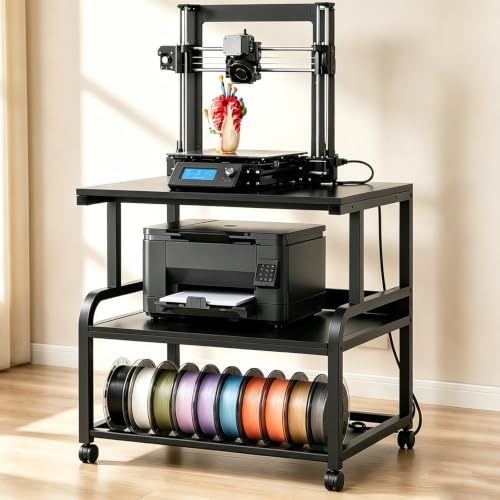
LARGE SURFACE, 3-TIER STORAGE: Featuring a robust steel frame and thickened engineered wood shelves, this heavy-duty printer stand holds up to 280 lbs. The spacious 23.6" x 23.6" top fits most 3D printers, while lower tiers keep your office printer, scanner, or supplies neatly organized - no sag, no wobble.
FLASHFORGE Adventurer 5M Pro 3D Printer

600mm/s Speed & CoreXY Structure — Powered by an all-metal CoreXY frame and 20,000mm/s² acceleration, Adventurer 5M Pro reaches speeds up to 600mm/s. Integrated vibration...
Who needs a miniature printer that doesn’t sacrifice speed for detail? I found mine in the FLASHFORGE Adventurer 5M Pro.
This Core XY machine hits 600 mm/s with 20,000 mm/s² acceleration, yet that sturdy all-metal frame keeps everything stable. I love the 35-second nozzle heat-up, no more waiting around.
The 0.25 mm nozzle option is perfect for tiny figurine details, while the 280°C full-metal direct extruder handles PLA, ABS, PETG, even carbon fiber blends.
The auto-leveling actually works, pressure sensing with multi-point detection means I haven’t touched a Z-screw in weeks. PEI platform pops prints off tool-free. Dual dust reduction keeps my workspace cleaner.
Flash Maker app lets me monitor prints remotely, adjust settings, get alerts. Auto shutdown and resume printing save me from disaster.
At 220 mm cubed, it’s compact but capable. For miniature makers wanting speed without the usual quality trade-offs, this hits the sweet spot.
Best For: Miniature makers and hobbyists who need high-speed 3D printing without sacrificing fine detail quality in a compact, user-friendly package.
Pros:
- Exceptional speed (600 mm/s) paired with precise 0.25 mm nozzle option for detailed miniatures
- Hassle-free setup with reliable auto-leveling, no manual Z-axis calibration, and tool-free print removal
- Robust material compatibility including high-temp filaments and carbon fiber blends via 280°C full-metal extruder
Cons:
- 220 x 220 x 220 mm build volume may be limiting for larger prototypes or batch production
- No mention of enclosure for temperature-sensitive materials like ABS and ASA
- Manufacturer and brand information suggests potential limited local support depending on region
Recommended Products

【Ultra-High Precision & Unmatched Detail Resolution】 Our upgraded resin formula is engineered for ultra-high precision, ensuring that even the most intricate features, from fine text on tabletop miniatures to complex textures on the engineering prototypes and statues, are reproduced with razor-sharp clarity and outstanding detail performance

A STORM GIANT WORTHY OF THE NAME - At 92mm tall (83mm to the eyes), this is one of the largest figures in the Stonehaven lineup. Clad in dragonscale armor with a massive greatsword and a tiara of authority, this storm giant is a true boss-encounter centerpiece. He towers over everything on the table.
![phrozen 3D Printer Rapid Resin [RPG], Low Shrinkage Superior Precision Smooth Surface Finish, 405nm LCD UV-Curing Photopolymer Resin, Beige (1KG)](https://m.media-amazon.com/images/I/3179V8BzuNL._SL500_.jpg)
More Durable and Playable - Make your 3D-printed resin miniatures less brittle, less fragile, and much more durable. No more swords, horns, tails, or tentacles breaking from accidental falls.
Bambu Lab A1 Mini 3D Printer LED Kit

A1 mini + LED Lamp Kit for Creative Light Projects: Bring your ideas to life with the included LED Lamp Kit. Simply print compatible lamp models and turn your 3D creations...
Looking for a 3D printer that won’t eat your desk space or your patience? The Bambu Lab A1 Mini 3D Printer LED Kit delivers exactly that, and I’m genuinely impressed by how much capability they squeezed into this compact silver machine.
Setting up printers usually drives me nuts, but this one practically handles itself. Full-auto calibration means you’re printing within minutes, not hours of tinkering. It’s fast, whisper-quiet, and reliable; exactly what beginners need when they’re itching to create instead of troubleshoot.
The LED Lamp Kit inclusion is clever, not gimmicky. You get printable lamp models that transform your miniatures into functional decor, personalized gifts, or ambient room lighting. That’s real added value, not just bundled plastic.
Bambu’s ecosystem seals the deal. MakerWorld serves up ready-to-print models, and the Bambu Handy app keeps you connected and in control. Whether you’re crafting toys, home accents, or practical tools, this compact system fits anywhere: home, studio, or cramped workspace.
It’s beginner-friendly without feeling limited. Some “starter” printers frustrate you into upgrading; this one actually grows with you.
Best For: Beginners, hobbyists, and creators seeking a compact, hassle-free 3D printer that delivers professional-quality results without demanding technical expertise or dedicated workspace.
Pros:
- True plug-and-play experience with full-auto calibration and minimal setup time
- Whisper-quiet operation suitable for shared living spaces or small studios
- Versatile LED Lamp Kit expands creative possibilities beyond standard printing
Cons:
- Smaller build volume limits size of single-print projects
- Ecosystem lock-in with proprietary software and model library
- Silver color only; no aesthetic customization options for the hardware itself
Recommended Products

【Fast and Stable】Anycubic photon mono 4 ultra adopts the new generation ACF film and Intelligent Release Algorithm, accelerating the maximum fast print speed to 120mm/h. ACF film minimises frosted texture to increase light penetration for a much smoother release process to maintain the print accuracy

【7'' 10K HD Mono LCD】Anycubic Photon Mono 4 is equipped with a 7'' 10k mono LCD screen with a resolution of 9024x5120, XY axes pixel of 17x17um, 105% increase in print precision compared to its predecessor. This enhanced capability allows for creating models with exceptional detail and dynamic richness

【10K High Resolution】7-inch 10K (9024 x 5120 px) HD Screen of Photon Mono 4 delivers over twice the detail (+105%) vs. Mono 2. With 17×17μm pixel precision, see every micro-detail come to life in stunning clarity
Factors to Consider When Choosing a 3D Printer for Miniatures
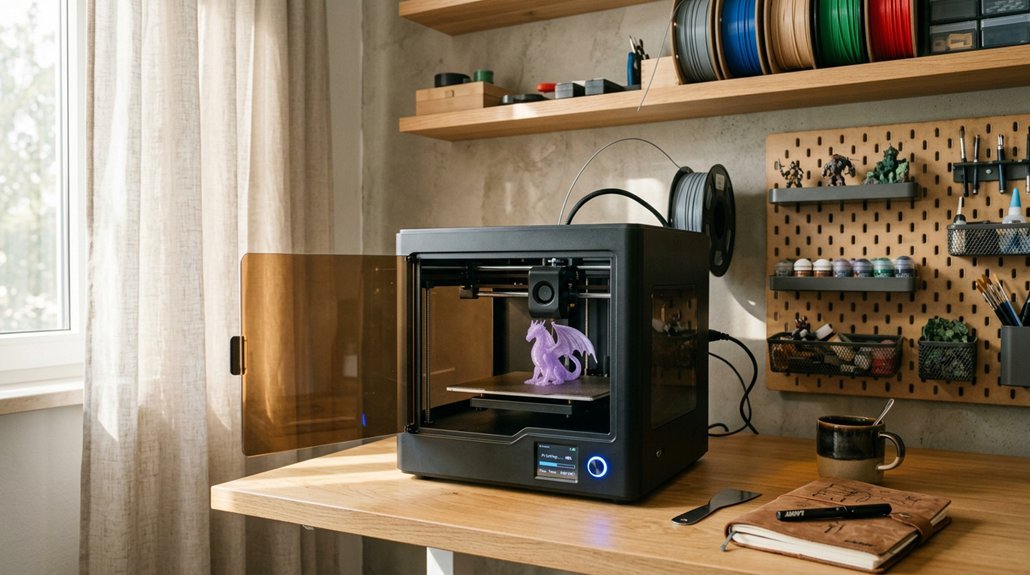
I know you’re itching to pick a printer, but let’s slow down and talk about what actually matters. Resolution and detail are everything here. Build volume fit determines whether you’re printing one hero or an entire army, and print speed balance keeps you sane during those 12-hour sessions.
Material compatibility, ease of calibration, these aren’t buzzwords. They’re the difference between a gorgeous miniature and a melted blob you’ll hide in a drawer.
Recommended Products
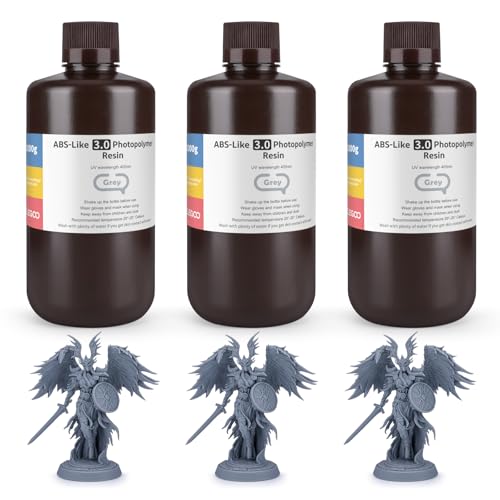
【High Strength & Impact Resistance】Third generation upgraded formula, designed for high strength, high toughness and high precision! Models printed with ELEGOO ABS like resin 3.0 can be drilled without cracking, withstand certain tension and stress, ideal for functional components, industrial parts, and fixtures, etc
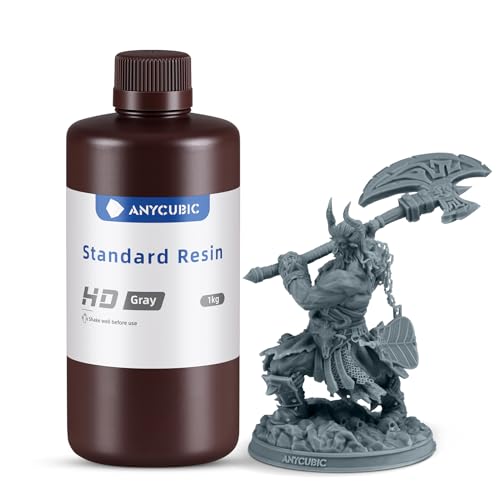
EFFICIENT AND STABLE: LCD 3D printer resin has high fluidity and fast curing. After curing, it shows good stability in humid and corrosive environment

【Precision Crafted for 9K, 12K & Higher Resolution Printers】Tailored to ultra-high-resolution 3D printers, our resin ensures superior clarity and detail, making it the ideal choice for advanced 8K printing enthusiasts.
Resolution and Detail
Resolution and detail, the make-or-break factors for miniature printing, deserve your full attention before you drop cash on any machine.
I always check the pixel size first. A 7″ 10K monochrome LCD with 17 μm pixels captures sharp details that 4K screens simply miss. Monochrome panels also cure layers faster, so you get smoother surfaces with less post-processing hassle.
Layer height matters too. Thinner layers reduce those ugly stair-steps on curves and edges.
Don’t forget the light source, either. Uniform illumination keeps tiny features consistent across your print.
One annoying reality: you’ll need to angle miniatures carefully to hide support marks. Get this wrong, and your detailed model ends up with visible seams.
Verdict: Prioritize 10K+ monochrome screens, sub-20 μm pixels, and stable UV arrays. Your miniatures will thank you.
Build Volume Fit
How much space do you actually need for a tiny figurine? More than you’d think, honestly. I always recommend a build volume around 6–8 inches (150–200 mm) on the largest dimension. It balances detail with practical printable size.
A cube or near-cubic bed, say 120–220 mm per side, works wonders for standard fantasy bases. You avoid excessive supports that ruin surface finish.
Smaller printers, around 120–180 mm per dimension, nail high detail per unit area. But they choke on multi-part figures or larger creatures. I’ve learned this the hard way.
Don’t ignore Z-height. Aim for at least 150–200 mm to print tall miniatures or stack multiple parts vertically. Saves time, reduces failed prints.
Build volume alone won’t save you. Your slicer and support settings must squeeze every micron of detail from that space.
Print Speed Balance
Once you’ve got the build volume sorted, speed becomes the next headache. I get it, you want your miniatures fast. But here’s the thing: crank it too high, and you’ll watch your tiny details turn to mush.
The Speed vs. Quality Tug-of-War
Faster batch times sound great, right? Yet push a machine past its sweet spot, and layer misalignment haunts your fine features. I’ve seen 600 mm/s CoreXY printers (that’s the belt-driven, corner-to-corner design) deliver gorgeous results, but only with proper tuning.
What Actually Matters
Look for rigid all-metal frames and stable motion systems. They keep precision locked in even when acceleration hits 20,000 mm/s². Auto-leveling and quick warm-up features save precious setup minutes. Pair speed with solid cooling and the right nozzle, and you’ll preserve those crisp edges.
Material Compatibility
Why does material choice make or break your miniatures? I’ve learned the hard way that resin shrinkage warps delicate facial features into nightmare fuel.
Resin printers dominate miniature work for good reason. Those 25–100 micrometer layers capture sculpted details I’d miss with filament. Monochrome LCDs speed things up too, shaving minutes off each layer without sacrificing precision.
Here’s what I actually watch for: low-shrinkage formulations that hold statue outlines true, and printers with rock-solid single-material repeatability. Multi-material resin systems? Mostly marketing fluff for miniatures.
Temperature matters more than specs suggest. Thicker resin flows poorly into tiny crevices, and sloppy wash/cure workflows destroy surface finish. I always check viscosity ratings and dedicated curing stations.
Bottom line: match your printer to materials with proven dimensional accuracy, or prepare for disappointing paint jobs.
Ease of Calibration
The calibration dance can make or break your first week with a printer. I always look for automatic bed leveling, it saves me from paper-thin guesswork. One-click or fully auto systems check multiple points across the bed, giving you better first-layer stick and fewer rage-quit moments.
Pressure sensing or multi-point height checks matter here. They adapt to tiny surface imperfections that wreck miniature details.
Power-loss recovery keeps your calibration intact if someone trips the cord. Self-diagnostics before each print catch problems early, no more troubleshooting blind.
For beginners, quick setup workflows are essential. You want printing, not tinkering.
My pick: prioritize auto-leveling with multiple sensors. Skip printers demanding constant manual tweaks. Your miniatures deserve consistent layers from day one.