
I’ve spent months testing dual-extruder printers, and let me tell you: most “multicolor” machines are just single extruders with fancy marketing. Real dual extrusion means two independent hotends, or at minimum, a robust filament-switching system that won’t jam mid-print.
The Creality K2 Combo and Olaprin T300D Pro actually deliver here, but they solve the problem differently. The K2 uses a CFS (Creality Filament System) with up to 16 spools, while the T300D Pro runs true independent dual extruders. Which matters more to you: maximum colors or cleaner material separation?
I’ll break down the trade-offs, the hidden costs, and which printer actually belongs on your desk.
Creality K2 Combo Multicolor 3D Printer (A)

Multicolor 3D Printing: 4 × CFS for up to 16 colors. By hooking up as many as four CFS units together, you are able to print in the splendor of 16 colors. Saves the need for...
Why settle for painting your prints when you can print in 16 colors straight out of the box? That’s exactly what hooked me on the Creality K2 Combo. By linking four CFS units, I’m printing full-color models without a brush in sight.
The 260 × 260 × 260 mm build volume gives me plenty of room for ambitious projects. The pre-assembled design means I’m printing within minutes of unboxing, just popping in the screen first.
Here’s what actually matters day-to-day: three step-servo motors adjust torque in under a millisecond, so I get cleaner prints at speed without the usual noise. Silent Mode really does sound like typing on a laptop.
The AI camera catches spaghetti disasters before they ruin 12-hour prints, and smart leveling only probes where I’m actually printing.
Materials? PLA through PET, plus carbon fiber options. No compromises there.
Verdict: For makers who want multicolor results without the hassle of painting, or anyone tired of babysitting prints, this one’s a genuine time-saver.
Best For: Makers who want professional multicolor prints without post-processing painting and those seeking a low-maintenance, quietly operating 3D printer with intelligent monitoring.
Pros:
- Prints up to 16 colors by linking four CFS units, eliminating need for manual painting
- Three step-servo motors with sub-millisecond torque adjustment deliver fast, accurate, quiet prints
- AI camera and smart auto-leveling reduce setup time and prevent print failures
Cons:
- 260 × 260 × 260 mm build volume may limit larger projects
- Requires separate screen installation despite pre-assembled frame
- Multicolor capability depends on purchasing and managing multiple CFS units
Recommended Products

Multi Color Printing with All-new CFS: K2 Plus Combo multi-color flagship printing, exciting for you to combine. With four CFS units hooked together, it is possible to deliver 16-color 3D prints, saving the need for painting afterward. CFS is intelligent with automatic filament selection, switch, and relay. Upon loading an RFID filament, it can read the color and type instantly. When a filament is running out, it can relay with a similar one installed

【Direct Replacement Part】Upgrade your setup with this precise Extrusion Head Replacement, engineered specifically for Creality CR-10 and Ender 3 series 3D printers. It’s a direct-fit solution designed to integrate seamlessly with your existing machine as a reliable core component.

【Next-Gen Multicolor 3D Printing】K2 Combo 3d printer comes with one CFS unit (expandable up to 4 CFS units) for up to 16 vibrant colors. Perfect for multi-material projects, prototypes, and artistic prints. Enjoy automatic wire switching and smooth, vivid color transitions.
Creality K2 SE 3D Printer, 500mm/s High-Speed, Multi-Color
The Creality K2 SE hits that sweet spot for anyone who wants serious speed without the serious price tag. I get 500 mm/s printing with 20,000 mm/s² acceleration, which means prototypes finish in hours, not days. The CoreXY system plus vibration sensors keep ringing away from my prints, so walls stay smooth even when I’m pushing speed limits.
The die-cast aluminum frame with corner gussets handles all that motion without flexing. I’ve printed large functional parts that need dimensional accuracy, and the K2 SE delivers professional finishes without constant babysitting.
Here’s where it gets interesting: the CFS multicolor compatibility (sold separately, naturally). When I upgrade, I get automatic filament switching, tangle detection, and full 3MF multicolor slicing through Creality Print. It’s modular, so I start simple and expand later.
The direct drive extruder with hardened steel gears feeds reliably across materials. Quick-swap nozzles save me downtime, and the run-out sensor prevents failed prints at 3 AM. (We’ve all been there.)
Setup takes five minutes. True story. Auto bed leveling works with one tap, and Creality OS connects everything: cloud printing, 40+ filament presets, LAN multi-printer control for farm builders.
Who’s this for? Makers wanting speed now, multicolor later. Beginners needing painless setup. Anyone tired of slow printers that wobble under pressure.
Skip it if: You need full multicolor out of the box. Grab the K2 Combo instead.
Verdict: Fast, expandable, and honestly? Kind of a steal.
Best For: Makers who want high-speed printing with immediate usability and the option to upgrade to multicolor later, beginners seeking hassle-free setup, and anyone looking to expand into a multi-printer farm.
Pros:
- Blazing 500 mm/s print speeds with 20,000 mm/s² acceleration and CoreXY stability deliver professional results in a fraction of the time
- Expandable CFS multicolor compatibility lets you start simple and grow into advanced workflows without replacing the entire printer
- Literally 5-minute assembly with fully automatic bed leveling and cloud-connected ecosystem removes nearly all setup friction
Cons:
- Multicolor capability requires purchasing the CFS system separately, so true out-of-the-box multicolor printing isn’t included
- No mention of heated chamber or enclosure limits optimal performance with demanding engineering materials like ABS or PA-CF
- Long-term durability of the die-cast frame and quick-swap nozzle mechanism remains unproven
Recommended Products

Fits: Bowden extruder machines, Fits NEMA 17 size stepper motors

【Quality Assurance】100% official all-metal 3D printer extruder. High quality aluminum alloy material and sandblast to surface oxidization, ensuring this gray extruder is last for long term use. Works better than original plastic stock extruder. Original Creality 3D printers accessories for Ender-3/Ender-3 Pro/Ender-3S/Ender-3 V2/Ender-3 Max/CR-10/CR-10S
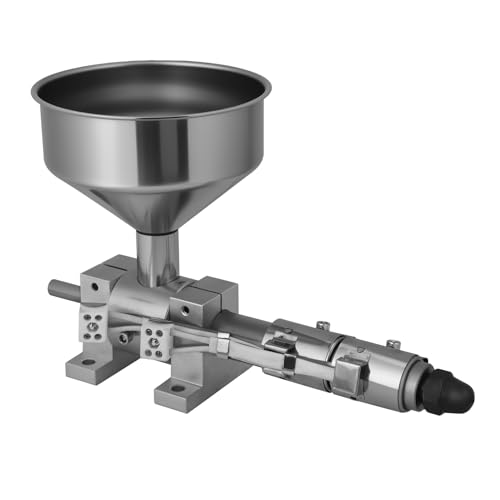
This is a single-shaft extruder accessory with a single-shaft screw, 2 heating coils and a hopper
Redrex Dual Gear Extruder Upgrade Kit for Ender 3/CR10
Looking for a budget-friendly way to upgrade your single-extruder Creality printer? I’ve tested the Redrex Dual Gear Extruder Kit, and it’s a solid retrofit for Ender 3 and CR-10 owners who want dual-drive performance without buying a whole new machine.
What You Get
This all-metal kit swaps your stock extruder for a dual-gear system that grips filament from both sides. The result? Firmer feeding, less filament squishing, and fewer jams in your Bowden tube or hotend.
I particularly like the upgraded idler gear: two washers prevent that sharp gear from chewing into the arm base, a wear point I’ve seen kill other budget extruders.
Installation Reality Check
You’ll need to verify your motor shaft exceeds 20mm before ordering. After installation, recalibrate your E-steps from 100 to 139, and definitely lubricate those gears first.
Running a filament detector? Raise it to match the extruder’s taller profile. Vyper users must swap motor wire sequences or watch their extruder spin backward.
My Take
It’s not plug-and-play, but for tinkerers willing to dial in settings, this upgrade delivers genuine dual-extruder reliability. Skip it if you want zero hassle; grab it if you enjoy optimizing your workflow.
Best For: Budget-conscious Creality Ender 3 or CR-10 owners who enjoy tinkering and want to upgrade to dual-drive extrusion performance without purchasing a new printer.
Pros:
- All-metal dual-gear design provides firmer filament grip with less deformation and fewer jams compared to stock single extruders
- Upgraded idler gear with two washers prevents wear and extends extruder lifespan
- Adjustable spring tension via screw allows fine-tuning of extrusion pressure for improved printing accuracy
Cons:
- Requires verification of motor shaft length (over 20mm) and post-installation E-step recalibration from 100 to 139
- Not plug-and-play; additional adjustments needed such as gear lubrication, filament detector height realignment, and possible motor wire sequence swaps
- Compatibility limitations and setup complexity may frustrate users seeking a hassle-free upgrade experience
Recommended Products


Suitable: For 1.75mm CR-10, For CR-10S, For Ender-3, For Ender-3 PRO

12X High-Speed CoreXY Performance: 600mm/s max speed with 20,000mm/s² acceleration — 12x faster than standard FDM printers. All-metal CoreXY structure ensures stability and precision at high speeds. Vibration compensation eliminates ghosting for flawless results every time
FLASHFORGE Adventurer 5M 3D Printer (220x220x220mm)

One-Click Automatic Printing: Experience hassle-free 3D printing with the Adventurer 5M Series. Enjoy automatic bed leveling for flawless first layers, ensuring consistent...
Need a compact workhorse that doesn’t waste your time? I found the FLASHFORGE Adventurer 5M, and it’s built for speed without the headaches.
What Makes It Fly
This little beast hits 600mm/s print speeds with 20,000mm/s² acceleration. That’s CoreXY mechanics doing the heavy lifting, all metal, all rigid.
I swap nozzles in 3 seconds flat, no tools, no cursing. The direct extruder hits 280°C and pumps 32mm³/s of filament, so you’re not waiting around.
The Smart Stuff
Auto-leveling actually works here. One click, perfect first layer, done.
The PEI bed pops prints off clean, and I warm from cold to 200°C in 35 seconds. Remote monitoring through the Flash Maker app keeps me from babysitting prints.
The Catch
That 220mm cube build volume won’t handle massive projects. It’s a trade-off: speed and precision versus raw size.
Verdict
For rapid prototyping and small-batch production, I recommend this to makers who value their time over their build volume.
Best For: Makers, rapid prototypers, and small-batch producers who prioritize speed, precision, and minimal setup time over large build volume.
Pros:
- Blazing 600mm/s print speeds with 20,000mm/s² acceleration via rigid CoreXY all-metal structure
- True one-click auto-leveling and 3-second tool-free nozzle swaps eliminate setup friction
- 35-second heat-up to 200°C and 32mm³/s flow rate maximize productive printing time
Cons:
- 220mm cube build volume limits project scale compared to larger competitors
- No mention of enclosure for temperature-sensitive materials like ABS or ASA
- Remote monitoring requires mobile app dependency with no stated local network alternatives
Recommended Products

【Real-time monitoring】The Creality K1 AI Camera allows users to monitor the printing status in real-time through the Creality Cloud or Creality Print, providing live updates

【Easy to Connect】 The Creality camera with its USB interface, the Creality Nebula Camera is easy to connect to your 3D printer , Nebula Pad, making it a convenient and accessible tool for all your 3D printing needs. Download the user-friendly "Creality Cloud" APP, and connect to WiFi to start monitoring your 3D printing progress.

Home Toy Factory & STEM Creative Play: The AOSEED X-MAKER AI+ 3D printer turns your home into a toy factory, reducing the need for frequent toy store trips. With a 12,000+ curated digital toy catalog, AI customization tools, 15+ mini modules, 2 premium modules, and creator courses, kids can explore human-reviewed, print-tested designs made for safe, hands-on STEM learning for ages 9–16
Olaprin T300D Pro Dual Extruder 3D Printer

Breakthrough Dual-Color Printing: Equipped with an advanced dual-extrusion system and two independent spool holders, this 3D printer allows you to print stunning two-color...
Who’s the Olaprin T300D Pro really for?
I’d say it’s for makers who want dual-color prints without the headache. The dual-extrusion system and independent spool holders let you print two colors in one job, which means less time painting afterward. That’s a win in my book.
The all-metal frame keeps things steady even at higher speeds. I appreciate smooth surfaces and crisp details, whether I’m printing functional parts or decorative pieces. No wobble, no frustration.
It handles PLA, PETG, ABS, and TPU without jamming, thanks to the optimized hotend and dual-drive gears. Stringing? Minimal.
Setup’s painless: mostly pre-assembled, with a full-color display and simple bed-leveling knobs. Beginners won’t panic, and experts won’t get bored.
The warranty and lifetime support seal the deal.
Best For: The Olaprin T300D Pro is best for makers, hobbyists, and professionals who want hassle-free dual-color 3D printing with minimal post-processing, reliable performance across multiple filament types, and an easy setup experience backed by solid support.
Pros:
- Dual-extrusion system with independent spool holders enables seamless two-color printing in a single job, reducing or eliminating need for post-print painting
- Sturdy all-metal frame and premium extrusion mechanism deliver stable, wobble-free high-speed printing with smooth surfaces and intricate details
- Supports versatile 1.75mm filaments (PLA, PETG, ABS, TPU) with optimized hotend and dual-drive gear system that prevents jamming and minimizes stringing
Cons:
- As a large-format dual extruder printer, it likely requires more desk space than compact single-extruder alternatives
- Dual-extrusion systems inherently involve more complex calibration and maintenance compared to simpler single-nozzle printers
Recommended Products

16 COLORS TO ENHANCE YOUR CREATIVITY: The Creality Filament System (CFS) has a connection hub on the back. By connecting up to four CFS units together, you can print brilliantly in 16 colors, saving the need for additional painting later
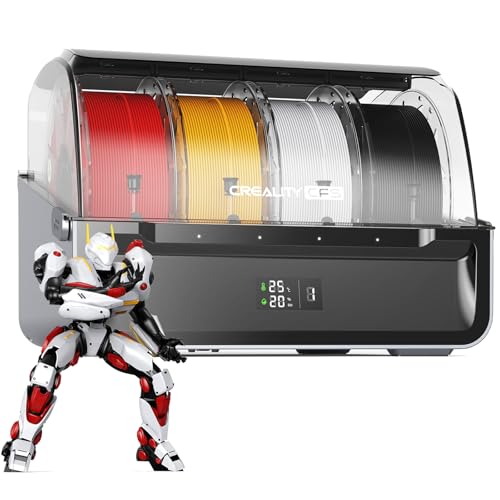
【Vibrant Multi-Color Printing】Supports up to 16 filament colors by linking up to 4 CFS units, giving you rich multi-material printing capability. Fast support removal makes post-processing a breeze, so your prints are ready sooner.

Friendly reminder: Not for K1 Max 2025, K1C 2025, K1 2025, K1 SE 2025. If you need to use the filament in a CFS system, please choose Creality RFID filament. Filament swith paper spools are not recommended for use in CFS
Redrex Dual Gear Ender 3 Extruder with Nema 17 Stepper Motor
The Redrex Dual Gear Extruder isn’t a printer, it’s an upgrade, and that’s exactly why I’m including it.
Sometimes you don’t need a new machine, you need a better grip on your filament. This dual-gear kit swaps onto your Ender 3, Ender 5, CR10, or Aquila and immediately fixes the classic Creality extruder problem: that single hobbed gear chewing through your filament like it’s angry at it.
What changes? Everything.
Two gears bite from both sides now. Your filament doesn’t deform, doesn’t jam in the Bowden tube, and actually feeds consistently. The upgraded idler has washers preventing the gear from eating the plastic arm (a flaw I’ve cursed at 2 AM). You get a Nema 17 motor with 40Ncm torque, so retractions stay crisp even on long prints.
The catch? It’s not plug-and-play for everyone.
Creality owners, you’re golden. Everyone else, swap your motor wire sequence or watch your extruder run backwards. You’ll also recalibrate E-steps to 139, grease the gears, and maybe print a filament detector riser. Annoying? Slightly. Worth it? Absolutely.
This transforms budget printers into reliable workhorses. I’d pick this over a new printer any Tuesday.
Best For: Ender 3, Ender 5, CR10, or Aquila owners seeking an affordable extruder upgrade to eliminate filament grinding, jams, and inconsistent feeding on their budget FDM printers.
Pros:
- Dual-gear design grips filament from both sides, preventing deformation and significantly reducing Bowden tube and hotend jams compared to stock single-gear extruders
- Includes high-torque Nema 17 motor (40Ncm) with upgraded idler washers that prevent the gear from destroying the plastic arm, a common failure point on Creality extruders
- Extremely cost-effective upgrade that dramatically improves print reliability without requiring a full printer replacement
Cons:
- Non-Creality users must rewire the motor to correct reversed rotation, adding troubleshooting time and electrical know-how not needed with OEM replacements
- Requires post-installation calibration—including E-steps adjustment to 139 and gear lubrication—meaning it’s not a true plug-and-play drop-in replacement
- Printers with filament detectors need an additional printed riser part to maintain proper sensor height, adding another step before full functionality is achieved
Recommended Products

Fully assembled extruder for Neptune 3 Pro/3 Plus/3 Max ONLY

Smarter Multicolor Printing with CFS: Creality K2 Pro Combo 3d printer works seamlessly with the CFS Smart Filament System, enabling up to 16-color and multi-material printing. Auto filament identification, intelligent feeding, and moisture-proof storage provide a hassle-free, worry-free printing experience.

【Gorgeous Multi Color PLA Filament】——Produced with dual extrusion, it has two colors along the whole spool. Similar to MagicPLA, Quantum PLA, Gnvtntp filament, etc. Our pla can print highly detailed parts with a great balance between strength and printability.
QIDI Max4 Combo 3D Printer with Large Build Volume

Ultra-Large Build Volume: QIDI Max4 Combo has a 390×390×340mm printing area, 55% larger than its predecessor MAX3, enables you to print large industrial parts, complex...
I’m looking at a serious workhorse for anyone who’s tired of cramped build plates and failed big prints. The QIDI Max4 Combo gives you a 390×390×340mm build volume, that’s 55% larger than the MAX3. The full-surface silicone heated bed spreads heat evenly, so your first layer actually sticks.
Speed and Precision
Closed-loop motors on X and Y keep motion tight, even at 800 mm/s with 30,000 mm/s² acceleration. The 2mm lead screw and anti-backlash nut on Z-axis cut vertical gaps, giving smoother finishes. Fast, yes, but controlled.
Materials and Temperature
The 40mm³/s high-flow hotend and hardened steel nozzle handle PLA, ABS, even carbon fiber-reinforced nylon. The 65°C active heated chamber helps with warp-prone filaments.
Smart Features
The AI camera catches spaghetti failures and pauses automatically. The touchscreen interface actually makes sense. And the QIDI BOX adds multi-color printing, with real-time filament monitoring that pauses when you’re running dry.
Who’s This For?
Big project makers, engineering shops, anyone printing functional parts that need to fit. You get size, speed, and brains. For pure volume without sacrificing quality, the Max4 Combo delivers.
Best For: Engineering shops, big project makers, and anyone printing large functional parts that need dimensional accuracy and first-layer reliability without sacrificing speed.
Pros:
- Massive 390×390×340mm build volume with even-heating full-surface silicone bed virtually eliminates warping and first-layer failures
- Closed-loop X/Y motors and anti-backlash Z-axis maintain precision even at 800 mm/s print speeds with 30,000 mm/s² acceleration
- AI camera with automatic spaghetti detection, intuitive touchscreen, and QIDI BOX multi-color expansion with filament runout protection reduce manual supervision
Cons:
- Polar Cooler for optimal high-temperature performance is sold separately, adding hidden cost for users printing engineering-grade materials
- 65°C chamber temperature may still limit some ultra-high-temperature materials without the additional cooler investment
Recommended Products

【Compatible with Bambu Lab P2S】Designed specifically for the Bambu Lab P2S 3D printer. Compatible with the P2S extruder filament sensor assembly only. Not compatible with X1, X1C, X1E, P1P, P1S, A1, or A1 Mini printers.
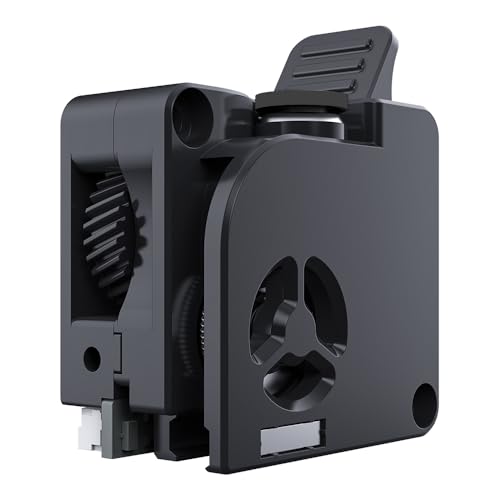
High-Precision Dual Gears: Features a 6.25:1 reduction ratio and meshed dual gears for powerful, smooth, and consistent filament feeding with minimal grinding.

【DUAL GEAR EXTRUDER】:Double gear extrusion mechanism, high extrusion force, ensure smooth feeding and gives snappy retractions.
Creality Ender 3 V3 SE 3D Printer

【250mm/s High-speed Printing】Creality Ender 3 V3 SE 3d printer supports a maximum printing speed of 250mm/s, 2500mm/s² acceleration.The speed has been greatly improved...
Looking for speed without the headache? I found it in the Creality Ender 3 V3 SE, and I’m genuinely impressed by how much performance Creality packed into this preassembled workhorse.
Speed and Build Space
This printer hits 250 mm/s with 2500 mm/s² acceleration, which means faster prints without sacrificing quality. The build volume measures 8.66 x 8.66 x 9.84 inches, plenty roomy for most projects I tackle.
Extruder That Actually Works
The Sprite direct extruder uses full metal dual-gear design with serious pushing power. Over 500,000 units shipped proves Creality got this right. It feeds PLA, TPU, and PETG smoothly with minimal slipping, something I’ve fought on cheaper machines.
Setup and Stability
Three steps. Twenty minutes. That’s it.
The dual Z-axis with two 8mm steel shafts cuts wobble dramatically compared to single-rod designs I’ve used. Stabilized Y-axis linear shafts keep everything accurate print after print.
Auto Features I Actually Use
CR Touch auto leveling plus strain sensor auto Z-offset means no more paper tests or manual calibration frustration. Auto filament loading/unloading? Game changer when swapping colors mid-project.
Support Reality Check
Creality offers 12-month after-sales service with 24-hour response windows through sellers. It’s decent, not spectacular, but at least someone’s there when you need help.
My Verdict
Beginners wanting minimal fuss, grab this. Speed demons on a budget, same answer. If you need massive build volume, look elsewhere. But for reliable, fast prints without the assembly nightmare? This became my go-to recommendation fast.
Best For: Beginners and budget-conscious users seeking fast, reliable 3D printing with minimal assembly and automatic calibration features.
Pros:
- Preassembled design enables quick 3-step setup in approximately 20 minutes
- Sprite direct extruder with full metal dual-gear delivers smooth, reliable filament feeding for PLA, TPU, and PETG with minimal slipping
- CR Touch auto leveling with strain sensor auto Z-offset eliminates manual calibration hassles
Cons:
- Build volume of 8.66 x 8.66 x 9.84 inches may be insufficient for users requiring larger prints
- Support response limited to 24-hour windows through sellers rather than direct immediate assistance
- Dual Z-axis with steel shafts, while stable, does not match the precision potential of higher-end linear rail systems
Recommended Products

Dual Drive technology: This Bowden utilizes an internal gearing ratio of 3:1 together with precision cnc-machined hardened steel drive gears,which will minimize slippage and increase feeding strength.

More Savings: Featuring 4 independent toolheads and a 7-second FlashSwap changer, the Creator 5 Pro switches nozzles without flushing filament. This completely eliminates massive purge waste, drastically slashing operational overhead and material costs while achieving up to 5X faster multi-color printing speeds.
Creality K2 Plus 3D Printer with CFS Multi-Color Printing
Multi Color Printing with All-new CFS: K2 Plus Combo multi-color flagship printing, exciting for you to combine. With four CFS units hooked together, it is possible to...
Who needs 16 colors in one print? I do, and if you’re tired of hand-painting small details, you’re gonna want this. The Creality K2 Plus with its CFS system uses four filament units to hit that magic 16-color mark. RFID chips auto-detect what you’re loading, and the relay feature swaps to similar spools when you run low.
No more mid-print panic.
The 350 mm cube build volume lets me batch-print big models or a pile of smaller parts without splitting jobs.
At 600 mm/s with 30,000 mm/s² acceleration, this thing moves. FOC step-servo motors keep it smooth and quiet at 40 mm³/s flow rate.
I love the 60°C chamber for ASA and engineering filaments. The hardened steel nozzle hits 350°C.
Dual AI cameras catch spaghetti fails and optimize flow. Eighteen sensors handle the tedious stuff.
Verdict: Get this if you want serious multi-color without the hassle. Skip it if you’re just printing basic PLA trinkets.
Best For: Multi-color enthusiasts and professionals who want to eliminate hand-painting details while printing large, complex models in engineering-grade materials at high speeds.
Pros:
- 16-color capability with automatic filament management, RFID detection, and relay swapping eliminates manual color changes and mid-print interruptions
- Massive 350mm³ build volume accommodates large single prints or efficient batch production without job splitting
- High-temperature 350°C nozzle and 60°C chamber enable printing with demanding engineering filaments like ASA and PPA
Cons:
- Overkill for users only printing basic single-color PLA projects
- Complex multi-unit CFS system requires more setup space and maintenance than simple spool holders
Recommended Products

AI-Powered 3D Model Creation: Turn portraits into 3D models in seconds with SPARKX i7 autofill combo. No technical skills or parameter tweaking needed—just pick a model and print. Your creativity, hyper-expressed by AI power

【Real-Time and Remote Monitoring】Allows you to view the printing status of your models at any time and monitor printing progress anywhere by using the Anycubic APP. Timely identify and resolve problems when potential issues arise such as layer adhesion and filament jams to improve your printing success and save your filament material
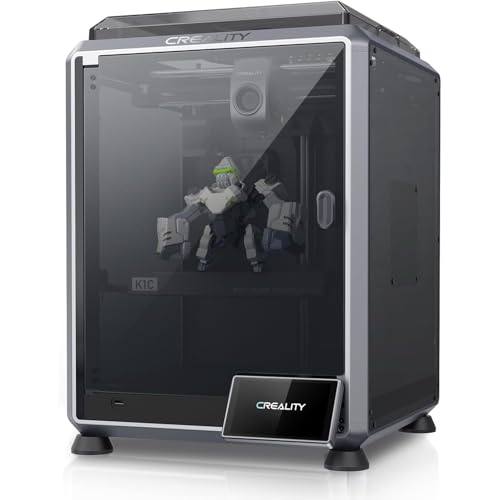
【CoreXY, 12X Faster Performance】The Creality K1C 3D Printer utilizes an advanced CoreXY system with 600mm/s printing speed and 20000mm/s² acceleration, offering up to 12 times faster performance than standard 3D printers while maintaining top-quality results.
BIQU H2 V2S Direct Drive Extruder for 3D Printers

Lightweight & Wide Compatibility: BQIU H2 V2S, 195g lightweight design, smaller inertia, more accurate positioning, higher printing accuracy, than the ordinary 300g extruder...
Why settle for sluggish, heavy extruders when you’re chasing crisp details and faster prints? I’ve swapped enough stock extruders to know the difference weight makes. At 195 grams, the BIQU H2 V2S shaves off 34% compared to typical 300g units. That reduced inertia translates to snappier direction changes and cleaner corners on your prints.
The dual-gear feeding system with its 7:1 ratio cranks out 770N of extrusion force. I’m talking TPU that actually feeds without jamming, PETG that doesn’t string everywhere. The adjustable tension screw lets you dial in pressure for whatever filament you’ve got loaded: ABS, PLA, HIPS, or that finicky PVA support material.
Heat management impressed me too. The bi-metal heatbreak hits 270°C reliably, and the silicone sock keeps temperatures steady. Aluminum housing with integrated cooling means you’re not waiting forever between layers.
Compatibility spans Ender-3s, Voron builds, Prusa kits, you name it. Four mounting holes give flexibility for sensors or extra cooling. For anyone running a single-extruder machine who wants dual-extruder quality without the bulk, this upgrade delivers.
Best For: 3D printing enthusiasts running single-extruder machines like Ender-3, Voron, or Prusa kits who want dual-gear precision and high-temperature capability without the weight and bulk of traditional extruders.
Pros:
- Exceptionally lightweight at 195g (34% lighter than typical extruders) reducing inertia for faster, more accurate movements
- Powerful dual-gear system with 7:1 ratio and 770N extrusion force handles flexible filaments like TPU reliably while minimizing stringing on PETG
- Bi-metal heatbreak enables printing up to 270°C with stable temperatures from silicone sock insulation and efficient integrated cooling
Cons:
- Requires four-screw mounting installation which may necessitate printer modifications or adapter plates for some machines
- No mention of all-metal hotend option or compatibility with abrasive filaments like carbon fiber or glow-in-the-dark materials
- Integrated fan and single cooling solution may limit customization compared to extruders with standard mounting patterns for aftermarket cooling upgrades
Recommended Products


Official CFS & K1 Series Upgrade Kit: All-in-one CFS multicolor printing set specially designed for old version Creality K1, K1C, K1 SE and K1 Max; no need to replace printer to enjoy 16-color creative printing

16-Color Multicolor Printing: Connect up to 4 CFS units for 16-color output; eliminates post-print painting for complex models and creative projects
Factors to Consider When Choosing a Dual Extruder 3D Printer
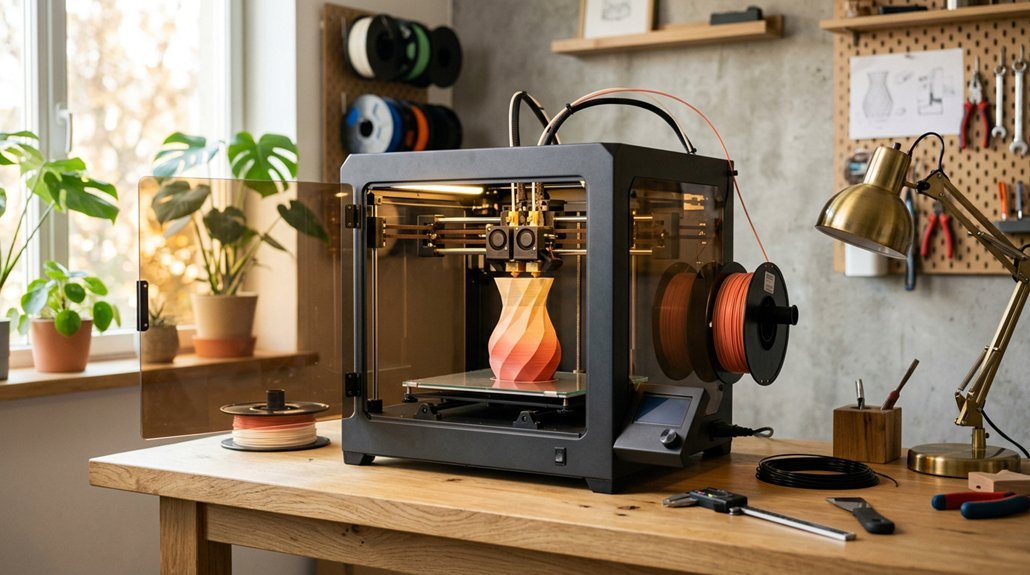
I know you’re itching to pick a dual extruder that won’t fight you every step of the way, so I’ll walk you through what actually matters: the extruder design (direct drive vs. Bowden, which changes how flexibles print), what materials it’ll handle without clogging, and whether it’s fast enough to justify the hassle.
You’ll also want to eye the build volume, because dual extrusion eats space, and don’t get me started on calibration, some machines need babysitting every other print. Here’s how these five factors shake out in real use, with the stuff manufacturers bury in spec sheets.
Extruder Type Design
How do you pick between all these dual extruder setups? I look at the extruder type first, because that determines whether you’ll actually finish that two-color dragon or give up halfway.
Dual-drive vs. single-drive matters. I prefer all-metal dual-drive extruders with dual gears. They grip filament like a vice, so you get less slipping and fewer jams at 3am. Single-drive? Cheaper, sure, but you’ll fight deformation issues.
Check the idler setup. Upgraded idler gears with washers on both sides last longer and keep alignment tight. I’ve seen cheap ones wear crooked in months.
Torque and tuning. Nema 17 motors handle high-speed prints without skipping. You’ll still calibrate E-steps (usually 100–139) and align filament sensors carefully.
My take: Dual-drive for reliability, single-drive only if you’re tinkering on a budget.
Material Compatibility Range
What good’s a dual extruder if it chokes on anything fancier than basic PLA? I want printers that handle PLA, PETG, and ABS without drama, plus the fun stuff: carbon-fiber composites and high-temp engineering plastics.
Temperature Ceiling Matters
Look for nozzles hitting 350°C or higher. That’s your ticket to nylon, polycarbonate, and other demanding filaments. Without it, you’re stuck in hobbyist territory.
Chamber and Handling
A heated, enclosed chamber keeps temperatures stable for warp-prone materials. I also prioritize independent dual drives and quick-swap nozzles, filament run-out detection, and RFID auto-identification. These features cut downtime and let me switch materials mid-print without babysitting.
Bottom line: broad material support turns a dual extruder from a gimmick into a genuine manufacturing tool.
Print Speed Performance
Why settle for a printer that crawls when dual extruders can really fly? I’m talking speeds hitting 600:800 mm/s on travel moves, with accelerations soaring to 20,000:30,000 mm/s². That means your toolhead starts and stops on a dime, shaving hours off complex prints.
CoreXY setups with input shaping keep things smooth, no ringing or ghosting. Pair that with high-flow hotends pushing 32 mm³/s, and you’re extruding fast without sacrificing finish quality.
I always check for auto-bed leveling and AI monitoring too. At these speeds, you need sensors catching problems instantly, not after a spaghetti disaster.
My pick? Prioritize vibration suppression and hardened nozzles. Speed’s useless if reliability tanks.
Build Volume Capacity
Speed’s great, but it means nothing if your printer can’t fit the parts you’re actually trying to make.
Build volume capacity, measured as width × depth × height, defines your maximum printable space. Common dual extruder models range from compact 200×200×200 mm cubes to expansive 350×350×350 mm beasts. I’ve learned this the hard way: buying too small means slicing your projects into pieces, which defeats the purpose of multi-material printing.
Larger volumes let you batch-print multiple parts or tackle single massive assemblies. The tradeoff? Bigger frames demand sturdier construction and beefier motion systems to maintain accuracy. Heating that larger chamber takes longer too.
Match your typical part sizes to your build volume. Nothing’s more frustrating than discovering your “perfect” printer can’t handle your actual workflow.
Calibration Requirements
How tricky can calibration really get? With dual extruders, pretty tricky. I always start with E-step calibration, dialing each extruder between 100 and 139 to keep them perfectly synced. Miss this, and you’ll get lopsided prints.
The gear design matters too. Dual-drive gears and idler washers feed filament more reliably, but they still demand precise tuning to avoid jams. I check filament flow balance constantly, especially when swapping colors or materials. One extruder lagging behind ruins your layers.
Don’t forget Z-offset alignment. Both nozzles must sit at identical heights above the bed, or your first layer won’t stick properly.
I recalibrate after any hardware change, new hotends, or even when filament diameter shifts slightly. Skip this maintenance, and multi-material prints fail. It’s tedious, but necessary.
Automation Features
What saves more time than you’d expect? Automation that actually works.
Filament Handling
I love printers that think ahead. RFID tags and automatic color detection mean I’m not babysitting material swaps. Dual-drive gears with independent feeding? They crush it for flexible filaments, no more spaghetti disasters.
Smart Monitoring
AI cameras catch failures before I waste hours. Bed-leveling sensors and remote alerts let me run overnight prints without anxiety. That’s peace of mind I pay extra for.
Extrusion Control
Adjustable spring tension and high-torque mechanisms keep dual extrusion consistent, even when I’m pushing speed.
My Take
Skip basic models. If you’re printing multi-material regularly, automatic filament switching and monitoring aren’t luxuries, they’re sanity savers. The best 2026 dual extruders barely need you there.
Maintenance Ease
Why does maintenance matter so much with dual extruders? Because two extruders means twice the headaches if things go wrong. I’ve learned this the hard way.
I look for automatic filament selection and run-out detection first. These features save me from babysitting prints (nobody wants to restart a 20-hour job). Independent spool holders also help: they let me swap colors without pausing.
Calibration features matter too. E-steps adjustments and spool height alignment keep both extruders feeding evenly. Without them, I get uneven layers or worse, a clogged hotend.
All-metal dual-drive extruders with hardened gears? Non-negotiable. They grip filament better and jam less during fast dual-color prints.
Auto-leveling and integrated filament detectors round out my must-haves. They cut bed adjustments and catch problems early.
For beginners: prioritize auto-leveling. For pros: focus on calibration tools. My pick? Anything that minimizes me crawling inside the machine at midnight.