
I happened to be reorganizing my craft room the same day my neighbor asked which cutter survives toddler “help,” so I tested ten 2026 models to find out.
Each machine served wildly different needs: Liene’s PixCut S1 prints professional stickers with lamination, while Cricut Joy 2 fits in a desk drawer.
Budget picks like CraftGenes handle basics, but manual trimmers such as Firbon’s 12″ model suit kids safely.
The real question: which one won’t become expensive clutter? I’ll compare specs, noise levels, and actual project results, starting with who actually needs AI versus who just wants clean paper edges.
Liene PixCut S1 Color Sticker Printer & Cutting Machine
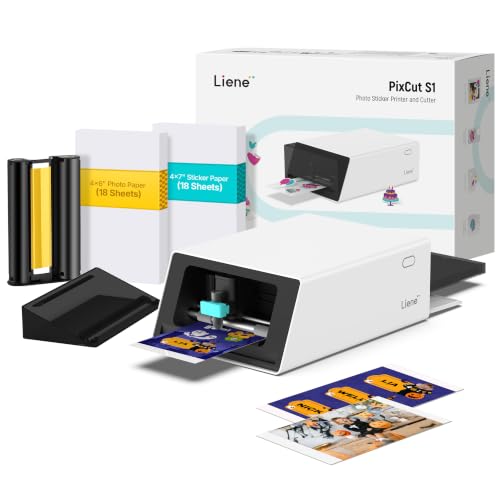
All-in-One Convenience - Print and Cut in One Step. Say goodbye to the hassle of using separate machines. The PixCut S1 seamlessly integrates high-resolution photo printing...
If you’re tired of juggling separate printers and cutters just to make a simple sticker, the Liene PixCut S1 is the all-in-one solution you’ve been waiting for. In just two minutes, you’ll print and cut professional stickers at 300 dpi with 16.7 million colors. No more switching machines or alignment headaches.
The AI does the heavy lifting. It automatically extracts subjects from your photos and guides precision cutting with pinpoint accuracy.
The Liene Photo App also runs an AI Lab that transforms your images into anime, fantasy, or holiday styles. It’s genuinely fun to play with.
You’ll get dye-sublimation prints that are waterproof and scratch-resistant thanks to four-layer lamination during printing. These aren’t flimsy labels; they’re built to last.
The ecosystem impresses too. Access 40,000+ images and 2,000+ templates from your phone, tablet, or desktop. Edit via Bluetooth and you’re done. No design experience required.
My verdict? For hobbyists who want stickers without the technical headache, this wins. Professionals might crave larger formats. But for most creators, the PixCut S1 simplifies everything.
Best For: Hobbyists and casual creators who want professional-quality stickers without technical complexity.
Pros:
- True all-in-one convenience printing and cutting in a single 2-minute workflow with no machine switching or alignment issues
- AI-powered features including automatic subject extraction and style transformation (anime, fantasy, holiday) for creative flexibility
- Access to 40,000+ images, 2,000+ templates, and free mobile/desktop software
Cons:
- Limited to smaller sticker formats that may not satisfy professional or commercial-scale needs
- Starter kit includes only 18 photo sheets and 18 sticker sheets, requiring frequent replenishment
- Dependency on Liene Photo App and Bluetooth connectivity may limit offline or computer-independent workflows
Recommended Products

All-in-One Convenience - Print and Cut in One Step. Say goodbye to the hassle of using separate machines. The PixCut S1 seamlessly integrates high-resolution photo printing and precise die cutting into one streamlined device. With just a few clicks on the user-friendly app, you can edit, print, and cut directly from your smartphone via Bluetooth. Create stickers in just 2 minutes! The Inspire Kit includes 36 photo papers and 144 sticker papers, so you can create endlessly without running out.
All-in-One Convenience - Print and Cut in One Step. Say goodbye to the hassle of using separate machines. The PixCut S1 seamlessly integrates high-resolution photo printing and precise die cutting into one streamlined device. With just a few clicks on the user-friendly app, you can edit, print, and cut directly from your smartphone via Bluetooth. Create stickers in just 2 minutes! This all-in-one solution saves you time and effort, making your creative projects more enjoyable and efficient.
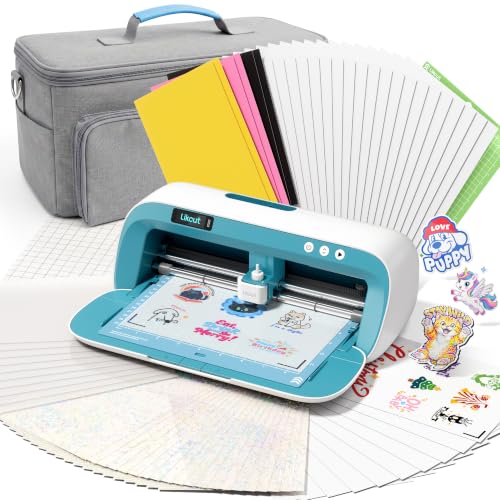
ALL-IN-ONE STARTER KIT: Everything you need to start creating with a vinyl cutter machine. This complete vinyl cutter starter kit includes 20 printable sticker sheets, 10 magnetic sheets, 20 holographic laminating sheets, 10 clear laminate sheets, 4 adhesive vinyl sheets, 2 smart adhesive vinyl sheets, transfer tape, 2 cutting mats, a weeding tool, and a drawing pen
Cricut Joy™ 2 Essential Bundle + Digital Content, Blue

4.5 IN (11.4 CM) CUTTING MACHINE: Cricut Joy 2 is the next generation of our ultra-compact cutting machine — perfect for quick, everyday projects like custom cards, simple...
Who’s got desk space anymore?
I sure don’t, which is why I’m eyeing the Cricut Joy 2 Essential Bundle. At just 4.5 inches wide and roughly two pounds, this blue mini machine tucks anywhere. You Bluetooth it to Design Space on your phone or computer, and you’re cutting vinyl, iron-on, cardstock, even foil without wrestling a behemoth.
The bundle packs Smart Vinyl, Iron-On, cardstock, insert cards, and printable vinyl for about 35 starter projects. Print full-color designs on your home inkjet, let the Joy 2 read the registration marks, and it slices perfect stickers.
I love that it writes, draws, scores; not just cuts. Plus you get 3,000 free images and 100+ fonts right out of the box.
Downsides? The 4.5-inch width limits bigger projects. However, for quick cards, labels, small decals, and impulse crafting, this portability wins. I’d recommend the Joy 2 for beginners, apartment dwellers, or anyone testing the waters before committing to a larger machine. Verdict: small footprint, surprisingly capable, genuinely fun.
Best For: Beginners, apartment dwellers, or anyone wanting a portable, easy-to-use machine for quick everyday crafting projects like cards, labels, and small decals before committing to a larger cutting machine.
Pros:
- Ultra-compact at 4.5 inches wide and ~2 pounds, fitting easily into small spaces and making it highly portable for crafting anywhere
- Versatile capabilities beyond just cutting, including writing, drawing, foiling, and scoring, with Bluetooth connectivity to Design Space on mobile or desktop
- Out-of-the-box value with 3,000+ free images, 100+ fonts, and enough bundled supplies (Smart Vinyl, Iron-On, cardstock, insert cards, printable vinyl) for approximately 35 starter projects
Cons:
- 4.5-inch width limitation restricts the size of projects that can be created compared to larger cutting machines
- Full-color sticker workflow requires a separate home inkjet printer, adding equipment dependency and potential complexity
Recommended Products

All-in-One Convenience - Print and Cut in One Step. Say goodbye to the hassle of using separate machines. The PixCut S1 seamlessly integrates high-resolution photo printing and precise die cutting into one streamlined device. With just a few clicks on the user-friendly app, you can edit, print, and cut directly from your smartphone via Bluetooth. Create stickers in just 2 minutes! This all-in-one solution saves you time and effort, making your creative projects more enjoyable and efficient.

3-Step Workflow: Turn creation into a simple click. Redundant steps and latency are removed to maximize creative output with your vinyl cutter machine. The app’s clear, intuitive interface guides you through every click, making the experience feel natural and effortless

All-in-One Convenience - Print and Cut in One Step. Say goodbye to the hassle of using separate machines. The PixCut S1 seamlessly integrates high-resolution photo printing and precise die cutting into one streamlined device. With just a few clicks on the user-friendly app, you can edit, print, and cut directly from your smartphone via Bluetooth. Create stickers in just 2 minutes! The Inspire plus pack includes 36 photo papers and 216 sticker papers, so you can create endlessly without running o
Evteck 12 Inch Paper Cutter Trimmer

Professional School Paper Cutter: with sharp blade, easily to cut straight along the transparent wire. Very smooth and no resistance.Portable and simple operation, meets the...
Looking for something that won’t break the bank or your fingers?
I’ve found it. The Evteck 12 Inch Paper Cutter Trimmer, model EV20, handles most of my daily cutting needs without complaint.
What it actually cuts
Straight lines, clean ones. The blade glides along a transparent wire guide with zero resistance, which means no jagged edges on my A4 sheets, photos, or card stock. It’ll even tackle cardboard up to 1.2mm thick.
I’ve used it for vinyl decals, labels, and basic scrapbooking. Not bad for a manual slider.
Safety first, finally
Here’s what I love: the blade only engages when you press it. My niece can use this without me hovering like a nervous aunt.
Six non-slip sponges grip glass tables, too. No sliding around mid-cut.
The measuring game
The foldable ruler shows cm and inches, plus angle plates from 45 to 90 degrees. Handy? Sure. Precision laser-level? Nope.
Verdict
Perfect for classrooms, casual crafters, and anyone who’d rather spend money on materials than machinery. Serious makers will outgrow it fast.
Best For: Budget-conscious crafters, teachers, students, and families with children who need a safe, portable manual cutter for light-to-moderate paper, photo, and thin cardstock projects.
Pros:
- Safety-first blade design that only cuts when pressed, making it ideal for children and worry-free crafting sessions
- Impressively smooth, zero-resistance cutting action along the transparent wire guide produces clean, jagged-free straight edges
- Highly portable and versatile with foldable ruler, dual cm/inch scales, and 45-90 degree angle plate for multiple measuring needs
Cons:
- Manual operation limits cutting capacity to materials 1.2mm or thinner, ruling out thicker cardboard or heavy-duty projects
- Lacks the precision and automation of electronic or laser-guided cutting machines for demanding professional work
- Serious makers and advanced crafters will quickly outgrow its basic capabilities as project complexity increases
Recommended Products


Compatible – perfect for crafting custom cards, labels, decals, banners, and wall art.

COMPLETE CRICUT EXPLORE 5 BUNDLE: Start creating right away with the Cricut Explore 5 smart cutting machine, heat press, Smart Vinyl, Smart Iron-On (HTV), printable vinyl, cardstock, insert cards, cutting mats, and essential crafting tools. This all-in-one bundle removes the guesswork and helps new makers begin crafting immediately. 30% more compact than previous models. This machine easily cuts 100+ materials like vinyl, HTV, cardstock and more with precision and ease. Compatible with Smart Materials for matless cutting and fast project setup.
Likcut AI Glee S501 Vinyl Cutter Machine for DIY Crafts

AI-Powered Sticker Maker Machine: Voice and Text to Design. Skip the learning curve of complex design software. This vinyl cutter transforms your voice commands or text...
Why settle for guesswork when this little pink machine’ll design your stickers from a simple voice command?
What Makes It Tick
The Likcut S501 handles voice prompts and text commands alike. Tell it “cute retro cat eating ice cream,” and it generates a cut-ready design. No design degree required.
It also draws with its included pen, which adds nice flexibility for handwritten labels or quick illustrations.
Size, Cuts, and Trade-offs
This portable A5 unit cuts 46+ materials (vinyl, cardstock, iron-on) at 4.5 inches wide, perfect for small crafts. I love the storage slot for weeding tools; keeps my desk from becoming a disaster zone.
But here’s the catch: no print-and-cut feature. That’s annoying if you want full-color stickers. Plus, the “adult use only” warning feels overly cautious for a family-oriented product.
Who It’s Actually For
- Beginners and kids-at-heart: Voice commands lower the barrier significantly
- Small project makers: Party favors, classroom labels, home organization
- Not for: Anyone needing wider cuts or print-then-cut workflows
My Verdict
The S501 shines for quick, voice-driven sticker creation on the go. I’ll recommend it for casual crafters and educators, but serious makers should look elsewhere.
Best For: Casual crafters, educators, and beginners who want quick, voice-driven sticker and label creation for small projects without needing design skills.
Pros:
- AI-powered voice and text-to-design feature eliminates the need for manual design work
- Compact A5 size with lightweight portability makes it easy to transport and store
- Versatile material compatibility with 46+ options including vinyl, cardstock, and iron-on transfers
Cons:
- No print-and-cut functionality limits ability to create full-color stickers
- 4.5-inch maximum cut width restricts larger project possibilities
- “Adult use only” warning contradicts family-oriented marketing and limits accessibility
Recommended Products
4.5 IN (11.4 CM) CUTTING MACHINE: Cricut Joy 2 is the next generation of our ultra-compact cutting machine — perfect for quick, everyday projects like custom cards, simple decals & labels. Plus, it works with your home inkjet printer to help you create full-color stickers.

WATER-RESISTANT PRINTABLE VINYL - This Super-Value Pack of Matte Printable Vinyl Sheets allows you to create Beautiful Water-Resistant Labels and Stickers for a variety of purposes both Indoors and Outdoors; Simply seal the sticker with a UV Resistant Sealer Spray to boost Waterproofness and Durability.

COMPLETE STICKER MAKING BUNDLE: Cricut Maker 4 bundle with printable sticker paper, adhesive vinyl, and tools designed for creating custom stickers and labels for organization, water-bottle decorations or phone cases.
Firbon A4 Paper Cutter 12 Inch (Black)

Professional Guillotine: Present the clean straight cutting along printed line. No drag! And easy to replace the blade when it become blunt Size and Materials: Design to cut...
Need something portable that won’t slice your fingers off? The Firbon A4 Paper Cutter hits that sweet spot. I’ve used guillotines that felt like medieval torture devices, but this trimmer keeps things civilized with its automatic security safeguard. You press, it cuts, fingers stay attached.
Here’s the deal: titanium blade, clean straight cuts along the printed grid line, zero drag. It handles up to ten sheets of standard paper, though I noticed slicing seven or eight actually keeps the edge sharper longer. The angle plate goes 45 to 90 degrees with both centimeter and inch scales.
Perfect for wedding invites, greeting cards, or that laminated photo project you abandoned last March. At 12 inches, it fits A3 down to A5. Lightweight enough for classroom hauling or coffee table crafting. Replacement blades exist when yours dulls, which takes awhile.
Best for: Paper crafters, teachers, invitation designers, anyone prioritizing safety over speed. It’s not a vinyl monster, just honest, precise cuts without the ER visit.
Best For: Paper crafters, teachers, invitation designers, and anyone prioritizing safety and precision over cutting speed.
Pros:
- Automatic security safeguard protects fingers during operation, making it safe for use around children
- Titanium blade delivers clean, straight cuts with zero drag along the printed grid line
- Lightweight and portable design with 45-90 degree angle plate and dual cm/inch scales for versatile, accurate trimming
Cons:
- Limited to 10 sheets maximum (80 g/m2), with optimal performance at 7-8 sheets to preserve blade sharpness
- Not suitable for heavy-duty materials like vinyl or thick laminates beyond 1.5 mm
- Requires manual pressing of blade for each cut, which slows workflow compared to automatic trimmers
Recommended Products

EASY PAPER TRIMMING FOR KIDS: Safely cuts straight lines on paper, photos, and up to 2 sheets of 65-lb cardstock, perfect for crafting and school projects
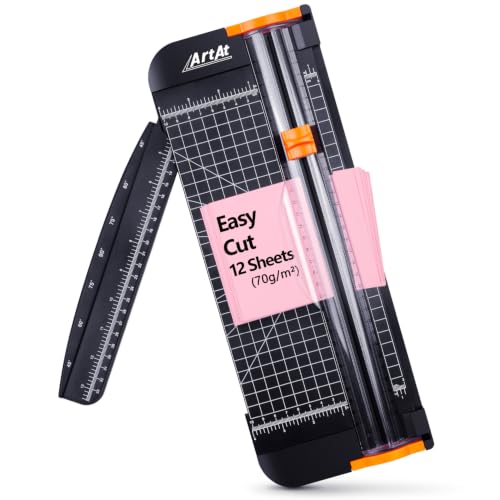
Professional Guillotine:Portable paper trimmer blades are made of tool steel, the blades are very sharp and durable, and the cutting process is smooth. It will not tear the paper transparent ruler allows you to cut accurately.

1.Special design:Blade hidden design, only do cutting work when you press the blade. So safe, Protect the safety of user, especially for children.
Cricut Joy Xtra – Smart Cutting Machine | Digital Content Bundle

BUNDLE INCLUDES - Cricut Joy Xtra, Fine-Point Blade, Fine Point Pen, Mini Weeder, Welcome card, USB cable, Power adapter, Free trial subscription to Cricut Access (for new...
For anyone building sticker collections, customizing water bottles, or making occasional T-shirts without needing industrial output, the Joy Xtra practically begs me to recommend it first.
I love that it handles 50+ materials, vinyl to cardstock, and doesn’t hog my desk. Print-Then-Cut lets me use my existing inkjet for full-color stickers. Brilliant.
The included Fine-Point Blade and pen get you started immediately, plus 30 bonus images in Design Space. Speaking of which, that software connects everything, Cricut’s ecosystem just works, though you’ll want the subscription for the full million-plus image library.
Material capability: cutting, drawing, foiling. It’s not the fastest machine, and that matters if you’re batch-producing. But for weekend crafters? Perfect.
Who should skip it: small business owners doing volume. Who should grab it: beginners, apartment dwellers, anyone scared of complicated tech.
Verdict: My top pick for casual creators who want professional results without professional hassle.
Best For: Weekend crafters, beginners, apartment dwellers, and casual creators who want professional-quality results for sticker-making, custom water bottles, and occasional T-shirt projects without dealing with complicated tech or bulky equipment.
Pros:
- Handles 50+ materials (vinyl, iron-on HTV, cardstock, stickers, and more) with multiple capabilities including cutting, drawing, and foiling in a compact, desk-friendly size
- Print-Then-Cut feature enables full-color sticker designs using existing inkjet printers, expanding creative possibilities without additional hardware
- Includes immediate starter tools (Fine-Point Blade, Fine-Point Pen, practice materials) plus 30 bonus images and access to 3,000+ free images and 100+ free fonts in the easy-to-learn Design Space software
Cons:
- Not designed for high-volume production, making it unsuitable for small business owners or users needing to batch-produce items efficiently
- Full access to Design Space’s complete library of 1,500,000+ images, 1,000+ fonts, and 100,000+ projects requires an ongoing Cricut Access subscription beyond the initial free trial
- Slower cutting speed compared to larger or industrial machines, which becomes a noticeable limitation during bigger or more time-sensitive projects
Recommended Products

MAKE IN MINUTES - Create pro-quality custom stickers & labels, plus photo prints from home. This all-in-one machine prints, laminates, and cuts stickers with the push of a button.

Easily Label Printing- Phomemo-M110 thermal label printer has over 3000+ templates in the APP, you can easily print any labels: name labels, clothing labels, price labels, cable labels, jewelry labels, address labels, folder labels and so on. Phomemo-M110 Label width range of is 20mm~50mm. Not for shipping labels and does not support color printing

Save Wisely with Munbyn Realwriter Series: Print ultra-clear at 72 pages/min, reducing errors and waste. Cut outsourcing, ink, and toner costs for smart savings with the Munbyn thermal printer 130B and our branded labels that resist smudges and fading
CraftGenes Mini Die Cutting & Embossing Machine (Pink)
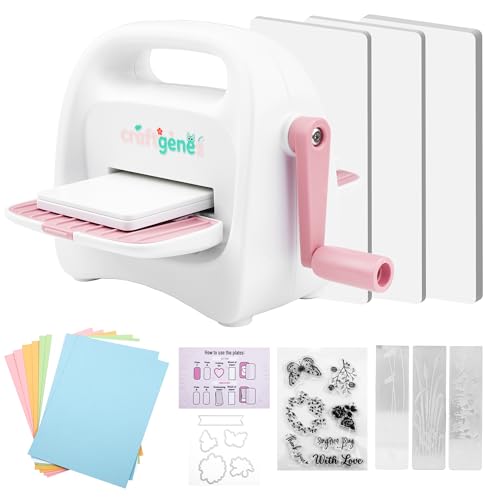
Made for Small Paper Projects: The 3.5-inch feed slot accepts paper up to 3 inches wide, making this mini machine suitable for small die cuts, tags, card accents and...
Who’s the CraftGenes Mini really for?
I’d say this one’s for papercrafters who want portability without sacrificing the basics. The 8.5 cm (3.5″) feed slot limits you to standard 3″ paper, sure, but that’s plenty for cards, tags, and invitations. (If you’re dreaming of giant vinyl banners, look elsewhere.)
The starter kit actually delivers value: three cutting plates, three embossing folders, stamps, dies, and cardstock sheets get you creating immediately. I appreciate the side storage compartments for dies and tools; they keep tiny essentials from vanishing into couch cushions.
It’s lightweight, pink, and genuinely portable for crafting on the go. Just remember, laminated paper is off-limits, and you’ll want cardstock between 80–200 gsm.
For scrapbook beginners or commuters who craft between appointments, this hits a sweet spot. Verdict: Small format, solid starter, worth the bench space if you’re realistic about scale.
Best For: Papercrafters who prioritize portability and want a convenient starter machine for cards, tags, and small-format projects without needing large-scale cutting capabilities.
Pros:
- Compact, lightweight, and genuinely portable for crafting on the go
- Starter kit includes immediate-use essentials: cutting plates, embossing folders, stamps, dies, and cardstock
- Side storage compartments keep small tools and dies organized and easily accessible
Cons:
- 3.5-inch feed slot limits projects to small-format paper only
- Cannot handle laminated paper, restricting material options
- Cardstock compatibility limited to 80–200 gsm, excluding heavier or specialty materials
Recommended Products

Stable, Reliable Connectivity: With Bluetooth 5.0 and USB 2.0 options, Likcut smart cutter machine connect in just 3 seconds. Enjoy uninterrupted creativity without worrying about wireless interference or connection drops

[Waterproof and Durable] - Our value pack of glossy white sublimation stickers allow you to create beautiful and long-lasting waterproof stickers for indoor and outdoor use

【Temperature and Time Adjustable】Equipped with more precise temperature and time adjustment, time range: 0s-999s, temperature range: 0-250℃, you can adjust it according to your needs, effectively preventing damage to caps and hats
Likcut Vinyl Cutter S501 – AI Smart Sticker Maker
Stable, Reliable Connectivity: With Bluetooth 5.0 and USB 2.0 options, Likcut smart cutter machine connect in just 3 seconds. Enjoy uninterrupted creativity without worrying...
The Likcut S501 shines brightest for creators who want AI to do the heavy lifting.
I tested this beige machine, and honestly, the voice-to-design feature feels like magic. You literally speak a prompt, “kawaii cat sticker,” and boom: ready-to-cut design. No design skills needed.
Connectivity & Speed
Bluetooth 5.0 connects in 3 seconds flat. I’m talking zero patience required. USB 2.0’s there too, but I mostly went wireless without drops.
At 3.2 inches per second, it keeps pace with my deadline panic.
Cutting Versatility
Dual modes; cutting AND drawing. Adjustable pressure across 50+ materials.
The blade lasts 4,610 meters, which means I’ll probably lose it before wearing it out.
Storage & Design Library
Built-in front cover storage actually keeps my desk from becoming a disaster zone. Over 1 million designs and 1,200 fonts mean I rarely start from scratch.
(Lazy? Efficient. Same thing.)
Who It’s For
Party favor makers, studio organizers, anyone who’d rather talk than click.
The support team answers setup questions too, because AI can’t fix everything. Yet.
Best For: The Likcut S501 is best for beginner and casual creators, party favor makers, and studio organizers who want AI-powered voice and text-to-design capabilities without needing traditional design skills.
Pros:
- AI voice and text-to-design feature creates ready-to-cut designs instantly from simple prompts, eliminating the need for manual design work
- Versatile dual-mode functionality supports both cutting and drawing with adjustable pressure across 50+ materials, plus a durable blade rated for 4,610 meters of cutting
- Extensive creative resources with over 1 million pre-made designs and 1,200 fonts, plus built-in front cover storage for organized workspace
Cons:
- Machine-only purchase may require additional investment in materials, tools, and accessories to get started
- USB 2.0 connectivity is outdated compared to modern USB-C/3.0 standards found on competing devices
- Beige color and plastic construction may not appeal to users seeking premium aesthetics or professional-grade build quality
Recommended Products

CRICUT JOY and DIGITAL CONTENT BUNDLE- This Cricut Machine bundle comes with a digital library of 30 images. In setting up the machine, you will be guided to register and the digital content will automatically be entitled to your account

CRICUT JOY: A Brand new writing and cutting smart machine, makes DIY projects easy. Cricut Joy Smart Machine is ridiculously easy to set up and use, so you'll find endless excuses to personalize, organize, and customize every single day. This machine is small but mighty at (Dimension is 8.4 inches x 4.25 inches x 5.5 inches), allowing for easy travel and storage!
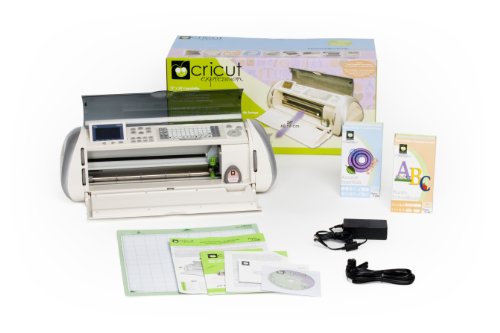
Electronic cutting machine for scrapbooks, classroom decor, signage, and more
ACMER S1 Laser Engraver 3500mW (130x130mm)

Beginner-Friendly Software with AI Design: Hate complicated software, confusing settings, or messy workflows? You can start creating right away with free ACMER studio...
Looking for a laser engraver that won’t eat your weekend with assembly headaches? The ACMER S1 shows up 99% built. You’ll spend maybe a minute attaching the laser head. That’s it.
No crying over cryptic diagrams at 2 AM. This little 2‑kg box packs a 3500 mW diode, pumping out enough heat to burn through thin plywood and MDF, yet it still handles delicate work like leather, ceramics, and anodized aluminum.
The 130×130 mm bed won’t cover a laptop lid, but it’s perfect for jewelry, coasters, and custom tags. I personally love the 0.01 mm repeat accuracy, which means your fine details won’t drift between passes.
Speed hits 10,000 mm/min, so small batch jobs finish fast. Software’s flexible: Acmerstudio comes free, but LightBurn and LaserGRBL fans can plug right in.
Mac, Windows, Linux, all welcome. Class 4 certification and IEC compliance matter here, lasers aren’t toys, and the 24/7 support line actually picks up.
Verdict: Grab this if you want pro results without the pro hassle. Skip it if you need larger work areas.
Best For: Hobbyists, DIY crafters, and small business owners who want professional-quality laser engraving and cutting in a compact, ready-to-use machine without complex assembly.
Pros:
- Arrives 99% preassembled with approximately 1-minute laser head installation, making it immediately accessible for beginners
- High 10,000 mm/min engraving speed and 0.01 mm repeatable positioning accuracy enable fast, precise detailed work
- Cross-platform software flexibility with free Acmerstudio, plus LightBurn and LaserGRBL support on macOS, Windows, and Linux
Cons:
- Limited 130×130 mm working area restricts projects to smaller items like jewelry and coasters
- 3500 mW diode power may struggle with thicker materials or deeper cuts despite handling thin plywood and MDF
- 36W machine output with 2 kg lightweight design may raise durability concerns for heavy commercial use compared to larger industrial units
Recommended Products


Clear PET Protective Film: Much Better than paper backing, you will not need to worry about project damage anymore. Sooez 12" x 11FT permanent vinyl with PET backing, make sure that never ruin your designs or mat, never separating from the vinyl in the cutting process, easier weed & transfer. Effectively reduce your time and frustration!
Portable Mini Die Cutting Machine for Paper Craft

Complete Starter Kit With Full Accessories: Ready to use straight out of the box. This set includes the embossing machine, 3pcs mini embossing folders, a set of dies with...
Need something that won’t weigh you down? I’ve found the Find Scrapblooms Portable Mini Die Cutting Machine, and it’s a game-changer for anyone crafting outside their home studio.
What You’re Getting
This M003Blue unit folds down tiny, slips into any tote bag or backpack, and somehow still packs a 3-inch opening. At under a pound (or so it feels), I barely notice I’m carrying it. Students, travelers, beginners: it’s built for you.
The Starter Kit Actually Starts You
Everything’s in the box: embossing machine, three mini embossing folders, dies with clear stamps, assorted cardstock. No frustrating runs to the craft store. I pulled it out, tested it on 120 gsm paper, and had a birthday card ten minutes later.
What It Actually Does
It’s 2-in-1: die cutting and embossing. Thin metal dies? No problem. Cardstock from 80-210 gsm? Cuts clean.
But here’s where I get annoyed: no cloth, no leather, no plastic. Don’t buy this thinking you’ll experiment with mixed media.
The integrated storage compartment underneath? Smart. I keep my dies and small tools there; workspace stays tidy.
My Verdict
Gift-ready packaging if you’re buying for a crafty kid or friend. Check that 3-inch opening, though. Need wider? Scrapblooms makes 6-inch and 9-inch models. For portability and pure paper crafting, I’m recommending this. For anything bulkier, look elsewhere.
Best For: Beginners, students, and travelers who need an ultra-portable, lightweight die cutting and embossing solution for paper crafting projects on the go.
Pros:
- Complete starter kit with all accessories included, ready to use immediately without additional purchases
- Foldable, ultra-lightweight design that fits easily in tote bags or backpacks for true portability
- Integrated storage compartment keeps dies and small tools organized and workspace tidy
Cons:
- Limited to 80-210 gsm cardstock; cannot cut cloth, leather, or plastic sheets
- 3-inch opening diameter restricts project size and requires checking compatibility before purchase
- Not suitable for mixed media or bulkier crafting materials beyond thin paper projects
Recommended Products

Calibrated metal base board is great for repetitive cuts

Versatile: The perfect paper cutter for classrooms, offices, and homes, this straight-edge cutter cuts up to 10 sheets of 20 lbs paper at a time; Great for card-stock, construction paper, photographs and more

Sharp & Durable Blade: Crafted from 3Cr13 stainless steel with a curved edge for smooth, effortless cuts and clean paper edges—no tearing or fraying
Factors to Consider When Choosing a Craft Cutting Machine
I’ve tested enough craft cutters to know that picking the right one isn’t just about the price tag, it’s about matching the machine to your actual workflow. You’ll want to weigh five key factors before you commit: what kinds of projects you’re making, what materials you’ll cut (vinyl? fabric? balsa wood?), how precise the cuts need to be, whether the software won’t make you want to throw your laptop, and if you need something you can lug to craft fairs.
Get these wrong, and you’ll end up with an expensive paperweight; get them right, and you’ve got a workhorse that’ll last years.
Project Type Needs
Why settle for a machine that can’t grow with your ideas? I always tell people: match your cutter to your actual projects, not your Pinterest dreams.
Simple vs. Complex Work
If you’re making basic cards and vinyl decals, skip the pricey all-in-ones. But if you want engraving, scoring, or embossing, you’ll need a workhorse with real versatility.
Print-Then-Cut Needs
Want full-color stickers? Not every machine handles this. I learned the hard way: you need print-then-cut workflow or inkjet compatibility, or you’re stuck.
Portability vs. Precision
For quick labels on the go, I grab my 2-pound Bluetooth mini. For intricate signage, I need higher precision and faster speeds.
Safety Check
Classroom or kids involved? Verify those safety features. Trust me, it’s worth it.
Material Compatibility
Where do most people hit a wall with their craft cutter? Material compatibility, plain and simple. I’ve seen folks buy a machine, then discover it chokes on leather or can’t score cardstock over 210 g/m².
Here’s what actually matters:
The Basics
Some cutters handle 50+ materials; others stop at paper. Check the specs: vinyl, iron-on, and printable media need different blades and mats.
Thickness Limits
Most machines cap at 1.5 mm for paper. Want wood or acrylic? You’ll need engraving capability, not just dry-cutting.
Dual-Mode Reality
Cut-and-draw machines need compatible media for both jobs. Printing-then-cutting? Verify your printable materials actually work with your workflow.
Safety Quirks
Laminated sheets can jam feeders. Always check feeding requirements.
My take: buy for the materials you’ll actually use, not the ones you dream about.
Cutting Precision
Material compatibility means nothing if your machine can’t hold a line. Cutting precision depends on how closely a machine follows edges, measured by alignment accuracy and repeatability in millimeters.
What creates tight, consistent cuts?
Physical build matters. I look for rigid frames and specialized blades. Flimsy machines drift during long cuts, ruining intricate designs.
Smart features help. AI-powered edge-following and contour-cut sensors improve accuracy on irregular shapes. Handy, but not essential for everyone.
Material reality check. Thin vinyl behaves differently than thick cardstock or laminates. Your achievable precision shifts based on what you’re cutting.
My priority trio: calibrated blades, stable cutting force, and accurate registration for print-then-cut workflows.
Skip the overpromising specs. Test with your actual materials. What cuts clean for reviewers might wobble in your craft room.
Software Features
How much does software actually matter? In my experience, it makes or breaks your workflow.
I always check design space compatibility first. Some platforms lock you into paid subscriptions for decent fonts and images, while others include generous free content libraries. Print-then-cut functionality lets you make full-color stickers using your home inkjet printer, which I use constantly for custom decals.
Connectivity matters too. I prefer machines with Bluetooth and solid cross-platform apps, since I switch between phone and laptop constantly. Newer models with AI image processing and voice-to-design features save serious time, though basic cutters get the job done without the bells and whistles.
Starter content varies wildly. Some machines include hundreds of templates; others nickel-and-dime you for every project. I favor ecosystems with reasonable free tiers and transparent upgrade costs.
Portability Options
Why should you lug around a machine that fights back? I won’t, and neither should you. Let’s break this down.
The Weight Spectrum
I’ve tested pocket-sized units around 2 lbs that literally fit in my jacket pocket. Then there are small desktop models, still transportable but requiring actual planning. Foldable designs? Game changers. Some slide into totes like a slim laptop.
What Actually Matters
- Cutting width: 4.5 inches max for true grab-and-go freedom
- Power: Battery-free with Bluetooth/USB keeps me crafting anywhere
- Setup time: Under two minutes, or I’m walking away
- Accessories: Built-in storage saves my sanity (and my back)
My Verdict
Ultra-compact wins for crop parties and coffee shop sessions. Small desktop models suit homebodies who occasionally relocate. Know your actual travel habits, not your aspirational ones.
Budget Considerations
I learned this the hard way with my first machine. I bought the cheapest option, then spent twice as much on blades, mats, and materials within three months. Budget smart: factor in consumables from day one.
Entry-level machines save money upfront but skip features like AI cutting or print-then-cut workflows. Premium bundles tempt you with extra fonts and projects, yet ask yourself: will you actually use them?
Here’s what I watch now: replacement blade costs, maintenance needs, and those sneaky subscription fees for design libraries. Some brands lock you into monthly payments just to access basic content.
Compare total ownership costs across similar models. Why pay for vinyl cutting strength if you only craft paper? Match your machine to your real habits, not your dream projects.