
I want value, I want wireless transfers, and I don’t want to drain my savings.
The 2026 budget embroidery market finally delivers all three, but here’s the catch: the “best” machine depends entirely on whether you’re sewing too, stuck on 4×4 hoops, or dreaming bigger.
Brother dominates with app ecosystems and beginner-friendly interfaces, while PooLin sneaks in with oversized 4×9.25″ fields at half the price.
I’ll walk you through five solid picks, what actually matters for your workflow, and which machine earns its spot on your table.
Brother SE700 Sewing and Embroidery Machine

Sewing and Embroidery in One: The SE700 Brother sewing and embroidery machine is the ideal machine to start your sewing and embroidery journey with a host of built-in...
Who’s the Brother SE700 really for?
I’d say it’s for crafters who want both sewing and embroidery without buying two machines. The 4″ x 4″ embroidery field feels limiting if you’re dreaming of jacket backs, but it’s perfect for monograms, patches, and small gifts.
I love the wireless file transfer; no more hunting for USB sticks. The 3.7″ touchscreen lets me preview designs before stitching, which saves thread and frustration.
With 135 built-in designs and 10 fonts, I rarely run out of options. The auto needle threader works smoothly, and that jam-resistant bobbin actually lives up to its name.
The Artspira app is genuinely fun. I draw on my phone, transfer wirelessly, and watch it stitch. The thread color organizer helps me match designs to what I actually own.
Verdict: Great for beginners and hobbyists who prioritize convenience over huge embroidery areas. Skip it if you need commercial-sized projects.
Best For: Crafters and hobbyists who want both sewing and embroidery capabilities in one convenient, wireless-connected machine without needing commercial-sized embroidery areas.
Pros:
- Wireless file transfer and Artspira app integration eliminate USB hassles and enable mobile design creation
- 3.7″ touchscreen with design preview saves thread and reduces stitching errors
- Reliable auto needle threader and jam-resistant bobbin minimize common sewing frustrations
Cons:
- 4″ x 4″ embroidery field is too small for large projects like jacket backs
- 120V US-only power limits international use and voids warranty elsewhere
- Built-in design library, while substantial, may feel limiting for advanced users seeking more customization options
Recommended Products

This Generic Embroidery Machine hoop will Work with Following Machines: Compatible with Brother SE725/SE700/SE630/SE625/SE600/SE425/SE400/SE350/SE270D; Compatible with Brother PE570/PE550D/PE545/PE540D/PE535/PE525/PE500/PE460L/PE430/PE400D/PE300S/PE270D; Compatible with Brother Innov-ís 990D/980D/955/950D/900D/500D/NV960DL/NV900/NV180/NV18E/NS1850D/M380D/M280D/M230E/97E; Compatible with Brother LB7000BNDL/LB7000PRW/LB7000/LB6800THRD/LB6800PRW/LB6800/LB6770PRW/LB6770/LB5000; Compatible with Brother HE300/HE-240/HE-120/HE1; Compatible with Brother SB7500/SB7050E; Compatible with Brother NS1750D; Baby Lock Verve/Sofia 2.

This hoop is compatible with Brother PE800 SE1900 PE900 PE770 PE700 PE700II PE750 PE750D PE780D PE800 PE8200 PE810L, Brother Innovis 700Ell 750E 1000 1200 1250, Brother PC8500 PC6500 embroidery machines and some baby lock Accord Blr Blr 2 embroidery machines. Other compatible machines, please check your machine manual

Compatible with Brother Innovis VM6200D/VM5200/VM5100/VE2300/VE2200;Compatible with Brother Innovis 6750D/6700D/6000D/5000/4750D/4500D/4000D/4000/2800D/2500D/1500D/1500;Compatible with Brother Innovis NQ3700D/NQ3600D/NQ3500D/NQ1700E/NQ1600E/NQ1400E;Compatible with Brother Innovis NV870SE/NV800E/NV6000D/NV2650D/NV2600;Compatible with Brother Innovis XP3/XP2/XP1/XV/XV8550D/XV8500D/XJ1/XE1/Stellaire XJ2;Compatible with Brother Innovis BP3500D/BP2100/BP1400E;Compatible with Brother Innovis V7/V5/V5LE/V3/IE/I;Baby Lock Destiny/Aventura/Aerial;Baby Lock Esante/Ellageo Plus/ElleganteEllisimo;Baby Lock Flourish/Flare;Baby Lock Journey/Meridian/Pathfinder/Solaris/Spirit;Baby Lock Unity/Vesta.
Brother PE545 Wireless Embroidery Machine 4×4 Hoop LCD

WIRELESS LAN ENABLED: Transmit embroidery files from your PC to your embroidery machine via the free downloadable software Design Database Transfer(1), or connect via the...
The Brother PE545 nails simplicity for anyone who wants embroidery without the cable clutter. I love that I can skip the USB thumb drives entirely and just send designs straight from my laptop or phone. The free Design Database Transfer software handles PC files, and the Artspira mobile app lets me create or download patterns on the go.
The 4×4 inch hoop limits project size, no question. You’re not stitching jacket backs here. But for patches, onesies, and monogrammed towels? It works.
I appreciate the included accessory pouch, needles, pre-wound bobbins, scissors, and seam ripper. The 3.7-inch color touchscreen feels responsive. I drag, drop, preview edits, and even brush up with built-in tutorials. (Helpful when I forget which stabilizer to use.)
With 135 built-in designs and 10 fonts, including 3 Japanese options, I get decent variety out of the box. Personalization stays quick and painless.
Verdict: Skip this if you need a sewing machine combo, the PE545 embroiders only. Also, it’s strictly 120V US operation. For dedicated beginners wanting wireless convenience, though, I’d absolutely recommend it.
Best For: Dedicated beginners wanting wireless embroidery convenience who don’t need sewing machine functionality.
Pros:
- Wireless connectivity via PC software and mobile app eliminates USB transfers
- Responsive 3.7″ color touchscreen with drag-and-drop editing and built-in tutorials
- Good starter package with 135 built-in designs, 10 fonts, and useful included accessories
Cons:
- 4×4 inch embroidery field limits project size to small items only
- Embroidery-only machine with no sewing functionality
- 120V US-only operation voids warranty if used elsewhere
Recommended Products
Sewing and Embroidery in One: The SE700 Brother sewing and embroidery machine is the ideal machine to start your sewing and embroidery journey with a host of built-in designs, fonts, patterns, and cutting-edge technology

★ 60 Spools Compatible with Brother Colors + Clear Plastic Storage Box: High Value 60 compatible with Brother colors 500m polyester embroidery machine thread with 3 layers premium clear plastic storage box. Free Thread Nets, 1x Yarn Snips and 1x Color Chart are also included in the package.

★ 80 Spools Similar with Janome and RA Colors + Clear Plastic Storage Box: High Value 500m polyester embroidery machine thread with 4 layers premium clear plastic storage box. Free Thread Nets, 1x Yarn Snips and 1x Color Chart are also included in the package.
PooLin EOC05 Embroidery Machine for Beginners with WiFi

【Beginner Focused】Designed specifically for beginners and home DIY users. Easy to learn and suitable for those starting embroidery at home with no prior experience....
Looking for a beginner-friendly embroidery machine that won’t overwhelm you? I think the PooLin EOC05 hits that sweet spot, and I’m genuinely impressed by how much they’ve simplified the learning curve.
What Makes It Beginner-Friendly
This is embroidery-only, not a combo sewing machine, so you’re not paying for features you don’t need. The 7-inch color touchscreen runs Institch OS2, which feels intuitive right out of the box. I love that you can log into the Institch website to manage designs and transfer via WiFi or USB.
The 4 x 9.25-inch embroidery area gives you decent flexibility for clothing, accessories, home décor, and gifts without going overboard.
Support That Actually Helps
PooLin includes free design software, plus tutorials through their YouTube channel and Official User Group. Need more hand-holding? They offer 1-on-1 personalized training. That’s rare at this level, and I appreciate it.
My Verdict
Skip this if you’re planning commercial production. But for home crafters starting fresh? The EOC05 removes the usual friction. WiFi freedom, solid screen, real support: it’s a practical choice I’d recommend without hesitation.
Best For: Home crafters and DIY beginners with no prior embroidery experience who want an easy-to-learn, embroidery-only machine for personal projects like clothing, accessories, home décor, and handmade gifts.
Pros:
- Intuitive 7-inch touchscreen with Institch OS2 simplifies the learning curve for beginners
- WiFi and USB design transfer plus free included software offer flexible, wireless creativity
- Strong support ecosystem including 1-on-1 personalized training, tutorials, and active user community
Cons:
- Embroidery-only functionality means no sewing capabilities for users wanting a combo machine
- 4 x 9.25-inch embroidery area limits larger project possibilities
- Not designed for commercial mass production or heavy-duty use
Recommended Products
WIRELESS LAN ENABLED: Transmit embroidery files from your PC to your embroidery machine via the free downloadable software Design Database Transfer(1), or connect via the built-in USB port

138 Built-in designs: Featuring 138 built-in embroidery designs including scrollwork, florals and quilt patterns, the PE800 has numerous options to allow your creativity to flourish

ARTSPIRA MOBILE APP: Access 50 free embroidery designs, make custom embroidery patterns by drawing on your mobile device, or download patterns from the collection and transfer them to your PE900 wirelessly
PooLin EOC03 Embroidery Machine for Beginners with Starter Kit

Beginner Friendly - Designed for first-time embroidery users. The Institch system keeps operation simple so beginners can learn quickly and enjoy creating at home without...
First-time embroidery enthusiasts, I’ve found your match. The PooLin EOC03 delivers everything you need to start stitching without the headache of hunting down supplies.
What’s in the Box
This machine comes starter-ready. You’ll open it, find the included kit, and begin your first project immediately. No frustrating trips to craft stores, no wondering if you bought the right thread.
The Institch system handles navigation with clear controls, so you won’t waste weekends deciphering confusing menus.
Learning Made Actually Possible
Poolin includes step-by-step YouTube tutorials covering setup, skills, and project ideas. Stuck anyway? Free one-on-one engineer support saves you from screaming at instruction manuals.
Plus, 12,000+ users share tips in their community, so you’re never stitching alone.
Creative Freedom
Two sizes, 4×4 and 4×9.25 inches, handle everything from T-shirts to tote bags. With 130 built-in designs and 8 fonts, you’ll personalize gifts without buying extra patterns.
Want your own creations? Free software and WiFi transfer make it seamless.
The Verdict
Perfect for absolute beginners who value convenience over advanced features. You’ll outgrow it eventually, but isn’t that the point?
Best For: Absolute beginners who want a frustration-free start to embroidery with everything needed to begin immediately, without hunting down supplies or deciphering complex systems.
Pros:
- Starter kit and Institch system eliminate setup headaches, letting you begin your first project right out of the box
- Multiple support layers including YouTube tutorials, free engineer assistance, and a 12,000+ user community prevent beginners from getting stuck
- 130 built-in designs, 8 fonts, and free software with WiFi transfer provide creative options without additional purchases
Cons:
- Limited to two embroidery sizes (4×4 and 4×9.25 inches) that may feel restrictive as skills advance
- Embroidery-only functionality means separate equipment needed if you want sewing capabilities
- Beginner-focused design means users will eventually outgrow the machine and need to upgrade
Recommended Products
Beginner Friendly - Designed for first-time embroidery users. The Institch system keeps operation simple so beginners can learn quickly and enjoy creating at home without complicated setup or confusing controls.


This hoop set is compatible with Brother SE1900 SE2000 SE2100DI PE900 PE800 NS1250E NS1150E NS2750D NS2850D PE770 PE780D PE750 PE750D PE700 PE700II, Innov-is 1250 1200 1000, Super Galaxie 2100 2000, PC-8500 PC-8200 PC6500 PE810L PE8200 PE830DL F440E F540E F580 embroidery machines and Baby Lock Accord, Bloom, Ellure, Ellure Plus embroidery machines. If your model is not listed here, please contact us before ordering.
Brother Skitch Single-Needle Embroidery Machine Bluetooth

ARTSPIRA CONNECTION: Draw your next embroidery project on the free and required Artspira(1) App and get ready to add a dash of you to your next cool project with Skitch PP1...
Who’s after a compact, app-driven embroidery setup without breaking the bank? I found the Brother Skitch, and honestly, it’s got me intrigued.
Let me lay out what you’re getting. This embroidery-only machine stitches at 400 spm with a 4″ x 4″ field, perfect for customizing jeans, towels, or blankets.
The grey 20″ x 12″ x 18″ body fits tight craft spaces, which matters when your “studio” is half a dining table.
Here’s where it gets interesting: the free Artspira app handles everything through Bluetooth. You can store 20 designs, import PES/PHC/PHX/DST files, and match thread palettes automatically.
I appreciate that Artspira Thread integration keeps colors organized, because matching threads manually? Not my idea of fun.
Now, the annoyances. It’s 120V US-only, and taking it abroad voids your warranty.
No sewing function either, so you’ll need separate equipment for construction.
Verdict: Beginners wanting app simplicity without computer headaches will love this. Sewists needing combo functionality should keep looking.
Best For: Beginners seeking an affordable, app-driven embroidery machine for customizing store-bought items without needing computer software or extensive technical setup.
Pros:
- Compact 20″ x 12″ x 18″ footprint ideal for limited craft spaces
- Free Artspira app with Bluetooth connectivity eliminates need for computer software
- Automatic thread palette matching and organized color library via Artspira Thread integration
Cons:
- 120V US-only voltage with warranty voided if used abroad
- Embroidery-only functionality requires separate sewing machine for construction
- Limited to 4″ x 4″ embroidery area and 20 stored designs
Recommended Products

Each design typically good for multiple stampings


Aunt Martha's hot iron transfers #3763 -- Flowers & Butterflies.
Factors to Consider When Choosing a Budget Embroidery Machine
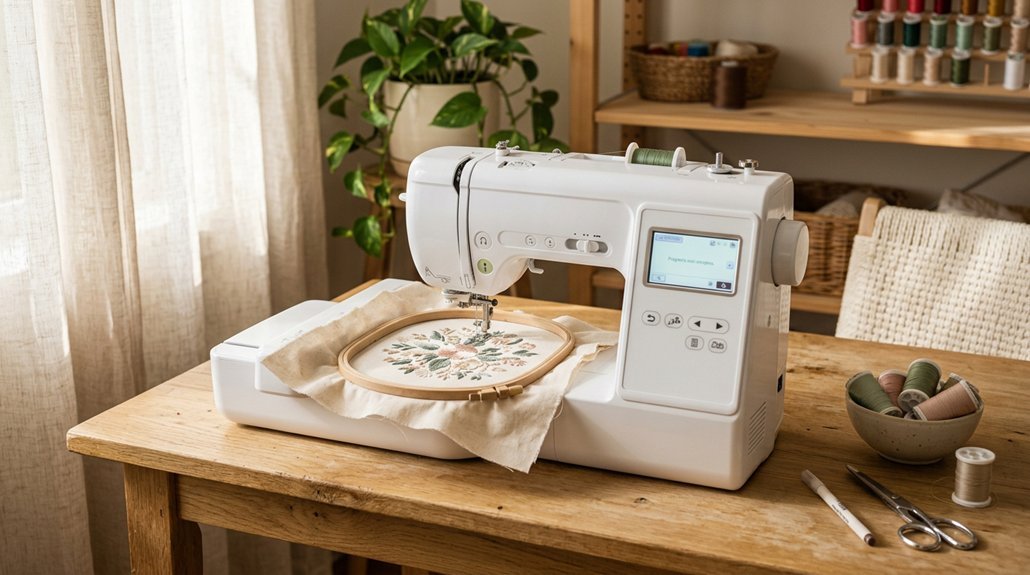
I’ll choose a budget embroidery machine by weighing five things that actually matter day to day. Embroidery field size decides how big I can stitch without re-hooping, while built-in designs and connectivity (think USB, WiFi, or apps) shape how fussy the whole process feels.
Machine type matters too, single-needle versus multi-needle changes everything for speed, and let’s be honest, if I’m fighting the interface every Saturday morning, I’m not using it.
Recommended Products

This hoop set is compatible with Brother SE700 SE725 SE600 SE625 SE400 SE425 SE350 SE270D SE630 M380D, PE570 PE550D PE545 PE540D PE400D PE535 PE430 PE460L PE525 PE500 PE300S, Innov-is NS1850D NS1750D, SB7050E SB7500,Baby Lock Verve Sofia2, LB5500 LB6770 LB6770PRW LB6800PRW LB7000BNDL LB7000PRW LB6800 LB5000, HE1 HE-120 HE240 HE300, Brother Innovis 500D 900D 950D 990D Innov-is NV180, Brother Innov-is NV960DL Innov-is M230E Innov-is NV18E 6800PRW NV900 NV900D Innov-is 980D embroidery machines

This hoop set is compatible with Brother SE725 SE700 SE600 SE630 SE625 SE400 SE425 SE350 SE270D, PE550D PE540D PE400D PE270D PE545 PE535 PE430 PE460L PE525 PE500 PE300S SB7050E SB7500, LB5500 LB6770 LB6770PRW LB6800PRW LB6800THRD LB7000BNDL LB7000PRW LB6800 LB5000 HE1 HE-120 HE240 HE300, Brother Innovis 500D 900D 950D 990D Baby Lock Verve Sofia2 Innov-is NV180 RSE625, Brother Innov-is NV960DL Innov-is M230E Innov-is NV18E 6800PRW NV900 NV900D Innov-is 980D embroidery machines
Embroidery Field Size
How much space do you actually need?
Embroidery field size tells you the biggest design your machine can stitch in one go. Entry-level machines usually give you 4×4 inches, perfect for small logos, monograms, and quick towel embellishments. It’s limiting, sure, but it’s also budget-friendly.
Want more flexibility? Look for 4×9.25 inches. That rectangular format handles borders, tote bags, and longer motifs without constant rehooping. Some machines offer multiple field sizes or expandable hoops, letting you grow with your skills.
Here’s my take: match the field to your projects. If you’re mostly doing napkins and pockets, 4×4 works. Dreaming of jacket backs? You’ll outgrow it fast.
Beginners, don’t underestimate workflow efficiency. Less rehooping means less frustration, and trust me, that matters more than you’d think.
Built-In Design Library
What’s actually inside that built-in library, and does it matter?
I’ve learned it absolutely does. Most budget machines pack roughly 100 to 135 designs, which sounds generous until you realize how fast you’ll burn through florals and holiday motifs. I personally prefer machines mixing 7 to 10 fonts with those designs, because customization keeps projects fresh.
Built-in libraries aren’t just about quantity. I’m talking multi-size embroidery fields, commonly 4×4 inches stretching up to 4×9.25 inches on select models. That physical difference matters when you’re stitching a tiny monogram versus a bold jacket back.
Color touchscreens, typically 3.7 inches, let me preview and tweak designs before committing thread. It’s frustrating when that feature’s missing, trust me.
My verdict? Beginners should prioritize diverse built-in options. Experienced stitchers need solid editing tools and room to grow.
Connectivity Options
When I’m staring at a machine that supposedly connects to “everything,” I usually wonder: does it actually play nice with my laptop, or will I be hunting for a cable I lost three years ago?
Wireless vs. Wired: What’s Actually Reliable?
Most budget machines now pack Wi-Fi or Bluetooth, which means I can beam designs straight from my phone without digging through drawers. Apps like Artspira let me browse libraries, tweak colors, and send patterns to the machine while I’m still in my pajamas. It’s genuinely convenient, until my router hiccups.
When Cables Save the Day
I always check for a USB port as backup. Wireless fails, apps crash, but a thumb drive never lets me down. Some combo sewing/embroidery units handle files through software like Design Database Transfer, which sounds fancy but just means less cable juggling.
My Take
If you’re app-happy, go wireless-first. If you mistrust technology (I get it), prioritize USB access. Cloud storage sounds slick, but budget machines often limit space, so I don’t bank on it.
Machine Type
Once I’ve sorted out how I’ll get designs onto a machine, I have to decide what kind of machine I’m actually buying.
Embroidery-only versus combo sewing-embroidery, that’s the big fork in the road. I lean toward combo units for versatility, though they cost more and take up extra space. Pure embroidery machines focus your budget on stitch quality and features.
The embroidery field matters hugely. A 4×4 inch work area dominates budget options, and honestly, it cramps my style. Hats, jacket backs, anything sizable, forget it.
I check built-in libraries too: 130 designs and 8-10 fonts keep me busy without buying extras.
Screen size counts. A 3.7-inch touchscreen with drag-and-drop editing beats squinting at tiny menus. Wireless transfer through apps like Artspira saves me from USB hunting.
Ease of Use
How much frustration am I signing up for before I even thread the needle?
I always check the interface first. Large color touchscreens with guided tutorials save my sanity when I’m learning something new. I prefer machines with 130 to 135 built-in designs plus multiple fonts, so I can start stitching immediately without buying extra software.
WiFi or USB connectivity matters too. I transfer designs from my laptop or phone without headaches.
I look for beginner resources: online tutorials, active user communities, even 1-on-1 training options. These accelerate my skill development faster than trial and error alone.
Setup simplicity wins. I want an embroidery arm, hoops, and basic feet ready to go. Less shopping, more creating.
My verdict: beginners need intuitive design and solid support, not endless troubleshooting.
Included Accessories
Let’s talk about what you actually get in the box, because nothing kills excitement like realizing you need three more purchases before you can stitch a single flower.
Most budget machines include hoops (usually 4×4, sometimes 4×9.25), presser feet, needles, bobbins, and seam rippers. I always check for starter kits, those little bundles of thread and stabilizer that let you begin immediately. Some manufacturers cheap out here, and you’ll be driving to the craft store before dinner.
WiFi or USB models typically include cables and adapters for design transfers. Non-connected machines rely on built-in patterns instead.
Pay attention to hoop sizes and built-in fonts: these vary wildly. I’ve seen machines with 80 designs and others with 200+. Check voltage compatibility too: nobody wants a fried machine on day one.
Software Compatibility
The included accessories get you started, but the machine’s software compatibility determines how far you’ll actually go.
I always check format support first. PES, DST, PHC, PHX: if your machine doesn’t read these, your design library becomes useless. (Trust me, I’ve learned this the hard way.)
Next, I look at transfer options. WiFi feels magical when it works, but USB is my reliable backup. I also want editing tools built in: resizing, lettering, color changes. Some budget machines force you to buy separate software, which annoys me.
Storage matters too. Ten to twenty onboard designs? That’s workable. More is better.
Finally, I verify app support for my phone and computer. Nothing kills momentum like discovering your Mac or Android won’t play nice with the vendor’s ecosystem. Check before you buy.
Support Resources
When I’m staring at a new machine and nothing’s threading right, good support resources are the only thing standing between me and a temper tantrum.
I always check what’s in the box first. Official user guides, online tutorials, and video walkthroughs? They’re lifesavers for setup. WiFi, USB, companion apps, free software, and starter design packs make transferring designs actually painless.
Built-in designs and fonts matter too. I need PES and DST compatibility, or I’m stuck with boring presets.
Community counts. User groups, forums, vendor training, even 1-on-1 help, they’ve saved me hours of frustration. And warranty terms? Non-negotiable. Clear troubleshooting resources from the manufacturer separate decent brands from the ones that’ll ghost you after purchase.
Bottom line: cheap machine + solid support beats flashy specs with zero backup. Every time.