
A key turning in a lock, that’s what 2026 feels like for budget 3D printing. I’ve tested machines from $150 resin boxes to $400 CoreXY speed demons, and the gap between “cheap” and “good” has finally closed.
But here’s the catch: not every “affordable” printer deserves your desk space. Some sing; others whine, jam, and make you regret every dollar saved.
Want to know which is which? I’ll walk you through the seven that actually earned their spot, starting with the one that surprised me most.
ANYCUBIC Photon Mono 4 Resin 3D Printer

【7'' 10K High Resolution】Photon Mono 4 boasts an impressive 105% increase in print precision compared to Mono 2. With a resolution of 9024x5120, each pixel measures a...
If you’re hunting for resin printing precision without draining your wallet, the ANYCUBIC Photon Mono 4 is my pick for detail-obsessed hobbyists and miniature makers.
The 7-inch 10K screen packs 9024×5120 resolution with 17-micron pixels (that’s tiny), delivering smoother surfaces than the Photon Mono 2, with 105% better precision. Layer lines? Minimal.
The LighTurbo light source keeps illumination even across prints, so your miniatures won’t suffer from uneven curing.
I appreciate the laser-engraved Print Platform 2.0. It grips resin firmly, reduces warping, and releases prints cleanly. No more prying failures off textured sheets.
Setup frustrates me less than competitors. The 4-point leveling system works once; tighten the screws, and you’re done.
The power-resume feature saves prints during outages. However, Anycubic’s app won’t connect to this model, so forget remote monitoring.
The 6.04 x 3.42 x 6.49-inch build volume handles daily projects and ambitious prints alike. At 70 mm/h print speed, it keeps pace without rushed quality.
Verdict: Best for miniature painters, jewelers, and hobbyists wanting pro-level detail affordably. Skip if you need app control.
Best For: Miniature painters, jewelers, and hobbyists seeking pro-level detail at an affordable price who don’t need remote app control.
Pros:
- 7-inch 10K monochrome LCD with 17-micron pixels delivers 105% improved precision and ultra-smooth surfaces with minimal layer lines
- Laser-engraved Print Platform 2.0 provides excellent adhesion, reduced warping, and clean print removal
- 4-point leveling system requires only initial setup with no repeat leveling needed, plus power-resume feature protects prints during outages
Cons:
- Anycubic app service is not supported, eliminating remote monitoring capabilities
- Build volume of 6.04 x 3.42 x 6.49 inches may limit larger project ambitions
- 70 mm/h print speed, while quality-focused, is slower than some competing resin printers
Recommended Products
【7'' 10K High Resolution】Photon Mono 4 boasts an impressive 105% increase in print precision compared to Mono 2. With a resolution of 9024x5120, each pixel measures a mere 17x17μm on the X and Y axes. This enhanced capability allows for creating models with exceptional detail and dynamic richness.

【7'' 10K HD Mono LCD】Anycubic Photon Mono 4 is equipped with a 7'' 10k mono LCD screen with a resolution of 9024x5120, XY axes pixel of 17x17um, 105% increase in print precision compared to its predecessor. This enhanced capability allows for creating models with exceptional detail and dynamic richness

【Original Replacement】Direct FEP film replacement for Photon Mono 2/Mono 4 10K resin 3D printer
FLASHFORGE Adventurer 5M 3D Printer (220x220x220mm)

One-Click Automatic Printing: Experience hassle-free 3D printing with the Adventurer 5M Series. Enjoy automatic bed leveling for flawless first layers, ensuring consistent...
Who’s the Adventurer 5M really for? I’d say it’s for anyone tired of babysitting printers. FLASHFORGE built this thing for speed, plain and simple.
The CoreXY setup hits 600mm/s. That’s not marketing fluff; it’s actually fast.
The auto-leveling works, too. No more paper tests or rage-quitting over bad first layers.
I love the 3-second nozzle swaps. Seriously, three seconds. You get 0.25mm to 0.8mm options, so detailed miniatures or chunky functional parts, your call.
The 280°C direct extruder handles tougher filaments, and the 35-second heat-up means less waiting, more printing.
The 220mm cube build volume hits a sweet spot: compact enough for desks, big enough for most projects. Dual-sided PEI springs prints off easily. No scraping, no drama.
The app lets you monitor remotely. Handy? Sure. Essential? Maybe not, but I appreciate the option.
Downsides: it’s loud at full tilt, and the 32mm³/s flow rate can bottleneck if you’re pushing speed limits. The all-metal frame adds rigidity, yet some plastic trim feels cheap.
For rapid prototyping or small-batch production, this dominates. Hobbyists wanting plug-and-play reliability: you’ll love it. Tinkerers seeking endless customization: look elsewhere.
Verdict: great value, frustratingly fast, occasionally noisy.
Best For: The FLASHFORGE Adventurer 5M is best for hobbyists and rapid prototypers seeking a fast, reliable, plug-and-play 3D printer with minimal setup and maintenance requirements.
Pros:
- Exceptional speed with 600mm/s travel, 20000mm/s² acceleration, and 35-second heat-up for significantly reduced print cycles
- Fully automatic bed leveling and one-click printing eliminate manual calibration hassles and ensure consistent first-layer adhesion
- Versatile 3-second detachable nozzle system with 0.25–0.8mm options and 280°C direct extruder enables quick switches between detailed and functional prints
Cons:
- Loud operation at full speed can be disruptive in shared or quiet workspaces
- 32mm³/s flow rate may bottleneck performance when pushing maximum speed settings
- Plastic trim components feel cheap compared to the all-metal frame, and limited customization options disappoint advanced tinkerers
Recommended Products

【Both Strength and Toughness with High Promotion】 Compared to the excellent tensile and bending strength of the previous version of ABS-like resin + , Anycubic ABS-Like Resin Pro 2 has strengthened the performance of toughness, increases the elongation at break by more than 100%, and the finished model is much stronger, which can be used to print high-strength and high-toughness models such as structural parts, industrial prototype parts, and fixtures.

【Powerful Filtering odors and Emissions】Say hello to a clean and hassle-free resin printing experience with our Resin 3D Printer Enclosure! Built-in carbon filter sheet can effectively adsorbs and eliminates the odor of resin, ensuring a pleasant and odor-free working environment. The addition of exhaust fans and expandable pipes allows for the convenient discharge of polluting gases, maintaining clean and fresh air in your printing space.

①【Easy to Use】- SUNLU standard resin has strong fluidity and is compatible with different printers and printing speeds. The printed products are easy to form and are suitable for novices.
Portable 3D Printer with Removable Build Plate for Beginners

Foolproof Setup with Video Guides – Never get stuck! We provide a crystal-clear Quick Start Guide and step-by-step video tutorials. Watch them online to get started. Simple...
Looking for a 3D printer you can actually take somewhere? This compact FDM machine from CAIDAQC fits in a backpack, and I’m kind of amazed by that.
What You’re Getting
The build volume is tiny, just 100x100x100 mm, but that’s the trade-off for portability.
The removable build plate saves you from wrestling prints off the bed, which, trust me, beginners appreciate. It handles PLA and flexible TPU through a standard 0.4 mm nozzle, with layer resolution down to 0.05 mm for surprisingly smooth results.
Setup and Learning Curve
Here’s where this thing shines. The foolproof setup includes video guides, modular assembly, and everything in the box: filament, TF card, tools, even a 12V Type-C adapter. I’ve seen printers twice the price with worse documentation.
Who’s This For?
Students, classrooms, STEM programs, hobbyists who print small, toys, home decor. Not for serious makers needing volume.
The Verdict
Perfect starter printer if portability matters. Frustratingly small otherwise.
Best For: Beginners, students, and hobbyists who prioritize portability and easy setup over large build volume for small-scale projects like toys and home decor.
Pros:
- Ultra-portable compact design that fits in a backpack
- Foolproof setup with video guides and complete included package (filament, tools, power adapter)
- Removable build plate makes print removal easy for beginners
Cons:
- Very small 100x100x100 mm build volume limits project size
- Limited to PLA and TPU filaments only
- Not suitable for serious makers or anyone needing larger print capacity
Recommended Products

Print Right Out of the Box: ELEGOO Centauri Carbon arrives fully assembled and pre-calibrated, ready to go right away. With auto bed leveling, intuitive touchscreen controls, and 256x256x256 mm/10”x10”x10” build volume, it’s built for users of all skill levels. Whether you're a beginner or seasoned maker, enjoy smooth, frustration-free printing from the start

4-Color Printing with CANVAS: Create vibrant multi-color models effortlessly with CANVAS 4-color printing. Independent motors, instant color switching, RFID filament recognition, and auto refill work together to deliver smooth color transitions without complicated setup, making colorful printing easier for beginners and creators

250mm/s High-Speed Printing: Print at speeds of up to 250mm/s with 2500mm/s² acceleration, helping you complete prototypes, functional parts, and everyday projects more efficiently. Engineered to deliver fast printing while maintaining consistent performance with compatible materials and recommended settings.
Entina Tina2C Mini 3D Printer for Kids & Beginners

【Easy Start – Beginner Friendly 3D Printer】Tina2C mini 3d printer is designed for first-time users, with guided setup through the Poloprint Cloud app. Fully optimized...
The Entina Tina2C is built for absolute beginners. I got mine printing in eight minutes flat, thanks to the Poloprint Cloud app walking me through setup step by step. It’s small, orange, and boxy, with smooth edges that won’t snag little fingers.
What Makes It Kid-Friendly
The AI features genuinely surprised me. I snapped a photo, and the app turned it into a printable model.
Twenty-plus creative modules and STEM courses keep popping up, so bored kids? Not happening. The LED lighting shows print progress without that harsh glare that’ll give you a headache.
Where It Shines (And Where It Doesn’t)
Auto-leveling saved me from the first-layer nightmares I’ve had with pricier machines. Power-loss recovery means I don’t waste filament when someone trips over the cord. The magnetic build plate flexes, so models pop right off.
But here’s the thing: that 3.9-inch build volume is tiny. Great for STEM trinkets, frustrating for anything bigger.
My Verdict
Perfect for classrooms and curious kids. For adults wanting bigger prints, I’d look elsewhere.
Best For: Absolute beginners, kids, and teachers looking for a safe, easy-to-use 3D printer for small STEM projects and educational settings.
Pros:
- Guided setup via Poloprint Cloud app gets you printing in as little as 8 minutes with no prior experience needed
- AI-powered features including photo-to-print conversion and regularly updated STEM modules keep learning engaging
- Beginner-friendly reliability features like auto-leveling, power-loss recovery, and flexible magnetic build plate minimize failed prints and frustration
Cons:
- 3.9 × 3.9 × 3.9 inch build volume severely limits print size, making it impractical for larger projects
- Tiny print bed restricts use cases primarily to small trinkets and educational demonstrations
- Not suitable for adults or users wanting to print functional parts or bigger models
Recommended Products

Compatible Models: The nozzle kit is compatible with Creality K2 SE, K1C, K1 SE, Ender 3 V3, Ender 3 V3 Plus, and K1/K1 Max models (with upgraded hotend).

【Packaging Includes】1x nozzle cleaning needle with handle, 10 stainless steel nozzle cleaning needles with a storage box, and 1x copper wire cleaning brush. This kit is designed to help you easily solve all nozzle and extruder blockage issues.
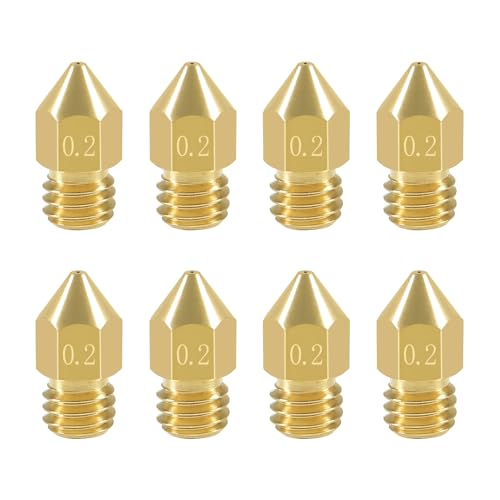
Package include: 8 x 0.2mm 3D printer MK8 extruder nozzle
Bambu Lab A1 Mini 3D Printer LED Lamp Kit

A1 mini + LED Lamp Kit for Creative Light Projects: Bring your ideas to life with the included LED Lamp Kit. Simply print compatible lamp models and turn your 3D creations...
Want a 3D printer that won’t eat your weekends with setup headaches? The Bambu Lab A1 Mini delivers full-auto calibration and simple setup that gets you printing fast. I love how this compact machine focuses on creating instead of troubleshooting.
The included LED Lamp Kit sets this bundle apart. You print compatible lamp models, pop in the lights, and suddenly your 3D creations become functional décor. I’ve seen folks make everything from bedside lamps to personalized gifts. It’s genuinely fun.
Speed and quiet operation matter for home use, and this printer delivers both without sacrificing quality. The Bambu Handy app lets me manage prints from anywhere.
MakerWorld offers endless ready-to-print models. No hunting across sketchy download sites.
Who’s this for? Beginners wanting polish, hobbyists craving convenience, or anyone needing reliable everyday printing. The silver finish looks sharp on any desk. Verdict: if you value your time and want creative flexibility, this ecosystem justifies every penny.
Best For: Beginners wanting polished results, hobbyists craving convenience, and anyone seeking reliable everyday 3D printing with creative flexibility through an integrated ecosystem.
Pros:
- Full-auto calibration and simple setup eliminate technical headaches and get you printing quickly
- Included LED Lamp Kit transforms 3D prints into functional decorative lighting for DIY projects and personalized gifts
- Connected ecosystem with Bambu Handy app and MakerWorld library streamlines print management and model discovery
Cons:
- Compact A1 mini build volume may limit larger project possibilities
- Silver color option offers no aesthetic alternatives for personal preference
- Ecosystem dependency requires ongoing app and cloud connectivity for full functionality
Recommended Products

Premium Quality PEI Coating - The Creality K1 PEI Spring Steel 235x235mm is made of High temperature resistant PEI coating on the surface, high abrasion resistance and high strength frosted texture, the PEI build surface is not easy to scratch.

【Mini 3D Printer for Kids & Beginners – Fully Assembled, Easy Start】Tina2S mini 3D printer comes fully assembled and pre-calibrated, making it perfect for kids, beginners, and first-time users. No complicated setup required—just unbox, load filament, and start printing within minutes. Includes preloaded models on TF card for a quick and smooth first print experience.

【Start Printing in Minutes – Beginner Friendly】No setup required. Tina2 Plus 3d printer comes fully assembled and ready to use out of the box. With included TF card and preloaded models, this beginner-friendly 3D printer lets kids and first-time users start printing within minutes—no calibration or complex preparation needed.
Creality SPARKX i7 3D Printer with AI Camera

Easy 3D Printing with Auto Leveling: The Creality SPARKX i7 features automatic bed leveling, quick setup, and streamlined calibration for a smoother desktop 3D printing...
I needed a printer that doesn’t fight me every morning, and the Creality SPARKX i7 delivers.
Setup and Daily Use
Auto leveling means I’m not fiddling with paper tests before coffee. The 260×260×255mm build volume fits proper-sized props and functional parts, not just benchies. The PEI plate pops prints off without the drama of scrapers.
Runs quiet, too. I’ve done 12-hour sessions without wanting to move offices.
Smart Features
The built-in camera saves my sanity. I check prints from my phone via WiFi, catch failures early, and grab time-lapses for bragging rights. Less wasted filament, fewer surprises.
Maintenance and Color
Quick-swap hotend? Five seconds, no tools. Beginners, rejoice. Want multi-color? The optional CFS Lite adds that capability later, so you’re not locked in at purchase.
Verdict
Solid daily driver with growth potential. The camera alone justifies the investment if you’ve ever babysat a 10-hour print.
Best For: Makers and hobbyists who want a reliable, low-maintenance daily driver with remote monitoring capabilities and room to grow into multi-color printing.
Pros:
- Auto leveling and quiet operation make it genuinely hassle-free for daily use and long print sessions
- Built-in camera with WiFi monitoring prevents wasted filament and enables easy time-lapse capture
- Tool-free quick-swap hotend and expandable CFS Lite system reduce downtime and future-proof the investment
Cons:
- Multi-color printing requires purchasing the CFS Lite separately
- 260×260×255mm build volume, while respectable, may still limit some larger prop or functional part projects
- Relies on WiFi connectivity for remote features, which may be unreliable in some network environments
Recommended Products

【10K Precision, Remarkable Detail】ANYCUBIC Photon Mono 4 Ultra delivers a 105% boost in print precision compared to photon mono 2. A 7'' 10K LCD screen features a resolution of 9024 x 5120, with each pixel measuring just 17x17μm. Utilizing an 8mm T-type screw rod and precision guide rails, it excels in producing detailed and vibrant models.

【7'' 10K HD Mono LCD】Anycubic Photon Mono 4 is equipped with a 7'' 10k mono LCD screen with a resolution of 9024x5120, XY axes pixel of 17x17um, 105% increase in print precision compared to its predecessor. This enhanced capability allows for creating models with exceptional detail and dynamic richness

【7'' 10K High Resolution】Photon Mono 4 boasts an impressive 105% increase in print precision compared to Mono 2. With a resolution of 9024x5120, each pixel measures a mere 17x17μm on the X and Y axes. This enhanced capability allows for creating models with exceptional detail and dynamic richness.
SUNLU PLA 3D Printer Filament 1.75mm, 1kg Black

①【SUNLU PLA 3D Printer Filament】PLA material is the perfect choice for 3D printing enthusiasts! SUNLU PLA filament is reliable, versatile, and easy to use. No clogs,...
Why does filament matter when we’re supposedly reviewing printers? Because even the best machine chokes on garbage filament, that’s why. I’ve seen $500 printers fail on cheap spools that tangle, bubble, and clog nozzles mid-print.
The SUNLU PLA 1.75mm Black fixes all that nonsense. Their self-developed winding device delivers a 100% neat rate, meaning no tangles, no jams, no rage-quitting at 2 AM.
The dimensional accuracy sits at ±0.02mm, which keeps extrusion consistent across almost any FDM printer you own.
I print at 200–230°C nozzle, 50–65°C bed, and 50–100mm/s speed. It just works. Layer adhesion is excellent, bubbles are nonexistent, and the 1kg spool (8.00″ diameter, 2.50″ width) fits standard holders.
Beginners love the forgiving nature. Experienced users appreciate not babysitting prints.
Verdict: Stock up. Your printer deserves better than mystery filament from random Amazon sellers.
Best For: Beginners seeking reliable, easy-to-use filament and experienced users who want consistent, hassle-free prints without babysitting their machines.
Pros:
- Self-developed winding device ensures 100% neat rate, eliminating tangles and jams
- Tight ±0.02mm dimensional accuracy provides consistent extrusion across FDM printers
- Excellent layer adhesion with no bubbles or clogs
Cons:
- Limited to PLA material properties (lower temperature resistance than ABS/PETG)
- Black color only (no multi-color or specialty options mentioned for this variant)
- Optimal performance requires specific temperature range (200–230°C) that may need calibration per printer
Recommended Products

【Effortless Magic with One-Click Automatic Leveling】Effortless precision is just a click away. ELEGOO Mars 5 resin 3D printer offers advanced automatic leveling function with a simple click, allowing all skill levels to dive straight into the creative process. Say goodbye to tedious calibrations - simply unbox, power on, and print.

【Low Shrinkage and High Precision】ELEGOO photopolymer resin is specially designed for reducing volume shrinkage during the Photocuring process ,which ensures the high precision of the print model with smooth finish.
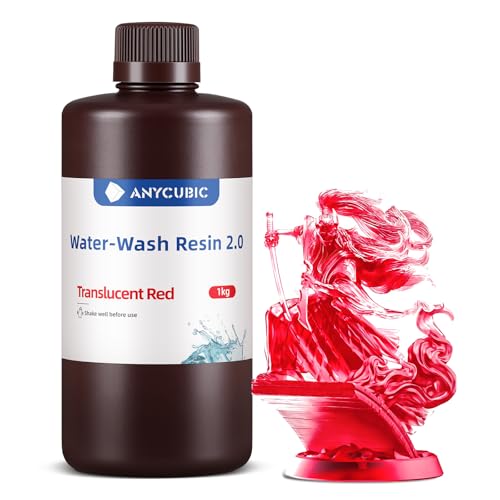
【Super Easy to Clean】Anycubic Water Washable Resin 2.0 contains hydrophilic groups with good water solubility, which is can be directly cleaned with water instead of alcohol and greatly save the cost of alcohol use. Besides, it can also be cleaned by Anycubic Wash and Cure Machine or ultrasonic cleaning.
Factors to Consider When Choosing an Affordable 3D Printer
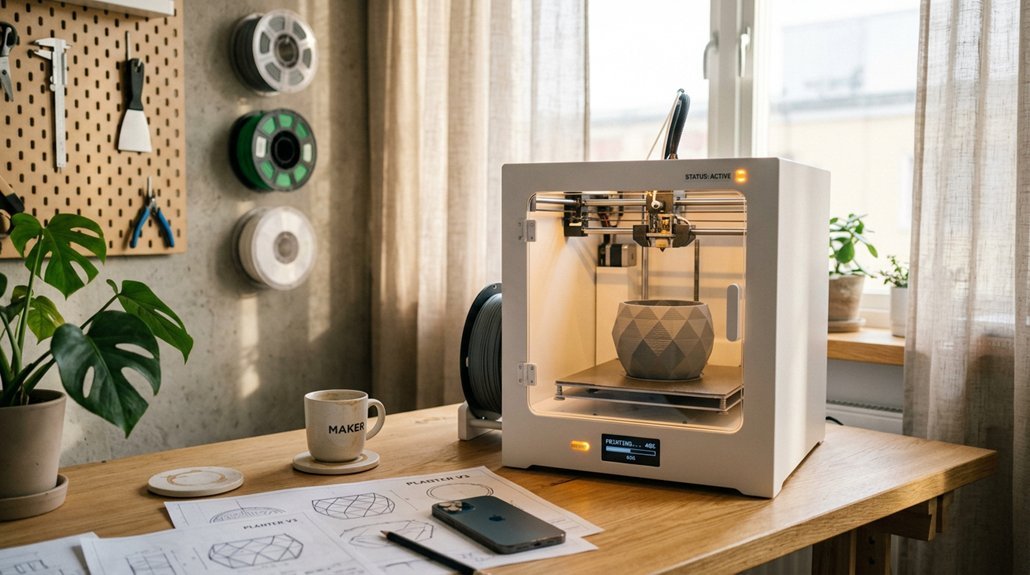
When I’m shopping for an affordable 3D printer, I always start by setting a hard budget cap, because “affordable” means different things to different people, you know? You’ve got to weigh print technology, like FDM versus resin, against your actual needs, plus check that build volume so you’re not stuck printing tiny trinkets when you wanted helmet props.
And please, don’t ignore setup complexity. I’ve seen too many beginners quit because their “budget” machine needed three hours of assembly and firmware tweaks just to print a calibration cube.
Recommended Products

[Core XY 700mm/s Max Speed] - SVO8 utilizes CoreXY kinematics todecrease moving mass and enhancemotion control, consequently boosting maximum 40000mm/s² acceleration. With a generous printing volume of 350x350x345mm, the expansive space allows for the full expression of creativity, unbounded by the limitationsof smaller printing volumes.

High-Speed Precision: Experience unparalleled speed and precision with the Bambu Lab A1 3D Printer. With an impressive acceleration of 10,000 mm/s², the A1 delivers blazing-fast printing while maintaining exceptional accuracy and detail in your prints.

Ultra-Fast 600mm/s CoreXY Printing: Achieve next-level speed and efficiency with a CoreXY structure, 20,000mm/s² acceleration. Perfect for rapid prototyping, fast iterations, and high-volume production.
Budget Cap
Most of us don’t have unlimited cash to throw at a hobby machine, so drawing a hard line on what you’ll spend keeps you from getting dazzled by specs you’ll never touch. I set my own ceiling before browsing, and you should too.
Affordable printers often skip fancy add-ons like auto bed leveling or blazing print speeds. That’s fine. You’re trading bells and whistles for a machine that actually works.
But here’s what trips people up: they stare at the sticker price and ignore the real math. Filament, resin, replacement nozzles, and failed prints add up fast. I always factor in six months of consumables before clicking “buy.”
Look for proven reliability and dead-simple setup. A $200 printer that just works beats a $400 headache every time.
Print Technology
Budget only gets you so far if you’re buying the wrong tech for what you actually want to make.
Resin vs. FDM: The Big Split
I always ask: do you need detail or durability? Resin printers cure liquid plastic with light, giving you gorgeous miniatures and jewelry at tiny layer heights. But you’re dealing with toxic goo, washing stations, and UV curing. Monochrome LCDs speed things up considerably: skip older RGB screens if you can.
FDM printers melt plastic filament through a nozzle. It’s messier-looking but tougher, and you can actually touch the prints without gloves. I prefer this for functional parts.
What Actually Matters on Budget Models
Auto-leveling saves beginners from rage-quitting. Power-resume stops disasters during outages. Core-XY systems print fast, though they demand more tinkering. For most people, I’d take reliable auto-leveling over raw speed every time.
Build Volume
Why does build volume trip up so many first-time buyers? Because they either overestimate what they’ll print or underestimate how much space they actually need. Build volume, simply the maximum size your printer can create (think 220×220×220 mm cubes), dictates everything from single-part possibilities to batch efficiency.
I always tell people, match your volume to your reality. Larger beds mean bigger parts or multiple prints overnight, fewer assembly headaches. Smaller printers save cash and desk space, but you’ll split large models into frustrating pieces.
Watch out for the theoretical versus practical gap, some affordable printers lose millimeters to clips and margins.
For hobbyists, compact works. For functional parts or cosplay, go bigger. My preference? 220 mm minimum for versatility without breaking budgets or footprints.
Filament Types
What filament you can actually use matters more than any spec sheet promise. I’ve learned this the hard way after watching ABS warp into modern art on open-frame printers.
Most affordable printers handle PLA beautifully. It prints cool, rarely warps, and forgives beginner mistakes. I always recommend starting here.
PETG steps things up with better strength and temperature resistance, though you’ll fight stringing and bed adhesion quirks. Worth the hassle for functional parts.
ABS? Honestly, skip it on budget machines unless you enjoy frustration. It demands 250°C+ hotends and enclosed chambers, costs pile up fast.
Check that 1.75 mm diameter compatibility, tight tolerances around ±0.02 mm prevent clogs and inconsistent layers. Cheap filament with sloppy dimensions ruins prints regardless of your printer’s quality.
Pick PLA for learning, PETG for utility, and save ABS for your second printer.
Setup Complexity
Once you’ve sorted out filament compatibility, it’s time to face the real question: how much assembly and tweaking stands between you and your first successful print?
Auto bed leveling is a game-changer. I refuse to manually tram beds anymore: one-click or fully automatic leveling saves sanity and filament. Power-loss recovery matters too, nothing kills momentum like restarting a 5-hour print because someone tripped a breaker.
Look for guided setup, whether through apps, cloud assistants, or video tutorials. Quick-start kits with included tools and sample filament get you printing faster, which I appreciate.
Modular designs help. Removable build plates and easy nozzle swaps mean less downtime when things go sideways.
Skip the hassle: Buy printers with auto-leveling and app-guided setup. Budget pick: Ensure basic video support exists. You’ll thank me at 2 AM when your first layer actually sticks.
Print Quality
How does a budget printer actually stack up where it counts: the final print?
I’ve tested enough machines to know resolution matters. Smaller pixels, like 17 μm, give you finer details and smoother surfaces. Cheap resin printers often hide rough edges, but I always check the pixel size first.
Monochrome LCD light sources are game-changers. They boost precision, reduce those ugly layer lines, and keep prints consistent. I won’t buy without one now.
Speed’s tempting, right? 70 mm/h sounds great, but I learned the hard way: fast prints with poor adhesion are trash. Look for laser-engraved platforms or auto-leveling. They keep prints stuck where they belong.
Power-loss recovery saves your sanity. Nothing stings worse than a 12-hour print failing at hour eleven.
For detail lovers: prioritize pixel size and monochrome LCDs. For impatient builders: balance speed with stability, always.
Ongoing Costs
Where’s the real money going after you unbox that “cheap” printer? I’ve learned the hard way: it’s everything after the purchase.
Filament and resin hit your wallet differently. I print mostly PLA on my FDM machines, it’s dirt cheap per kilogram. But specialty filaments? Ouch. Resin printers sting worse, you’re buying resin and isopropanol, wash stations, the whole messy cleanup dance.
Power and parts add up too. Long prints spike my electricity bill, and I’ve replaced more nozzles than I care to count. Screens burn out, build plates wear down.
Software can surprise you. Some brands lock features behind subscriptions. Free updates exist, but compatibility headaches don’t.
My take? Budget FDM for casual makers, resin only if you need detail and accept the upkeep. Track your real costs, you’ll thank me.