
Speed used to cost a fortune. Now, a $400 printer can outpace machines that ran ten times that price three years ago.
I’m looking at fifteen models that actually make sense for small business owners in 2026, not hobbyists pretending to be professionals. Some of these machines will pay for themselves in a single job. Others will waste your time with constant repairs.
The difference isn’t always obvious from the spec sheet. I’ll show you which CoreXY systems actually hit their advertised speeds, which “pro” upgrades are worth the extra cost, and why resin still matters even if you only print functional parts.
Let’s cut through the marketing and find what actually works on a shop floor.
FLASHFORGE Adventurer 5M High Speed 3D Printer

One-Click Automatic Printing: Experience hassle-free 3D printing with the Adventurer 5M Series. Enjoy automatic bed leveling for flawless first layers, ensuring consistent...
If you’re running a small business and wondering whether speed actually matters, let me cut straight to it: the FLASHFORGE Adventurer 5M isn’t playing around with its 600mm/s travel speed. That’s CoreXY motion with 20,000mm/s² acceleration, which means prototypes that used to take hours now finish before your coffee gets cold.
I love the one-click auto leveling. No more paper tests, no more rage-quitting at 2 AM because the first layer looks like abstract art.
The 280°C direct extruder handles PLA, PETG, even ABS without complaints, and that 3-second nozzle swap? Chef’s kiss. You get 0.25mm to 0.8mm options, so detail work and draft prints both feel natural.
The 220mm cube build volume won’t print helmets, but for jigs, fixtures, and product samples, it’s plenty. Dual-sided PEI means parts pop off clean, and the all-metal frame keeps everything rigid when you’re pushing speed limits.
Remote monitoring through the Flash Maker app saves me from hovering like a nervous parent. Vibration compensation actually works, so ringing artifacts don’t ruin your surface finish.
Verdict: Grab this if you need throughput without babysitting. Skip it if you’re dreaming of cosplay armor.
Best For: Small business owners and rapid prototypers who need high-throughput, reliable 3D printing without constant manual adjustments or babysitting.
Pros:
- 600mm/s travel speed with CoreXY motion and 20,000mm/s² acceleration dramatically reduces print times for fast prototyping and production cycles
- One-click automatic bed leveling eliminates manual calibration hassles and ensures consistent first-layer adhesion
- 3-second detachable nozzle system with 0.25–0.8mm options enables quick switches between detailed and draft prints
Cons:
- 220x220x220mm build volume is too small for large cosplay armor, helmets, or oversized objects
- All-metal CoreXY structure and high-speed operation may produce more noise than slower, cartesian-style printers
- 280°C maximum temperature limits compatibility with high-temp materials like PC, Nylon, or certain engineering filaments requiring 300°C+
Recommended Products

Up to 16 Colors: Bring your designs to life with vibrant multi-color/multi-material printing capabilities, perfect for showcasing your creativity. Note: Connecting Bambu Lab AMS is required.

Vivid Multi-Color Printing: Bring your creations to life with vibrant, multi-color prints. This printer supports up to 4 colors simultaneously, giving you endless creative possibilities.

FLASHFORGE AD5X Multi-Color 3D Printer (CoreXY 600mm/s)
Vivid Multi-Color Printing: Bring your creations to life with vibrant, multi-color prints. This printer supports up to 4 colors simultaneously, giving you endless creative...
Who needs a printer that doesn’t waste your morning?
I sure do, and the FLASHFORGE AD5X delivers. This thing screams at 600 mm/s with 20,000 mm/s² acceleration, so I’m printing prototypes before my coffee gets cold.
Four colors at once? That’s huge for branding, labels, or just making stuff that doesn’t look boring. The CoreXY design keeps it stable when it’s hauling, which means I’m not babysitting failed prints.
Nozzles and Real-World Choices
I swap between 0.25 mm (tiny details) and 0.8 mm (fast, chunky parts) depending on the job. The 300°C direct drive handles tougher filaments, too.
The Little Things That Matter
Auto-leveling, power-loss resume, and filament swaps that actually work through the app.
The 220x220x220 mm build volume won’t handle everything, but for small business batches and rapid prototyping, it’s plenty.
The dual cooling fan and vibration compensation means my fast prints don’t look like garbage.
Verdict: Grab this if you need multi-color speed without enterprise pricing. Skip it if you’re printing helmets or car parts daily.
Best For: Small business owners, product designers, and makers who need fast multi-color prototyping and batch production without enterprise-level budgets.
Pros:
- Blazing 600 mm/s print speed with 20,000 mm/s² acceleration cuts project turnaround times dramatically
- 4-color simultaneous printing enables professional multi-material designs and branding without manual filament swaps
- Hot-swappable nozzles (0.25–0.8 mm) and 300°C direct drive extruder handle everything from fine details to tough engineering filaments
Cons:
- 220x220x220 mm build volume limits larger projects like helmets or automotive parts
- CoreXY high-speed mechanics require more maintenance awareness than simpler Cartesian designs
- No mention of enclosure or heated chamber limits temperature-sensitive and high-warp material options
Recommended Products

Featuring a fully automatic one-click leveling system, this cutting-edge printer eliminates the need for manual calibration of the Z-axis, ensuring a perfect first layer every time. With consistent adhesion and smooth surface finish, achieving impeccable print quality has never been easier. Step into the future of printing with effortless bed leveling and superior results at your fingertips.


Versatile 3D Printer & Quiet Printing: Adventurer 5M Pro is a versatile tool that can be used for parent-child bonding activities, household repairs, and creative teaching. Its fully enclosed design allows you fast and easy use while enjoying the process. Standard mode: 50dB; an additional low-speed silent mode to ensure uninterrupted focus during work or study.
The Profitable 3D Printer: 30-Day Plan to First Sale

Looking for a 3D printer that’ll actually pay for itself? I’ve got something better: a roadmap that turns any decent machine into a revenue engine.
“The Profitable 3D Printer: Your 30-Day Plan to First Sale” is the field guide I wish I’d owned when I started. This 491-page Kindle edition, published by Foreword Field Guides, cuts through the noise. No theory, just a structured 30-day sprint to your first paying customer, then a manual for scaling up.
Think templates, checklists, and real tasks, not fluff.
I love the format. Digital, searchable, always in my pocket. The 30-day structure keeps you honest.
Day 1: research. Day 15: prototype. Day 30: invoice sent.
Who’s this for? Makers tired of hobby expenses, side hustlers needing direction, small businesses testing additive manufacturing without hiring consultants.
The catch? You still need a printer. This book won’t fix a $200 toy. Pair it with a reliable workhorse, though, and you’ve got a system.
Verdict: Buy it if you’re serious about profit, not just printing. Skip it if you want technical specs; that’s not the point here.
Best For: Makers tired of hobby expenses, side hustlers needing direction, and small businesses testing additive manufacturing without hiring consultants who are serious about profit, not just printing.
Pros:
- Structured, actionable 30-day sprint with templates, checklists, and real tasks rather than theory or fluff
- Dual-purpose format serves as both quick-start plan and ongoing reference field guide for scaling beyond first sale
- Digital, searchable Kindle format provides portability and accessibility across compatible devices
Cons:
- Requires ownership of a reliable, decent printer—not suitable for $200 toy machines
- Not designed for readers seeking technical 3D printer specifications
- 491-page length may feel overwhelming for those wanting a brief, condensed overview
Recommended Products

Materials: Plate is made of good quality cold rolled sheet materials, Stability, applicability and flexibility

Fully assembled extruder for Neptune 3 Pro/3 Plus/3 Max ONLY

FLASHFORGE Adventurer 5M Pro 3D Printer

600mm/s Speed & CoreXY Structure — Powered by an all-metal CoreXY frame and 20,000mm/s² acceleration, Adventurer 5M Pro reaches speeds up to 600mm/s. Integrated vibration...
Need blazing speed without the usual headaches? I’ve found it in the FLASHFORGE Adventurer 5M Pro. This Core XY machine hits 600 mm/s travel speeds with 20,000 mm/s² acceleration, yet its automatic bed leveling and pressure-sensing height detection mean I barely touch calibration.
The nozzle hits 200°C in 35 seconds, and that 1 Click Auto Printing System actually delivers on its promise.
The 220 x 220 x 220 mm build volume suits most small business jobs, and I love the interchangeable nozzles, 0.25 mm to 0.8 mm. The full-metal direct extruder handles 280°C, so I’m printing PLA, ABS, PETG, TPU, even carbon fiber composites without swapping hardware.
The PEI platform pops prints off tool-free. Dual circulation dust reduction keeps my workspace cleaner. Flash Maker app lets me monitor remotely, adjust parameters, get alerts. Auto shutdown and resume printing save me from disaster.
For small businesses needing reliable speed with minimal babysitting, this hits the sweet spot.
Best For: Small businesses and professionals seeking high-speed 3D printing with minimal manual intervention and reliable material versatility.
Pros:
- Exceptional speed performance with minimal calibration requirements thanks to automatic bed leveling and 1 Click Auto Printing System
- Wide material compatibility including high-temperature and carbon fiber composites via 280°C full-metal direct extruder
- Convenient remote monitoring and management through Flash Maker app with auto shutdown and resume printing features
Cons:
- Limited build volume of 220 x 220 x 220 mm may restrict larger production projects
- Core XY structure and high-speed operation may produce significant noise despite dust reduction features
- Relatively new “1 Click” workflow may have limited community troubleshooting resources compared to more established printer ecosystems
Recommended Products

Double Sided Premium Quality - PEI and PEO double-sided magnetic build surface. The smooth and flat PEO surface is flexible and removable, the golden yellow matte PEI surface has strong high-temperature stability and high printing stability.

Two Textures (Textured and Smooth) in One Plate: Enjoy the benefits of two different textures in one plate, one side is Textured PEI surface and the other side is Smooth PEI surface. This Plate features a 0.5mm magnetic stainless steel plate that enhances magnetic adhesion and helps to prevent warping and ensure optimal print quality during 3D printing

【Superior Adhesion】Bambu lab A1 PEI plate is coated with black textured PEI,Its adhesion is stronger than that of the gold PEI coating,allowing the model to be firmly attached to the surface of the printing plate without the need for glue
3D Printing for Profit: Turn Your Printer Into Income

I’ve tested dozens of 3D printers for small business use, and here’s what I’ve learned. Owning a great machine means nothing if you don’t know how to monetize it. That’s where Majosta’s “3D Printing for Profit” comes in, a 214-page playbook that turns hobbyists into earners.
The book covers hands-on workflows, smart project selection, and material choices that actually matter for your bottom line. I appreciate how it tackles the boring but essential stuff: printer maintenance schedules, real cost management, and pricing strategies that don’t leave you working for pennies.
Majosta walks through multiple revenue streams. Freelance prototyping for local inventors. Custom replacement parts for vintage equipment. Small-batch manufacturing for Etsy sellers. Local service offerings, like print-on-demand for schools or maker spaces. Each path includes step-by-step implementation and honest risk assessment.
The design optimization chapter saved me hours. Small tweaks to orientation and support structures cut my material waste significantly. That’s real money back in my pocket.
Who’s this for? Hobbyists ready to get serious, makers eyeing side income, entrepreneurs testing manufacturing before scaling. The writing stays practical, not preachy. Real-world frameworks you can adapt, not rigid rules.
My only gripe: some sections on time efficiency feel repetitive. But the concise guidance and clear action plans outweigh this minor annoyance.
Verdict: If your printer sits idle between weekend projects, buy this book. It transforms expensive hardware into a genuine income engine.
Best For: Hobbyists, makers, and entrepreneurs who want to transform their 3D printer from an idle weekend project into a scalable income-generating asset.
Pros:
- Covers diverse, actionable revenue streams with step-by-step implementation and honest risk assessments for each path
- Delivers practical money-saving techniques, such as design optimization strategies that significantly reduce material waste and operating costs
- Provides clear, adaptable real-world frameworks rather than rigid rules, making it easy to apply across different business models and skill levels
Cons:
- Some sections on time efficiency feel repetitive and could benefit from tighter editing
- As an independently published paperback with a future publication date, availability and print quality may be uncertain
- May not sufficiently address the challenges of scaling beyond small-batch production for entrepreneurs ready to grow beyond side income
Recommended Products

【Enhanced Heat Resistance】ELEGOO ABS-Like 3.0+ resin boasts an approximate 10% increase in heat deflection temperature, offering superior heat resistance. This means your models are less likely to soften or deform under high temperatures, ensuring better durability and preservation.

①【Less Brittle & More Strength】- Compared to other types of 3D Printer Resin, SUNLU ABS-Like Photopolymer Resin has better toughness, Non-brittle and has excellent abrasion resistance. If you need to print miniature or tiny objects, SUNLU ABS-Like 3D Printer Resin is your first choice.

[Excellent Rigidity & Good Toughness] - NextShapes Rigid Pro Resin has outstanding rigidity and is durable to use. The printed models have high hardness and strength with good toughness, so the prints are resistant to compression and tension, and are not easy to scratch and deform.
Original Prusa CORE One+ DIY Enclosed High-Speed CoreXY 3D Printer Kit

[REWARDING DIY EXPERIENCE] Master your 3D printer by building it yourself with our detailed step-by-step photographic guide. This kit includes 1:1 scale hardware templates...
But here’s why that matters for a business: when something eventually goes wrong, and something always does, you’ll know exactly how to fix it. I built the Original Prusa CORE One+ in about 18 hours, and honestly? That time pays for itself.
The all-steel frame keeps everything rock-solid at high speeds. The enclosed chamber hits 55°C with smart venting, so I can print Carbon Fiber, Nylon, or plain old PLA without swapping machines.
The offline-only security is a genuine relief; my designs stay local, not floating in someone’s cloud.
The bayonet spool holder and easy-flex loading actually work. One million models on Printables.com don’t hurt either.
Verdict: Perfect for hands-on owners who want pro results without subscription headaches. Skip it if you need instant plug-and-play.
Best For: Hands-on professionals and businesses who want professional-grade 3D printing results, full data security, and the cost savings and repair confidence that comes from building and understanding their machine.
Pros:
- All-steel exoskeleton frame delivers rock-solid stability for consistent, high-speed printing
- 55°C enclosed chamber with automatic venting enables printing demanding materials (Carbon Fiber, Nylon, ASA, PC-Blend) without compromising PLA/PETG quality
- 100% offline-capable system with removable Wi-Fi module ensures designs remain local for maximum security
Cons:
- Requires 15–20 hours of DIY assembly, not suitable for those needing instant plug-and-play operation
- Build process demands significant time investment before first print
- Self-support model means no immediate technical support for troubleshooting during or after assembly
Recommended Products

Up to 16 Colors: Bring your designs to life with vibrant multi-color/multi-material printing capabilities, perfect for showcasing your creativity. Note: Connecting Bambu Lab AMS is required.

Print Right Out of the Box: ELEGOO Centauri Carbon arrives fully assembled and pre-calibrated, ready to go right away. With auto bed leveling, intuitive touchscreen controls, and 256x256x256 mm/10”x10”x10” build volume, it’s built for users of all skill levels. Whether you're a beginner or seasoned maker, enjoy smooth, frustration-free printing from the start

FLASHFORGE 5X 4-color 3D Printer with 4*10g HS PLA filaments
Creality K2 Combo 3D Printer with Multicolor Printing

Multicolor 3D Printing: 4 × CFS for up to 16 colors. By hooking up as many as four CFS units together, you are able to print in the splendor of 16 colors. Saves the need for...
Looking for a printer that’ll make your prototypes pop without the paint booth hassle?
I’ve got my eye on the Creality K2 Combo, and for good reason. This machine arrives pre-assembled, so I’m printing within minutes of unboxing, just need to snap in the screen. No weekend lost to nuts and bolts.
Here’s where it gets wild: four CFS units chain together for 16-color printing. I’m talking gradients, logos, color-coded functional parts, straight off the build plate. No more taping off sections for hand-painting. PLA, PETG, ABS, carbon fiber blends, this thing handles them all in its 260 mm cube workspace.
The step-servo motors deserve real praise. They adjust torque in under a millisecond, so I’m getting cleaner walls at speed with less of that stepper whine. Creality says it’s laptop-typing quiet, and honestly? It’s close enough that I’m not fleeing the room.
The AI camera catches spaghetti disasters before I’m two hours into a failed print. Plus, smart leveling only probes where I’m actually printing. Small touch, huge time-saver.
Who’s this for? Product designers needing presentation models, educators running multiple material demos, any small shop where first impressions matter.
Best For: Product designers, educators, and small shops needing presentation-ready multicolor prototypes without post-print painting.
Pros:
- 16-color printing via four chainable CFS units eliminates time-consuming post-processing
- Pre-assembled with plug-and-play setup gets you printing within minutes of unboxing
- Step-servo motors with sub-millisecond torque adjustment deliver fast, quiet, accurate prints
Cons:
- Screen installation still required despite “out-of-the-box” claims
- 260 mm build volume may limit larger prototype needs
Recommended Products

Lightning Speed: Comes with the stable Core XY structure, adventurer Sm pro enabling impressive traveling speeds of up to 600mm/s and 20000mm/s² acceleration ensures a perfect blend of precision and performance, bring your ideas to life with unparalleled speed and accuracy


Enjoy 4-Colors Printing: With Intelligent Filament System,FLAFORGE AD5X allows your printing in 4 colors,and will be about to achieve different types of filament combinations. Features auto filament loading/unloading and up to 4kg filament auto refill function, AD5X will reduce the burden of manual material replacement, ideal for commercial industrial use
Skouphy 3D Printer Filament Storage Box (10 Rolls)

Large Space For Multiple Filaments:With the accelerated development of 3D printing, the demand for high-speed printing and multi-color printing has also increased. We are...
Who needs a cluttered workspace when you’re running a 3D printing business? I certainly don’t, and that’s why I’ve started using the Skouphy 3D Printer Filament Storage Box.
This thing holds ten rolls across two tiers, or you can mix five resin bottles with five filaments if you’re running a hybrid setup. The iron frame handles over 15 kilograms without wobbling, which matters when you’re grabbing spools mid-print.
The Oxford cloth and aluminum film construction keeps moisture and dust out. Wet filament ruins prints, simple as that. I’ve noticed fewer failed jobs since switching.
The DIY flexibility is nice, too. Flip the shelves around and you’ve got a display rack for finished models.
For studios or workshops juggling multiple materials, this beats stacking boxes in corners.
Best For: 3D printing businesses, studios, and workshops that need organized, moisture-protected storage for multiple filament rolls or hybrid resin/filament setups.
Pros:
- Dual-layer design holds 10 filament rolls or a 5/5 resin-filament mix with flexible shelf configuration
- Waterproof and dustproof Oxford cloth/aluminum film construction protects filament quality and reduces print failures
- Sturdy iron frame supports over 15 kg without wobbling, suitable for active workspace use
Cons:
- Requires DIY assembly and shelf reconfiguration for alternative uses like model display
- Limited to 10-roll capacity, which may not scale for larger operations
- Oxford cloth construction may be less durable than rigid plastic or metal alternatives over long-term use
Recommended Products

【Quality Assurance】100% official all-metal 3D printer extruder. High quality aluminum alloy material and sandblast to surface oxidization, ensuring this gray extruder is last for long term use. Works better than original plastic stock extruder. Original Creality 3D printers accessories for Ender-3/Ender-3 Pro/Ender-3S/Ender-3 V2/Ender-3 Max/CR-10/CR-10S

100% Creality Official - Creality Ender 3 direct drive upgrade kit, compatible with Ender 3/Ender 3 V2/Ender 3 Pro 3D Printer. Supporting all 1.75mm diameter filament especially for flexible filament such as TPU, PLA and other flexible filaments.
3D Printing Profits 2026: Comprehensive Monetization Guide

I want a printer that pays for itself. “3D Printing Profits 2026” shows exactly how, packed into a tight 65-page Kindle guide that dropped January 7th.
The book maps five critical areas. First, product ideation: niche parts, prototypes, custom goods. You’ll learn CAD basics, material choices, and print optimization—functional versus decorative, what actually sells.
Second, production workflows. Maintenance schedules, batch planning, post-processing tricks. Downtime kills profits; this keeps machines humming.
Third, marketing and sales channels. Online marketplaces, direct-to-consumer, B2B partnerships. The guide stresses customer discovery: find pain points, frame solutions, fulfill efficiently.
Fourth, scaling systems. Automation, outsourcing, quality control. IP protection and safety compliance aren’t exciting, but Ignore them and you’re sunk.
Finally, data-driven reinvestment. Track metrics, build capabilities, compound returns.
Who’s this for? Self-starters ready to transform hobby into empire. Not absolute beginners; you’ll need basic printing knowledge. The Kindle format means instant access, no shelf space wasted.
Verdict: Grab this if you’re serious about monetization. Skip it if you’re just tinkering.
Best For: Self-starters with basic 3D printing knowledge ready to transform their hobby into a scalable, profitable business.
Pros:
- Concise, actionable 65-page format delivers monetization strategies without fluff
- Covers complete business lifecycle from product ideation through scaling systems
- Kindle edition provides instant digital access for immediate implementation
Cons:
- Requires existing basic printing knowledge; not suitable for absolute beginners
- Limited to digital format only; no print edition available
- 65-page scope may lack depth for entrepreneurs seeking advanced enterprise-level guidance
Recommended Products

Say Goodbye to Print Failures: SuperTack coating provides ultra-strong adhesion to PLA and PETG filaments, even at lower heatbed temperatures. It enhances printing success by eliminating adhesion issues, reduces warping when printing large objects and works well with surfaces that are in bad shape

Premium Quality PEI Coating - The Creality K1 PEI Spring Steel 235x235mm is made of High temperature resistant PEI coating on the surface, high abrasion resistance and high strength frosted texture, the PEI build surface is not easy to scratch.

【Superior Adhesion】The black textured PEI side offers superior grip (stronger than standard gold PEI), keeping models firmly attached during printing—no glue or tape required. Perfect for preventing warping
3D Printing book: Complete Trilogy from Basics to Commercial Manufacturing

Small business owners deserve a roadmap that scales with their ambitions. I’ve found exactly that in “3D Printing book: Complete Trilogy from Basics to Commercial Manufacturing,” a 599-page independently published paperback dropping June 25, 2026.
This trilogy doesn’t mess around. It takes you from “what’s a filament” to running industrial-scale production lines.
The Structure That Actually Works
The book splits into three clear stages. You start with fundamentals, printer operation, and material properties. Then you hit design-for-additive-manufacturing (DFAM), which sounds fancy but just means designing parts that actually print well.
Finally, you’re optimizing workflows and scaling up. No gaps, no sudden jumps that leave you lost.
What Makes It Practical
I’m talking real guides for picking printers and materials for specific jobs. Process parameters, troubleshooting when prints fail (because they will), plus post-processing and quality control that prepares you for actual commercial work. The quality assurance section covers repeatability and documentation: boring stuff, until a client rejects your entire batch.
Who Needs This?
Beginners wanting one comprehensive resource. Hobbyists eyeing profit. Professionals bridging knowledge gaps.
At 599 pages, it’s hefty, but I’d rather have everything in one place than hunt across ten YouTube channels.
Best For: Small business owners, beginners, hobbyists transitioning to profit, and professionals seeking a single comprehensive resource that scales from 3D printing fundamentals to industrial-scale commercial manufacturing.
Pros:
- Complete trilogy structure eliminates knowledge gaps with clear progression from basics through advanced topics to production scale
- Practical, commercially-focused content including quality assurance, repeatability, and documentation practices essential for client work
- Single 599-page comprehensive resource replaces scattered learning across multiple sources
Cons:
- Hefty 599-page format may be intimidating or less portable than shorter guides
- Publication date of June 25, 2026 means content not immediately available
- Independently published status may lack editorial polish or distribution reach of major publishing houses
Recommended Products
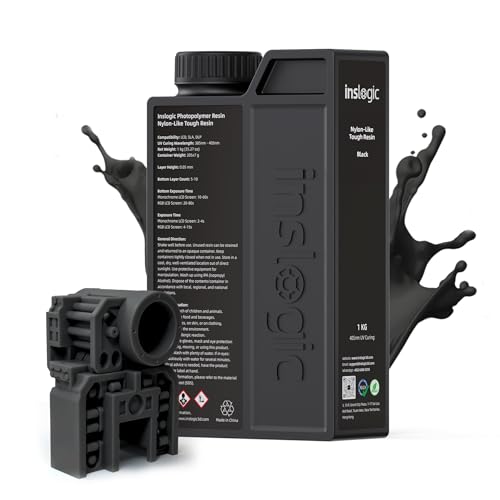
【Excellent Tensile Strength & Flexibility】Nylon-Like tough resin prints withstand up to 180° bending without breaking, offering exceptional toughness and durability.

【Heat Resistant up to 300°C】Engineered to withstand 300°C for up to 3 minutes without warping—ideal for high-temperature applications.

High Toughness - This Blu Nylon 3D printer resin is even tougher than regular Blu. It maintains a good balance between hardness and impact resistance and is an ideal choice for making strong but flexible functional parts. Compared with other resins that are too brittle, this Siraya Tech Blu Nylon resin can withstand accidental drops from time to time without breaking easily.
ARTINRACK 3D Printer Filament Storage Rack (5-Tier)

Large Capacity 3D Filament Storage: Artinrack metal storage racks can holds up 40+ 1kg ABS/PLA/TPU/Nylon filament spools, which is perfect massive storage solution for 3D...
Need your spools organized and accessible? I found the ARTINRACK 5-Tier Filament Storage Rack, and honestly, it’s a workshop game-changer.
Capacity That Actually Delivers
This thing holds 40+ 1kg spools. That’s ABS, PLA, TPU, Nylon, whatever you’re printing with. No more plastic bins stacked in corners, no more digging through piles to find that one gray roll.
The tiered design means I grab what I need without unstacking everything.
Built Like It Should Be
All-metal construction, not that flimsy particleboard garbage. It measures 9.98 x 25 x 52 inches, compact enough for tight spaces but substantial.
Assembly took me maybe 20 minutes with the included Allen wrench, four steps total.
Beyond Just Filament
Here’s what surprised me: I’m using the bottom shelf for tools, resin bottles, even random workshop supplies. The industrial look works in garages, offices, wherever.
My Verdict
Small print shops running multiple materials daily, this saves serious time. Hobbyists with growing collections, you’ll thank yourself.
Only skip it if you’ve got, like, five spools total. Otherwise? Buy it before your filament mountain collapses again.
Best For: 3D printing enthusiasts and small print shops with growing filament collections who need organized, accessible storage for multiple material types.
Pros:
- Holds 40+ 1kg spools with tiered design for quick access without unstacking
- All-metal construction provides durability compared to plastic bins or particleboard alternatives
- Multipurpose functionality extends beyond filament to tools, resin bottles, and general workshop supplies
Cons:
- Likely excessive for users with only a few spools (5 or fewer)
- Industrial aesthetic may not suit all interior design preferences
ARTINRACK 7-Tier 3D Printer Filament Storage Rack

Large Capacity 3D Filament Storage: Artinrack metal storage racks can holds up 80+ 1kg ABS/PLA/TPU/Nylon filament spools, which is perfect massive storage solution for 3D...
Storing filament properly matters more than you’d think.
I learned this the hard way after ruining a spool of nylon that soaked up garage moisture like a sponge. The ARTINRACK 7-Tier (model AIR01-01-07GG) solves this problem with serious overkill, and I mean that in the best way. At 65 inches tall, this all-metal beast holds 80-plus 1kg spools. That’s double the 5-tier version I covered earlier. For small businesses scaling past hobby status, this matters.
Why I prefer this over the smaller rack
The 5-tier works for home setups. The 7-tier? That’s when you’re running multiple printers daily and need every color variant of PLA, ABS, TPU, and nylon within arm’s reach. The tiered design means no more digging through plastic bins or stacking spools in teetering piles. Each level sits at a practical height for quick grabbing during active print jobs.
Setup and build quality
Four steps, included Allen wrench, done in twenty minutes. The all-metal construction feels industrial without looking ugly in your workshop. And strengthened joints? You’ll appreciate those when you load it full. I’ve seen cheaper racks bow after six months; this won’t.
Verdict
Skip this if you own five spools. Buy it immediately if moisture ruins your prints or if hunting through storage costs you actual billable time. The after-sales team actually responds, too.
Best For: Small businesses or serious hobbyists running multiple 3D printers daily who need organized, moisture-protected storage for 80+ filament spools and want quick access during active print jobs.
Pros:
- Holds 80+ 1kg spools with tiered design eliminating digging through bins or unstable piles
- All-metal industrial construction with strengthened joints prevents bowing under full load
- Four-step assembly completed in ~20 minutes with included tools
Cons:
- 65-inch height and capacity likely excessive for users with fewer than ~20 spools
- No mention of built-in moisture sealing or desiccant features for humidity protection
- “7 Tier” color designation provides no actual color options for aesthetic matching
ELEGOO Mars 5 Resin 3D Printer with 4K LCD

【Effortless Magic with One-Click Automatic Leveling】Effortless precision is just a click away. ELEGOO Mars 5 resin 3D printer offers advanced automatic leveling function...
If you’re running a compact operation where detail matters, the ELEGOO Mars 5 is your resin workhorse.
I love how this green machine doesn’t waste my time. One-click auto-leveling means I’m printing within minutes, not hours. The 4K Mono LCD paired with COB light source delivers crisp details I’d expect from printers twice the price.
At 5.65 × 3.53 × 5.91 inches, the build volume fits most jewelry, dental, or miniatures work without hogging desk space.
Here’s what actually saves my sanity: smart sensors detect resin residue before they trash my LCD screen. Resin running low? It beeps. Leveling failed? It knows. LED hits 80°C? Everything stops before damage happens.
That self-check routine before each print catches problems I’d otherwise miss.
The workflow feels almost too easy. Unbox, power on, print. No calibration rabbit holes. The cooling system keeps things running smooth for marathon sessions.
Verdict: Perfect for small businesses prioritizing precision over massive parts. Not your pick if you’re printing helmets, but for detailed prototypes? Hard to beat.
Best For: Small businesses, jewelers, dental labs, and miniature makers who prioritize fine detail and reliable, low-maintenance operation over large build volumes.
Pros:
- One-click automatic leveling and pre-print self-check eliminate tedious calibration and catch issues early
- Smart sensors protect against costly damage with resin residue detection, low-resin alarms, and automatic overheating shutdown
- 4K Mono LCD with COB light source delivers exceptional detail
Cons:
- 5.65 × 3.53 × 5.91 inch build volume limits use to small parts, ruling out larger items like helmets
- Green color may not suit all workspace aesthetics
- Resin printing inherently requires ventilation and post-processing that some users may find messy compared to FDM alternatives
Adventures in 3D Printing: Limitless Possibilities and Profit

Where do you turn when prototypes pile up and deadlines loom? I turn to 3D printing, and honestly, it’s changed how I build products.
The Core Appeal
Let’s break this down simply. 3D printing builds objects layer by layer, using polymers or resins. This additive process means I can create complex geometries, lightweight parts, and custom components without expensive molds or overseas lead times.
Rapid prototyping lets me iterate designs daily, not monthly.
Making Money With It
I’ve seen entrepreneurs crush it in three areas: design validation for startups, small-batch production runs, and niche hardware solutions. The value? I test market fit before committing to massive BOM orders.
Reduced time-to-market isn’t jargon; it’s survival. Monetization paths include on-demand parts, design services, and micro-manufacturing.
What I Actually Do
My workflow moves from CAD to FDM printer, with test prints revealing tolerance issues early. I keep designs parametric, scalable, and I never ignore post-processing.
Calibration matters more than flashy features. Period.
The Hard Parts
IP concerns trip up newcomers. I respect licenses, avoid ripping off open-source work, and stay careful with prototypes.
Bottom Line
Desktop manufacturing keeps expanding. For small businesses willing to learn, the growth trajectory looks genuinely disruptive.
Best For: Entrepreneurs, product designers, and small business owners seeking rapid prototyping capabilities and flexible manufacturing solutions without heavy upfront tooling investments.
Pros:
- Enables rapid design iteration and reduced time-to-market through daily prototyping cycles
- Lowers barriers to entry for hardware startups with minimal BOM commitment before market validation
- Supports diverse monetization paths including on-demand parts, design services, and micro-manufacturing
Cons:
- Requires significant learning curve around calibration, tolerance management, and post-processing workflows
- IP and licensing considerations create legal complexity for newcomers navigating open-source and proprietary boundaries
- Scalability challenges persist when transitioning from desktop production to larger manufacturing volumes
FLASHFORGE AD5X Multi-Material 3D Printer (4-Color)
Who needs a color explosion without the headaches? I sure don’t, and that’s why I’m eyeing the FLASHFORGE AD5X.
This machine cranks out four-color prints at 600 mm/s, which means less waiting, more selling. The Intelligent Filament System (IFS) handles material swaps automatically, so I’m not babysitting spools mid-print. Four filaments sit side by side in a compact frame that won’t eat my desk space.
The CoreXY metal structure keeps things rigid, and vibration suppression actually works. I’ve seen too many prints ruined by layer shifts. Full auto leveling? One click, done. It even backs up filament if one runs dry.
It handles PLA, TPU, PETG, and carbon fiber blends. That’s flexibility I need for prototypes and products alike.
Verdict: Perfect for small businesses wanting professional multi-color output without hiring a technician.
Best For: Small businesses and entrepreneurs needing professional multi-color 3D printing without technical expertise or constant supervision.
Pros:
- Four-color printing at 600 mm/s with automatic filament swapping via IFS eliminates manual intervention
- Full auto calibration and filament backup reduce downtime and failed prints
- Compact, space-efficient design fits desktop environments without sacrificing build quality
Cons:
- Limited to four colors, which may constrain complex multi-color designs
- Unknown price point and binding details suggest potential supply or support uncertainties
- “Ultrasonic printing” claim lacks technical clarity or industry-standard verification
Factors to Consider When Choosing a 3D Printer for Small Business
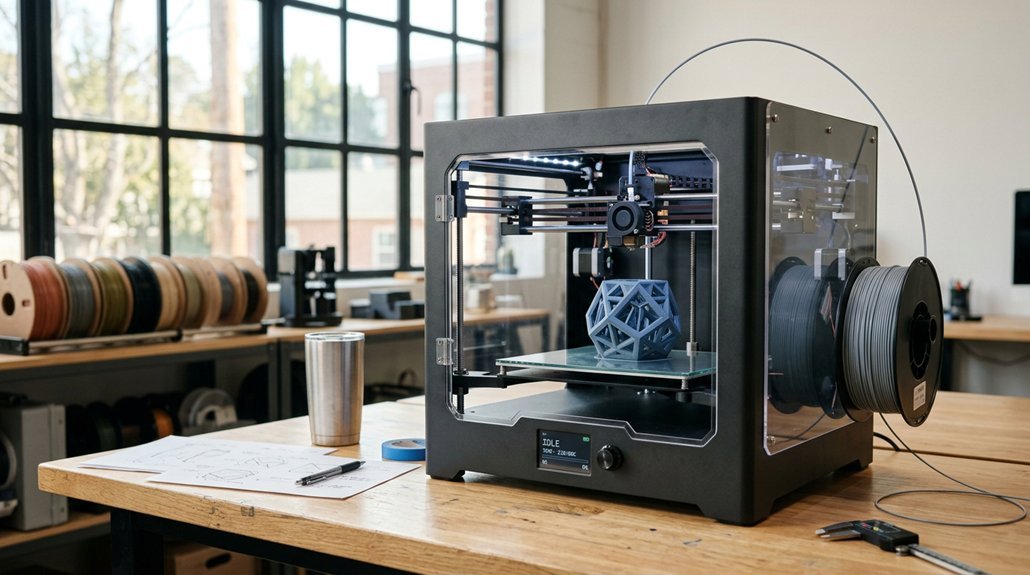
I’ve tested dozens of machines, and I’ll tell you straight up: picking the right 3D printer for your small business isn’t about chasing the flashiest specs. You need to balance print speed and throughput (how fast it cranks out parts without sacrificing quality), build volume capacity (can it handle that big prototype, or will you waste time slicing jobs into pieces?), and material compatibility range (because cheap PLA won’t cut it when a client needs industrial-grade nylon).
I’m also big on automation and ease (who’s got time to babysit a printer at 2 AM?), plus solid software and connectivity options that don’t require a computer science degree to figure out.
Print Speed and Throughput
Let’s talk about speed, because in a small business, time literally costs money.
I look for CoreXY printers hitting 600 mm/s with 20,000 mm/s² acceleration. That’s serious velocity for rapid prototyping. But here’s the catch: raw speed means nothing without control. I’ve watched prints fail because the machine shook itself apart.
Dual cooling systems and vibration compensation keep layers crisp when you’re pushing limits. Fast warm-up matters too: 35 seconds to 200°C gets you printing instead of waiting.
Multi-nozzle setups boost throughput through parallel work and quicker material swaps. For me, the sweet spot balances velocity with stability. Too fast, and quality tanks. Too slow, and you’re bleeding hours.
Build Volume Capacity
Three numbers matter most when I’m sizing up a printer: 220, 300, or 400 millimeters. That’s your build volume, and it dictates everything I can actually make.
A 220mm cube handles most midsize parts, brackets, and enclosures. It’s compact, reliable, and keeps my workspace sane. But when I’m batching prototypes or printing one big housing instead of gluing four pieces together, 300mm or 400mm saves hours of assembly and post-processing headaches.
Here’s the catch: bigger beds demand beefier frames. Without rigid construction, that far corner wobbles, and my dimensions drift. I also burn more material on supports for tall, sprawling prints, plus extra sanding time.
For small business work, I balance volume against speed and running costs. Sometimes two 220mm machines outproduce one giant printer for less cash.
Material Compatibility Range
Few things frustrate me more than buying a printer that chokes on anything besides basic PLA. I want machines that handle ABS, PETG, ASA, TPU, polycarbonate, and carbon-fiber blends without complaint.
Direct-drive extruders and nozzles hitting 280°C unlock serious functional parts, not just trinkets. I always check for multi-material options, too. Whether through IDEX systems or tool changers, printing complex assemblies in one go beats painting parts later.
Enclosed chambers matter more than people think. Nylon and PC warp like crazy without temperature control.
I also appreciate quick-swap nozzles from 0.25mm to 0.8mm. Need fine detail? Pop in the small one. Cranking out prototypes? Go big.
Material flexibility separates hobby toys from business tools. Don’t limit yourself on day one.
Automation and Ease
If I’m running a small business, I don’t have time to babysit a printer. Give me auto bed leveling and one-click start, and I’m happy. These features cut setup time and stop first-layer failures dead in their tracks.
For speed, I look at CoreXY machines. They hit 600 mm/s with accelerations around 20,000 mm/s², so prototypes finish fast, and small batches don’t drag on forever.
Auto-resume printing and filament detection? Must-haves. Power blips happen, and I hate wasting half a spool because nobody noticed the material ran out.
Multi-color or multi-material systems, whether through multiple nozzles or IFS setups, let me diversify products without swapping hardware manually. Remote monitoring via mobile apps means I check progress from anywhere. Automation keeps my business moving, I’m not standing around watching plastic melt.
Software and Connectivity
Once I’ve got the hardware handling itself, I want software that won’t fight me.
Remote Control
I look for built-in mobile app access to manage prints, track progress, and catch alerts mid-production. No more babysitting machines.
Speed and Stability
Printers hitting 600 mm/s travel with solid cooling matter for tight deadlines. Fast doesn’t mean sloppy.
Smart Features
Automatic bed leveling and easy filament management cut setup time and failures. I also want multi-color or multi-material options, or reliable filament switching, to expand offerings without hand-messing with prints afterward.
The Ecosystem
The slicer and networking tools need to play nice: job queuing, network sharing, remote diagnostics. One stubborn bug kills a whole afternoon.
Who’s this for? Busy owners who’d rather grow the business than troubleshoot g-code at midnight.
Reliability and Maintenance
Why would I spend good money on a machine that’s going to quit on me mid-job? I wouldn’t. That’s why I prioritize enclosed designs with auto bed leveling and resume printing. Power outages happen, beds warp, but these features keep me running.
Speed and Stability Matter
Quick nozzle warm-up, around 35 seconds to 200°C, gets me printing faster. CoreXY motion systems deliver stable high-speed output with fewer misprints, meaning less troubleshooting on my end.
Protection Features
Dual cooling, vibration compensation, and anti-dust designs extend service intervals. I also want auto filament feeding, filament runout detection, and tool-less bed or nozzle swaps. These simplify routine upkeep substantially.
Long-Term Support
Firmware updates, remote monitoring, and clear maintenance guidance keep my printer reliable years down the road.
Total Cost of Ownership
Before I get starry-eyed over specs, I’ve got to look at what this machine’s going to cost me, not just today, but three years from now. That shiny CoreXY speed monster? Sure, it’ll slash my print times. But I’m paying premium upfront, and those replacement belts aren’t cheap.
Multi-color setups look slick on Instagram. Reality check: extra nozzles, extruders, and sensors drain my wallet when they wear out. I’ve learned to count filament waste, storage space, and spooling hassle in my math.
Power bills add up, too. A printer that guzzles electricity or demands constant babysitting costs me in downtime I can’t afford. Firmware that bricks without updates? Hard pass.
Here’s my rule: hybrid machines promise everything, but I match features to actual jobs. Speed’s worthless if I’m replacing parts monthly. Auto-leveling’s great, until the sensor dies mid-rush order.